If you’re feeling somewhat uncomfortable when writing follow-up emails, you’re not alone. Many marketers don’t know how to approach follow-up emails for an obvious reason:...

Key Takeaways
Email campaigns don’t always reach inboxes at the speed you expect. Sometimes, messages are delayed, staggered, or slowed down before delivery, even when everything seems correctly set up. This is often the result of email throttling, a process used by ISPs to regulate how many emails are accepted from a sender at a given time.
When large volumes are sent too quickly, receiving servers may slow delivery to assess the sender’s behaviour, using these signals to determine whether the sending activity appears safe or potentially harmful. These delays can quietly affect campaign performance, making it harder to understand why emails arrive late or engagement does not match expectations.
Email throttling is a mechanism used by Internet Service Providers (ISPs) and mail servers to limit the rate at which emails are accepted from a sender. Instead of rejecting messages outright, the server controls how quickly they are processed and delivered, often placing excess messages into a temporary queue until capacity allows further processing.
This is done to protect infrastructure from overload and to reduce the risk of spam. When a sender exceeds certain thresholds, such as sending too many emails too quickly or showing signs of poor list quality, the receiving server may slow down delivery, treating the activity as potentially suspicious until it is verified over time.
Throttling is different from blocking. With throttling, emails are delayed and delivered gradually. With blocking, emails are rejected entirely and never reach the recipient, which makes throttling less severe but still impactful on performance.
When an ISP pegs back the number of acceptable emails from a specific sender within a period, they are throttling the emails. Once throttling is in place, emails sent above the limit will be rejected automatically. This leads to a high number of bouncebacks. Another word of email throttling is “deferral.”
The duration of limitation depends on the situation, but it is temporary most times. The standard error messages associated with throttling include: “User’s mailbox is over quota” or “User is receiving mails too frequently at the moment, kindly try again later.” These 400 classes of errors are usually cleared in not later than 72 hours.
If your email is not delivered to the prospective recipient, it may be because the recipient’s mailbox is full. It may also be because all the ports on the server are closed, hence, unable to receive emails. The third reason may be the inability of the receiving server to identify your IP address or addresses, thus treating your messages as spam. To avoid this, always warm up to your recipients, so that they are familiar with you.
It is common for recipients to mark the sender as spam. While the server will not block you for this, it will not receive more emails until they get the reactions from other prospective receivers of the same email.
Email throttling should be handled properly to ensure it does not affect your sending reputation adversely.
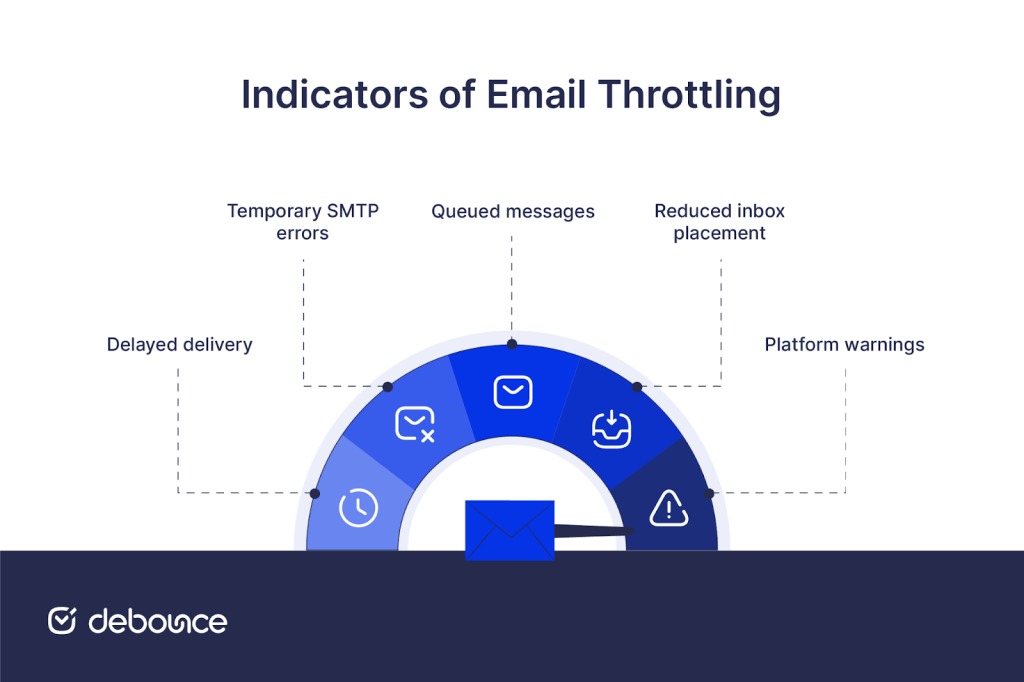
Throttling is not always immediately visible, but there are consistent patterns that indicate when it is happening:
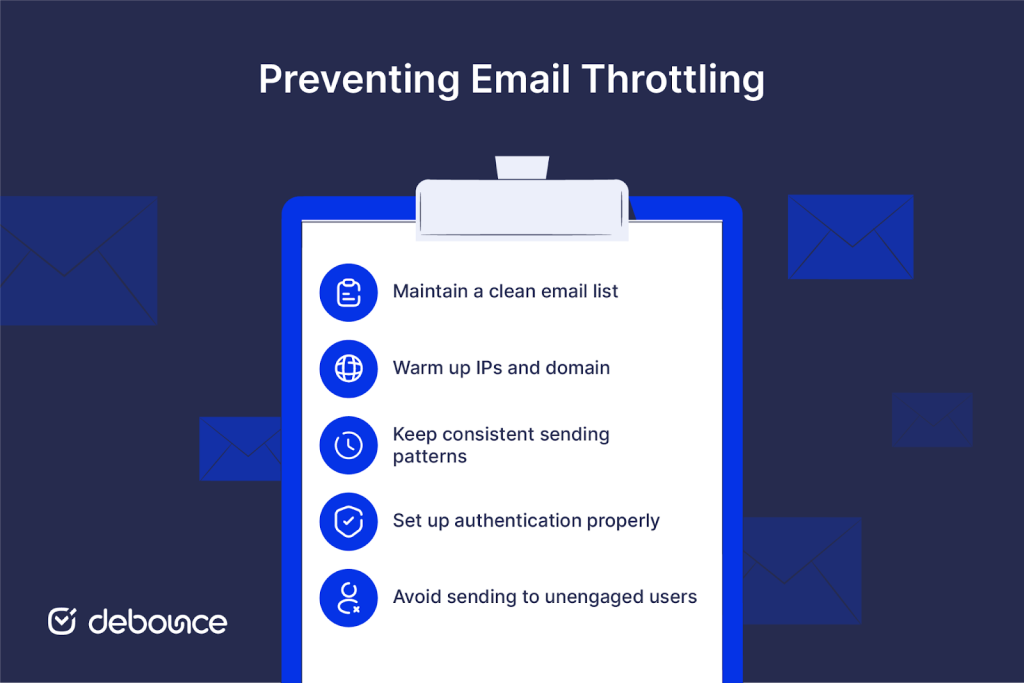
Preventing throttling requires a combination of technical setup and consistent sending behaviour. Small adjustments can make a noticeable difference in how smoothly your emails are delivered, especially when applied consistently over time rather than as one-time fixes.
Email throttling directly affects how campaigns perform and how predictable results become. Delayed delivery disrupts campaign timing, especially for time-sensitive messages such as promotions or announcements. When emails arrive too late, the intended action may no longer be relevant, reducing the effectiveness of the entire campaign.
Open and click-through rates often decline because recipients receive messages outside the moment when they are most likely to engage. This creates a gap between expected and actual performance, even when content and targeting remain unchanged.
The impact extends further into conversions. Delays reduce the likelihood of immediate action and weaken overall campaign momentum, which in turn affects revenue predictability. When emails do not reach audiences as planned, forecasting results becomes less accurate.
Over time, inconsistent delivery can also affect customer trust. When communication feels irregular or unreliable, engagement tends to decline, making it harder to maintain a stable connection with your audience, as recipients may begin to ignore or overlook future messages.
Email throttling is a delivery issue that often goes unnoticed, yet it can have a noticeable effect on campaign performance. Understanding how and why it happens makes it easier to maintain steady delivery and more consistent results, particularly in high-volume sending environments where small delays can scale quickly.
Reducing the risk starts with how you send. Controlled sending patterns, proper authentication, consistent list maintenance, and early removal of risky addresses all contribute to building trust with receiving servers and avoiding unnecessary slowdowns.
When prevention is part of the process, campaigns are more likely to perform as expected, without delays that weaken engagement. Tools like DeBounce support this through Email List Validation and Email List Monitoring, helping you keep your data clean, track list quality over time, and maintain reliable delivery with more stable outcomes, while giving you clearer visibility into list health so you can act before issues affect performance.
Email throttling slows down the rate of delivery, while a blacklist blocks emails entirely based on reputation or policy violations.
Throttling can last from a few minutes to several hours, depending on the severity of the issue and how quickly sending behaviour stabilises.
Yes, a high bounce rate signals poor list quality and can trigger throttling as servers attempt to protect against unreliable or risky senders.
Find quick answers to your questions about our pricing and plans.

If you’re feeling somewhat uncomfortable when writing follow-up emails, you’re not alone. Many marketers don’t know how to approach follow-up emails for an obvious reason:...

Greylisting temporarily rejects mail from unrecognized sender–recipient–IP combinations with a 4xx “try again later” response. Legitimate servers retry; many crude spam tools do...


Basic demographic information was once the key to driving demand generation. But now that this data is widely accessible, it is no longer sufficient to...


Raw XML is intentionally machine-formatted. The fastest path to value is parsing reports into a table of sending sources and outcomes; manually for...

Fake emails rely on urgency, impersonation, and visual tricks. Learning the signs lets you slow down and evaluate before acting. Sender domain mismatches,...

Email lists are the foundation for an effective email marketing campaign. Building an email list is ongoing for as long as you need it to....