
Fully automated cleaning
DeBounce checks your connected lists on schedule and removes risky records without manual uploads.
Email list monitoring helps keep your database clean automatically through daily validation and continuous ESP synchronization. DeBounce validates connected email lists, removes invalid contacts, and syncs updates back to your sender platform without manual uploads or recurring cleanup work. Connect your lists once and keep them healthy automatically with ongoing hands-free monitoring.
No Credit Card is Required. From $0.00045 per Check.
Email databases decay constantly, even after cleaning. Employees leave, domains expire, providers close inactive accounts, and users abandon old inboxes. Nearly 30% of email addresses go bad each year, so a list cleaned in January may already include 5–8% invalid contacts by April. As invalid emails build up, bounce rates rise and sender reputation drops. Email list monitoring prevents this by automatically validating connected lists, removing invalid contacts, and syncing clean data back to your ESP without manual cleanup.
→
→
↺ Repeats automatically
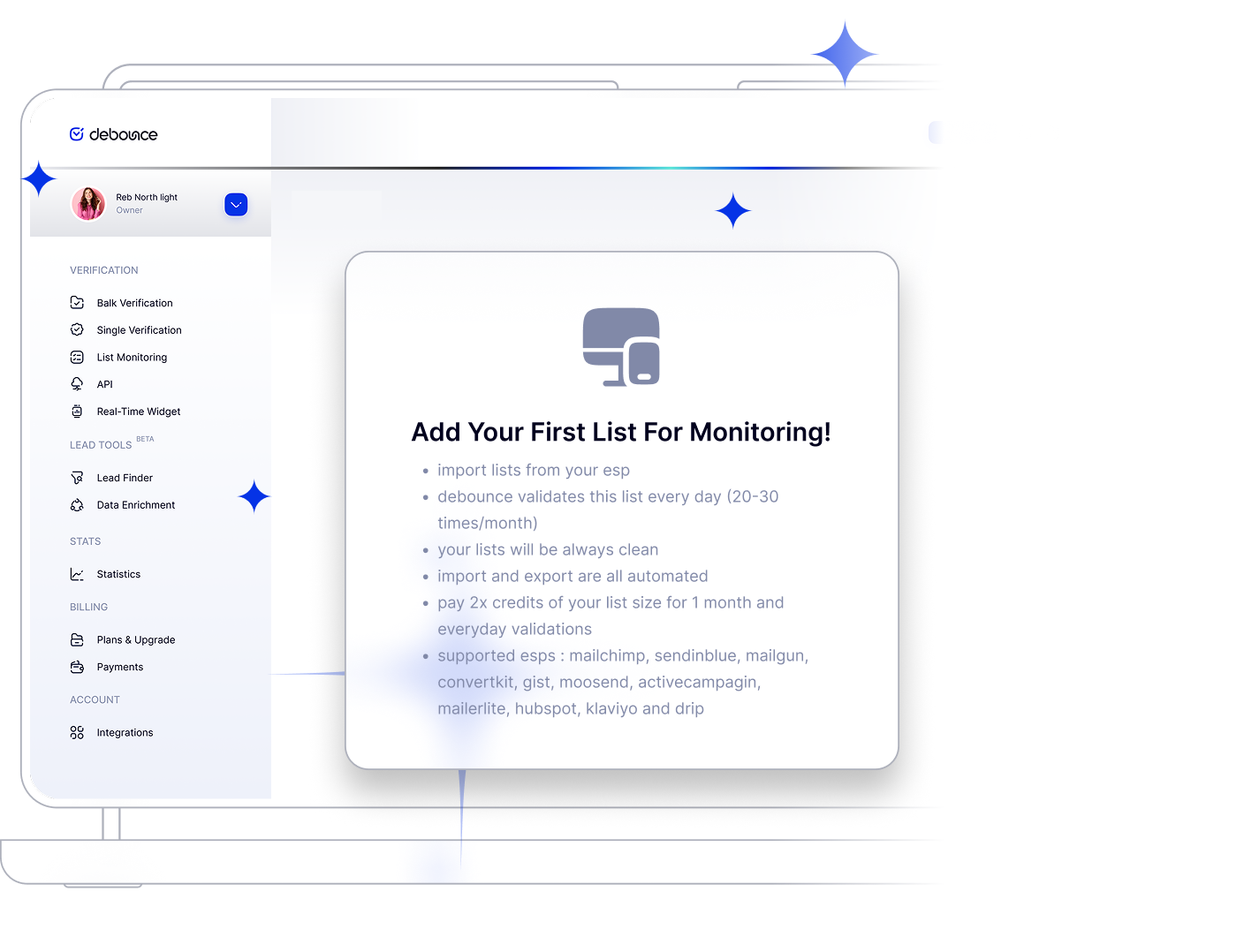
Email list monitoring runs in the background after a list is connected to DeBounce. Instead of exporting databases, uploading files, and scheduling recurring cleanups manually, the system keeps your lists clean automatically. Once monitoring is enabled, DeBounce continuously validates and syncs email data without ongoing maintenance work from your team.
The monitoring process follows a continuous cycle: import, validate, and sync. DeBounce imports connected lists directly from your ESP, validates email addresses for invalid, disposable, risky, role-based, complainer, and undeliverable status, then syncs the updated results back to the sender platform. This cycle repeats automatically to help prevent email decay between campaigns.
As subscriber lists change over time, invalid contacts are automatically removed or suppressed inside the connected ESP. There’s no need to export lists, upload CSV files, run recurring validation jobs, or manually clean databases after setup. Validation history and synchronization activity remain available inside the dashboard whenever you need them.
Connected lists are typically checked approximately 15 to 35 times per month, depending on list size and monitoring configuration. This ongoing validation cycle helps reduce bounce rates, maintain healthier databases, and protect sender reputation as email lists continue changing over time.
Keep your database clean automatically, reduce bounces continuously, and maintain high deliverability with always-fresh verified contacts.
DeBounce checks your connected lists on schedule and removes risky records without manual uploads.
Connect with your existing stack and keep your sender platform synchronized with fresh validation results.
Define thresholds for bounce risk and catch-all behavior to control how each contact is handled.
Trigger actions based on status changes so your teams react instantly to list quality updates.
DeBounce connects directly with major email service providers and marketing platforms to automate validation, synchronization, and ongoing list hygiene without manual exports or imports.










Email list monitoring uses the same credit system as standard bulk validation, so separate monitoring subscriptions are not required. Monitoring credits are deducted from your existing DeBounce account balance automatically.
Monitoring consumption is typically calculated at approximately 2× the size of the monitored list per month. For example, monitoring a 10,000-contact list uses roughly 20,000 credits monthly. Actual cost depends on your selected credit package and pricing tier.
Users can also define a maximum list size cap to prevent unexpected credit usage if subscriber counts increase significantly. This helps maintain predictable monitoring costs while protecting against accidental credit drain from rapid database growth.
One-Time Cleaning
Use one-time cleaning when validating a database occasionally or processing a static list before a campaign. This approach works well for purchased lists, inherited databases, CRM migrations, or quarterly deliverability audits where validation happens manually at specific intervals. One-time validation is available through the /solutions/email-list-validation/ workflow.
List Monitoring
Use email list monitoring when running ongoing campaigns or managing databases that continuously change over time. Subscriber lists connected to signup forms, ecommerce checkouts, lead generation systems, webinars, or automation flows begin decaying immediately after validation is completed.
The biggest difference is consistency. One-time cleaning removes invalid contacts only at the moment validation occurs, which allows new decay to accumulate between cleaning cycles. Monitoring validates lists continuously and removes risky contacts automatically before they affect future campaigns.
For active senders, monitoring also reduces manual maintenance because validation and synchronization happen automatically instead of requiring repeated exports, uploads, and recurring cleanup schedules.
1
Create a DeBounce account and connect your sender platform using OAuth login or API credentials. New accounts include 100 free credits with no credit card required.
2
Choose which lists to monitor, define maximum list size limits, and configure how risky or catch-all addresses should be handled.
3
After setup, DeBounce continuously validates and syncs your connected lists automatically without manual intervention. Invalid contacts are removed directly from your ESP, while validation history and sync logs remain accessible from the dashboard at any time.
Prevent email deliverability issues and wasted resources by using a bulk email verification tool to eliminate invalid addresses.
No Credit Card is Required. From $0.00045 per Check.

Enjoy transparent pricing with no hidden fees — pay only for what you use.

Connect DeBounce to verify emails ultra-instantly — simple and seamless.
Explore real-life success stories from businesses that rely on our industry-leading
email validation services.

Easy set up and great API access
Easy set up and great API access

the tool is easy to use and it's goodâ¦
the tool is easy to use and it's good for verification

I like how they price the credit
I like how they price the credit. Very fair, very affordable. No contracts. N...

Easy to use
Easy to use, fast with detailed reports but i love the straightforward pay fo...

great software
great software, very reliable

Very easy to use and fast cleaning ofâ¦
Very easy to use and fast cleaning of old lists.
Find quick answers to your questions about our pricing and plans.
DeBounce validates your list ~1 time per day. It could be more or less. Generally, we validate your lists 15~35 times per month.
Monitoring uses the same credit pool as bulk validation and typically consumes approximately 2× the size of the monitored list per month. See full pricing details above.
You can set the maximum number of allowed emails for your list once setting up. If the number of emails increase from that, the validation will be skipped for that day.
DeBounce supports integrations with Mailchimp, MailerLite, HubSpot, ActiveCampaign, Mailjet, Klaviyo, ConvertKit, Mailgun, Moosend, and Brevo (formerly SendinBlue). Each platform can be connected directly for automated monitoring and synchronization workflows.
No! Results are automatically synced.
Sure you can. You have access to a full detailed report.
If a monitored list exceeds the configured maximum size cap, monitoring for that list may be skipped until the limit is adjusted. This helps prevent unexpected credit usage caused by sudden database growth.
Users can update monitoring caps directly from the dashboard at any time.
Yes. Monitoring can be paused or resumed directly from the dashboard without disconnecting your ESP integration or deleting validation history.
Previously synchronized lists, monitoring settings, and validation records remain available after monitoring is paused.
DeBounce provides validation history and synchronization logs directly inside the dashboard. Users can review which addresses were removed, when the removal occurred, and the reason each address was flagged.
Validation reports include categories such as invalid, disposable, role-based, complainer, catch-all, and other validation statuses.
There is no strict minimum list size requirement for monitoring. However, very small databases may not benefit as much from continuous monitoring compared to occasional one-time cleaning workflows.
Client confirmation may be required for any platform-specific minimum thresholds or usage recommendations.
Yes. DeBounce supports monitoring multiple lists across one or more connected ESPs simultaneously. Each monitored list can maintain its own rules, monitoring limits, validation history, and synchronization settings.
This is commonly used by teams managing multiple campaign audiences, newsletter segments, automation databases, or regional subscriber lists.
