
Spam traps help inbox providers and anti-spam organizations identify senders who acquire addresses through poor practices. There are three main spam trap types:...

Key Takeaways
An email hits your inbox at 7 a.m., saying your bank account has been suspended, and that you need to verify your identity within 24 hours or lose access completely. The logo looks right, and the sender’s name says it is your bank. The link is sitting there, easy to click.
It’s a fake. And it almost worked. Scam emails have gotten good, with clean formatting, polished language, and just enough urgency to push you to act before you think. That’s what makes knowing how to identify fake emails so important. It’s not just individuals who get targeted; businesses, employees, and entire marketing teams are all actively attacked.
The consequences are real: financial loss, stolen credentials, compromised systems, and lasting reputational damage. But most scam emails leave clues if you know what to look for. This guide walks you through the types of fake emails and their warning signs, as well as the practical steps you can take to protect yourself and your organization.
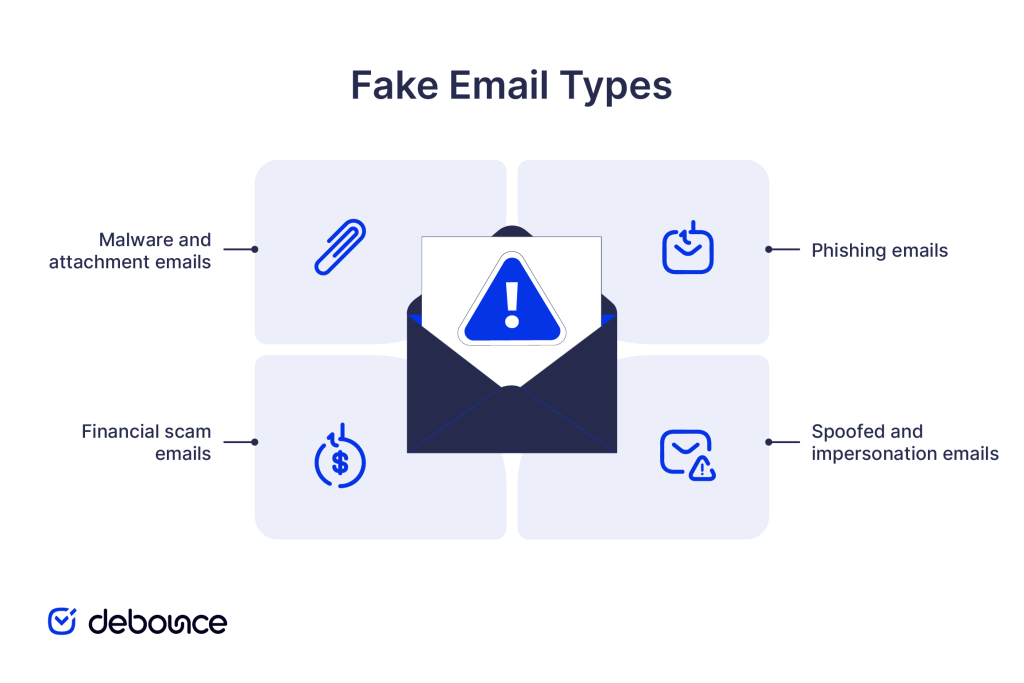
Not all fake emails work the same way. Understanding the main categories helps you recognize what you’re dealing with and why each one is designed the way it is.
Phishing is the most common type. A phishing email impersonates a trusted brand, like a bank, a software platform, or a government agency, to steal your login credentials or personal information. The email typically contains a link to a fake website that looks identical to the real one. Research on improved phishing detection systems has found that these attacks are increasingly sophisticated, combining realistic branding with technically valid-looking domains to reduce user suspicion.
In a spoofed email, the attacker forges the “From” field to make the message appear to come from a colleague, an executive, or a known vendor. These emails often don’t contain links at all. They’re designed to get you to wire money, share access credentials, or take some other direct action based on a seemingly trustworthy request.
These scams range from advance-fee fraud, such as messages claiming, “I need to transfer $4 million and require your bank details,” to fake invoice emails that appear to come from a trusted supplier. Some impersonate executives, vendors, or financial partners to make the request seem routine and legitimate. They rely on authority, urgency, or greed to pressure recipients into acting quickly without verifying the request through a separate channel.
Some fake emails skip the link entirely and deliver malicious payloads via attachments. A fake invoice, a “contract” PDF, or a supposed shipping notification might contain a macro-enabled document that executes code the moment you open it. These are particularly dangerous in business contexts, where employees expect to receive files from external parties.
The signs below work best as a checklist. One red flag on its own might not mean much; a typo happens. But two or three appearing together? That’s a strong signal to stop, slow down, and verify through another channel before taking any action.
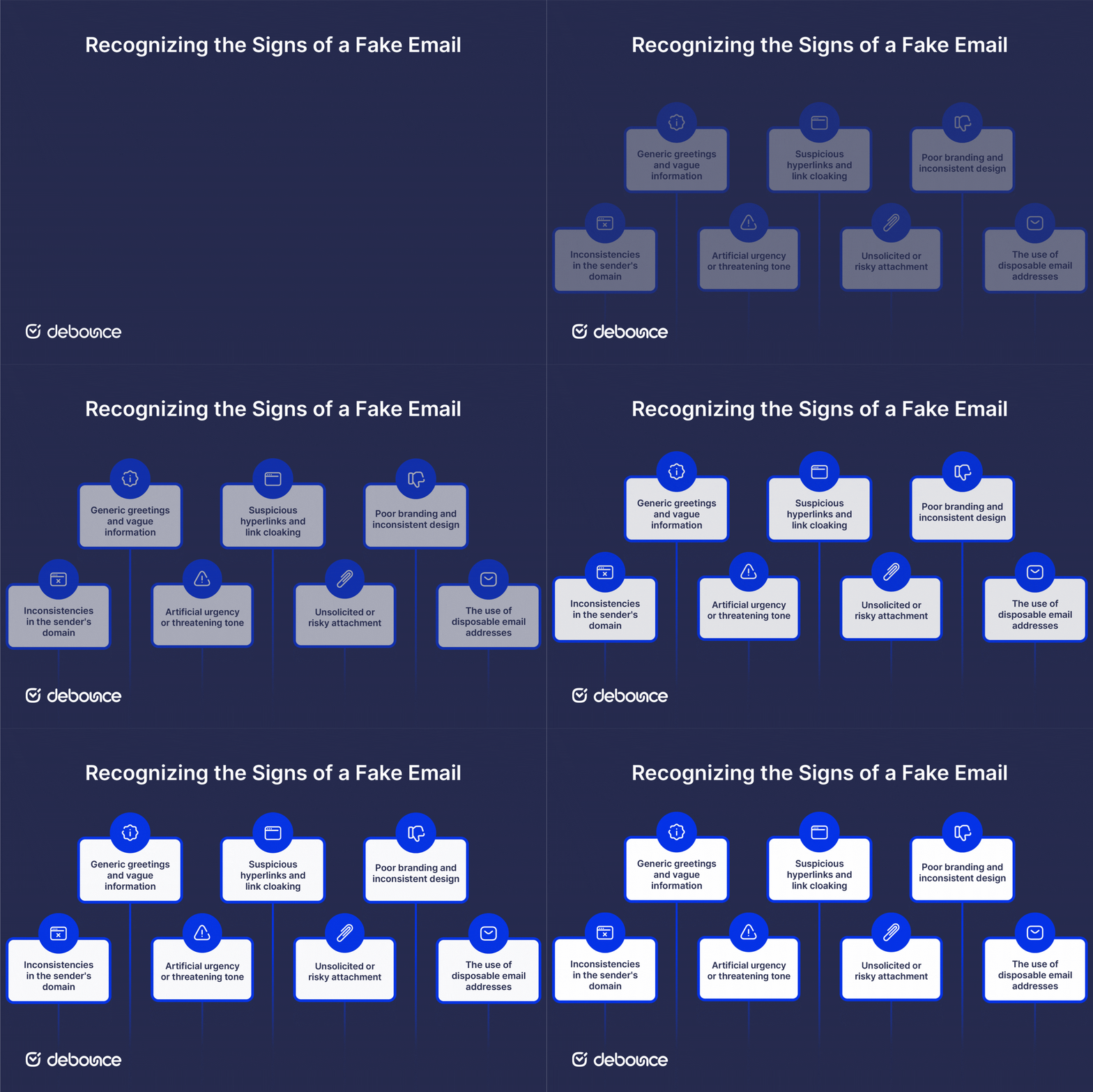
This is the single most reliable check. Don’t read the display name (“PayPal Support”). Read the actual email address in the “From” field.
Attackers use a technique called typosquatting, registering domains that look almost identical to the real one: paypa1.com instead of paypal.com, or [email protected] instead of @amazon.com. They also commonly use free email providers (Gmail, Yahoo) to send messages that claim to be from official corporate accounts (a legitimate bank or SaaS platform will never contact you from a @gmail.com address).
What to do: Click or hover on the sender’s name to reveal the full email address. Compare the domain carefully, character by character, with the official website.
Legitimate companies personalize their communications. Your bank uses your name. Your ESP includes your account ID. When an email opens with “Dear Customer,” “Valued Member,” or just “Hello,” it’s a strong indicator that the message was mass-blasted to thousands of addresses simultaneously.
Similarly, watch for missing specifics. A real invoice from a vendor includes your company name, a PO number, and line items. A fake invoice says, “Attached is your invoice,” and nothing else. The vaguer the information, the wider the net the attacker is casting.
Scammers rely on a psychological principle called “fear of loss.” Subject lines like “Your account will be permanently closed in 24 hours” or “Unauthorized login detected—act now” are designed to bypass your critical thinking and make you click before you pause to evaluate.
The urgency is the mechanism. It’s the attacker’s way of preventing you from doing exactly the checks described in this guide. Whenever an email is pushing you to act immediately, that pressure is itself a reason to slow down.
The link displayed in an email can say anything; it’s the destination URL that matters. Use the hover technique: move your mouse cursor over a link (without clicking) and look at the bottom corner of your browser or email client. The actual destination URL will appear there.
Red flags in destination URLs include: domains that don’t match the supposed sender, subdomains designed to mislead (amazon.real-domain.com is not Amazon), and shortened links (Bitly, TinyURL) in unsolicited emails. Legitimate transactional emails from banks, platforms, and SaaS tools don’t typically use URL shorteners.
Banks, government agencies, and most reputable platforms do not send unexpected attachments. If an email you didn’t ask for includes a file, particularly with extensions like .zip, .exe, .scr, .doc (with macros), or .xlsm, treat it as suspicious until verified.
Before opening any attachment from an unverified sender, contact the supposed sender directly through a known channel (phone, official website) to confirm they sent it. Don’t reply to the email, as that just goes back to the attacker.
Compare the email’s visual style against what you’d see on the sender’s actual website. Fake emails often contain low-resolution logos, mismatched fonts, outdated copyright dates in the footer (e.g., © 2021 when the current year is 2026), or color schemes that are slightly off from the real brand.
It’s worth noting that AI tools have improved the spelling and grammar in scam emails significantly, so don’t rely on typos as your primary check. Design inconsistencies are now a more reliable giveaway than simple grammatical errors.
A disposable email address (DEA) is a temporary address that exists only long enough to receive a confirmation or send a scam message, then disappears. Scammers use them to avoid being traced back to a permanent identity.
For individuals, DEAs are a clear warning sign when you receive unexpected messages from them. For businesses, they create a different problem: fake sign-ups that pollute your marketing list with addresses that will bounce or disappear, damaging your domain reputation and deliverability over time.
Spotting DEAs manually is nearly impossible. Many use convincing-looking domains rather than obvious names. Tools like DeBounce can detect disposable email addresses automatically, flagging them before they reach your list.
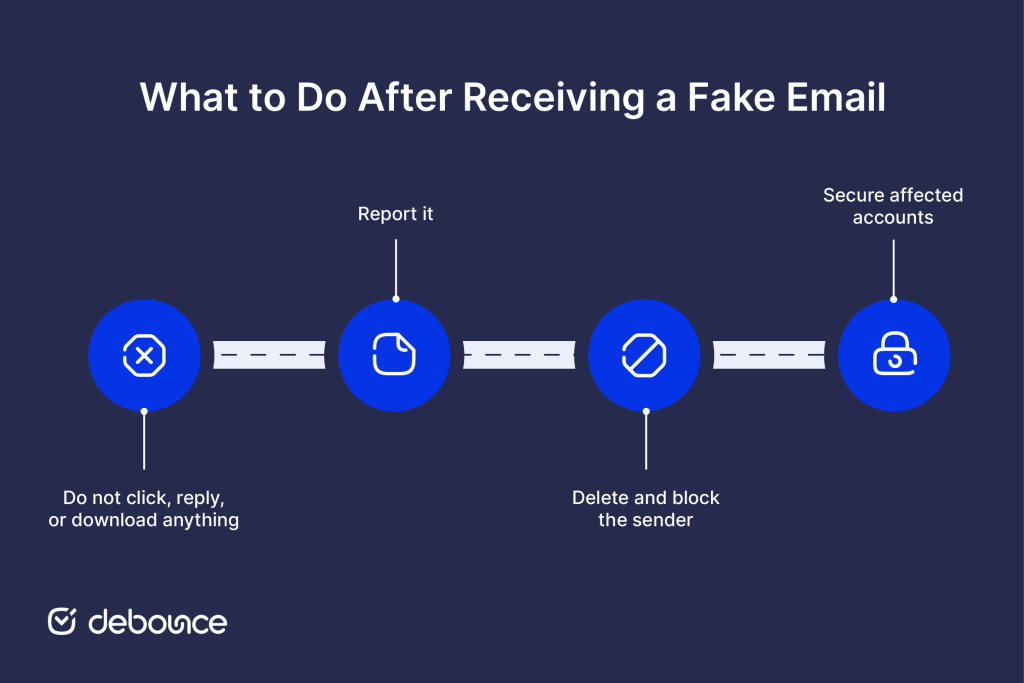
If something feels off, treat the email as suspicious until proven otherwise. Here’s a clear action sequence to follow:
Recognizing individual fake emails is valuable, but it’s the last line of defense (not the only one). A layered approach is more reliable, combining awareness, technical controls, and clean data practices.
Scam tactics don’t stay the same for long. They shift, adapt, and get more convincing over time. Training employees or team members to recognize current phishing techniques and to know what to do when they’re unsure reduces the risk of a single lapse causing a larger incident. Short, regular sessions are more effective than annual compliance-box-ticking.
Configure your email client and domain with authentication protocols: SPF, DKIM, and DMARC. These records make it much harder for attackers to spoof your domain, and harder for spoofed emails targeting your team to pass filtering. Most email providers offer setup guides for these settings.
Even if a phishing attack captures a password, multi-factor authentication (MFA) stops the attacker from getting any further. Enabling MFA on your email account and any connected systems is one of the most effective single steps you can take. Pair it with a password manager so each account has a unique, strong credential.
For businesses sending marketing or transactional emails, the quality of your list directly affects both your deliverability and your vulnerability. Fake sign-ups inflate your list with dead weight and can trigger spam filters when you send. DeBounce’s Email List Validation runs layered checks (syntax, DNS/MX records, SMTP server responses, and risk indicators like disposable or role-based addresses) to flag invalid and risky emails before you send.
If you’re concerned about your inbox health at the individual level, it also helps to regularly clean up email accounts by unsubscribing from unused lists and removing old forwarding rules that could be exploited.
Email addresses decay over time, as people change jobs, abandon old accounts, or sign up with throwaway addresses. A list that was clean six months ago may have developed real problems by now. DeBounce’s Email List Monitoring automatically re-validates your connected lists on a schedule, flagging new invalid or risky addresses as they appear without requiring manual exports or re-uploads.
Fake emails work because they’re designed to make you react before you think. The best defense is the opposite: pause, check the sender’s domain, read the greeting, hover over the link, and ask whether the request makes sense given what you actually know about the sender.
For individuals, the checks in this guide will catch most scams. For businesses, awareness training and strong authentication settings are essential, but so is the quality of your email data. Disposable addresses and fake sign-ups degrade your deliverability, inflate your costs, and make it harder to reach the real people on your list.
Run a sample of your list through DeBounce’s Email List Validation today to see how many addresses are invalid, disposable, or otherwise risky. It’s a 10-minute check that gives you a clear picture of where your list stands, before your next send.
How can you check a suspicious email without opening it?
Most email clients show the sender’s address, subject line, and a preview snippet in the inbox view without requiring you to open the message. Use that preview to check the sender’s domain and the tone of the subject line before deciding whether to open it.
What is the first thing you should do if you see a suspicious email?
Don’t click anything. Check the sender’s actual email address (not just the display name), then report the message using your email provider’s built-in reporting tool before deleting it.
Can anyone spot fake emails, or does it require expert skills?
Anyone can learn to spot most fake emails with a basic checklist, no technical background required. The key signs (sender domain mismatches, urgency, generic greetings, suspicious links) are visible to any careful reader who knows what to look for.
Find quick answers to your questions about our pricing and plans.
Spam traps help inbox providers and anti-spam organizations identify senders who acquire addresses through poor practices. There are three main spam trap types:...
Mobile apps restrict bulk deletion; the fastest way to delete thousands of emails requires desktop browser access. Deleted emails go to a Trash...
You probably are familiar with the concept of List Hygiene? Well, this simply means the process of getting rid of inactive users from your mailing...
Email needs no introduction since, for ages, it has served as one of the main communication channels for individuals and organizations worldwide, facilitating everything from...
Coming up with an email marketing strategy can only get you so far if you don’t measure the success of your campaigns. You need to...

Email logos appear primarily in signatures (professional emails) and headers (marketing emails), each with different sizes and optimization requirements. Logos should be under...
