
Most email providers restrict attachments to 10–25MB per message, and exceeding these limits causes immediate bounces. Sharing links to files stored in Google...

Key Takeaways
Email tracking has become a core part of how marketers evaluate campaign performance in the crowded inbox environment of today. With automated filtering, privacy protections, and AI-driven sorting impacting what users actually see, sending emails is only one part of the process. Understanding how recipients interact with those emails is what determines whether a strategy works.
From a marketer’s perspective, email tracking is less about monitoring individual actions and more about identifying patterns. Which emails are opened, which links are clicked, and where engagement drops all contribute to decisions about content, timing, and targeting.
As email marketing becomes more data-driven, tracking tools play a central role in refining campaigns and improving outcomes over time.
An email tracker is a tool that collects data about how recipients interact with your emails. It records actions such as opens, clicks, bounces, and unsubscribes, giving marketers visibility into campaign performance. Email tracking, on the other hand, refers to the broader practice of measuring and analyzing these interactions.
In practice, this means:
This allows marketers to move from guesswork to informed decisions.
Email tracking relies on small pieces of embedded technology within an email.
The most common method is a tracking pixel, which is a 1×1 transparent image hosted on an external server. When a recipient opens the email, and their email client loads images, the pixel is requested from the server. This request signals that the email has been opened and records basic data such as time and device type.
Clicks are tracked through redirect links. When a recipient clicks a link, they are briefly routed through a tracking server before reaching the final destination. This allows the system to record the interaction.
However, modern email environments have changed how reliable this data is. Some email clients, such as Apple Mail with Mail Privacy Protection, preload or block tracking pixels. This can inflate or obscure open rate data. As a result, open rates are no longer as precise as they once were and should be interpreted alongside other metrics.
Email tracking metrics help you understand how recipients interact with your campaigns and where performance can be improved.
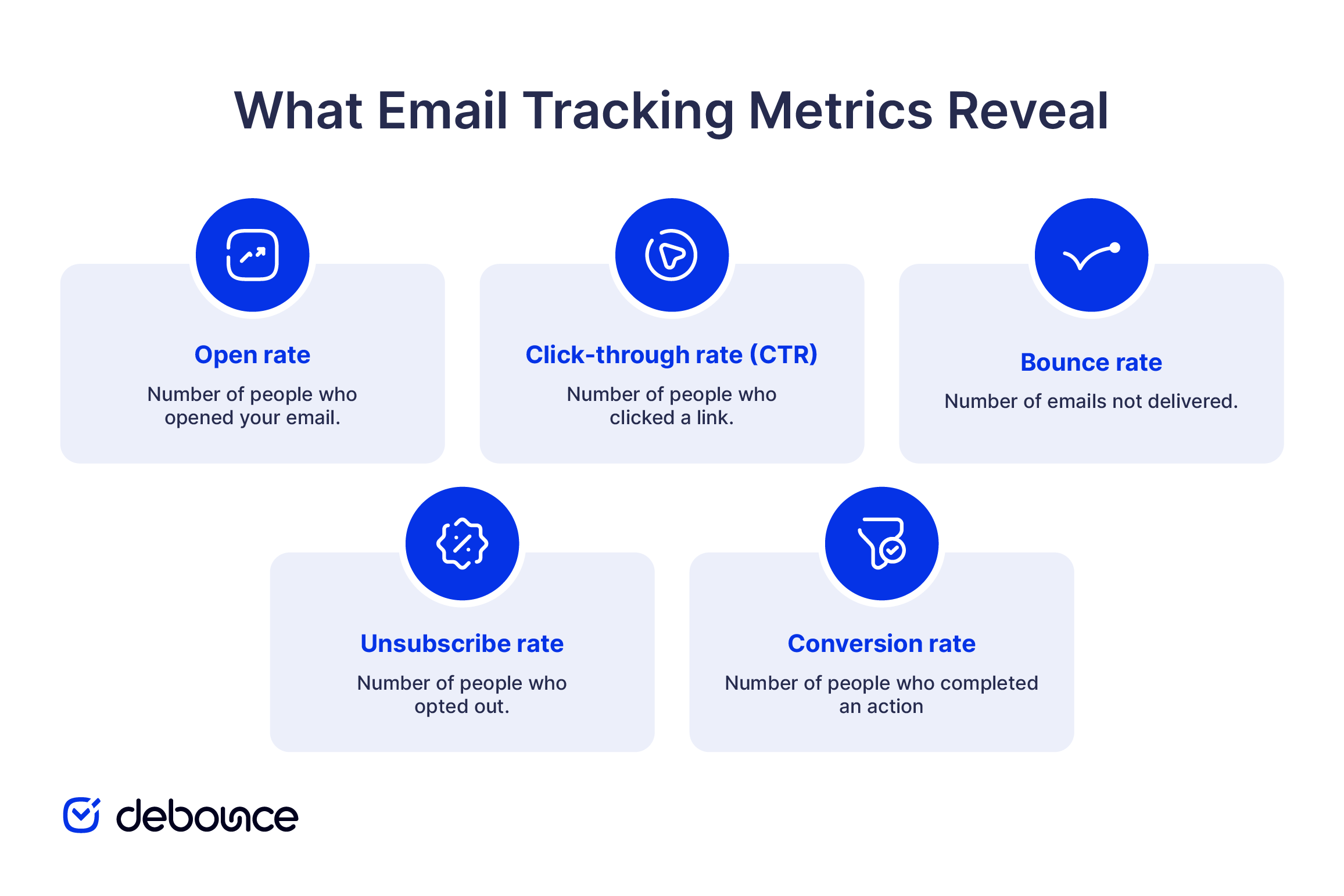
You might be wondering — does it really matter if I measure my email metrics or not? As a marketer, it’s paramount that you do. Every marketing campaign should be backed by a tracking system that would help you monitor and interpret the results so that you could deliver the most value to your customers; an email tracker isn’t an exception. It’s how you keep tabs on your hottest leads and maintain mutually beneficial relationships with your existing customers.
Here are some of the benefits associated with integrating an email tracker into your operational processes:
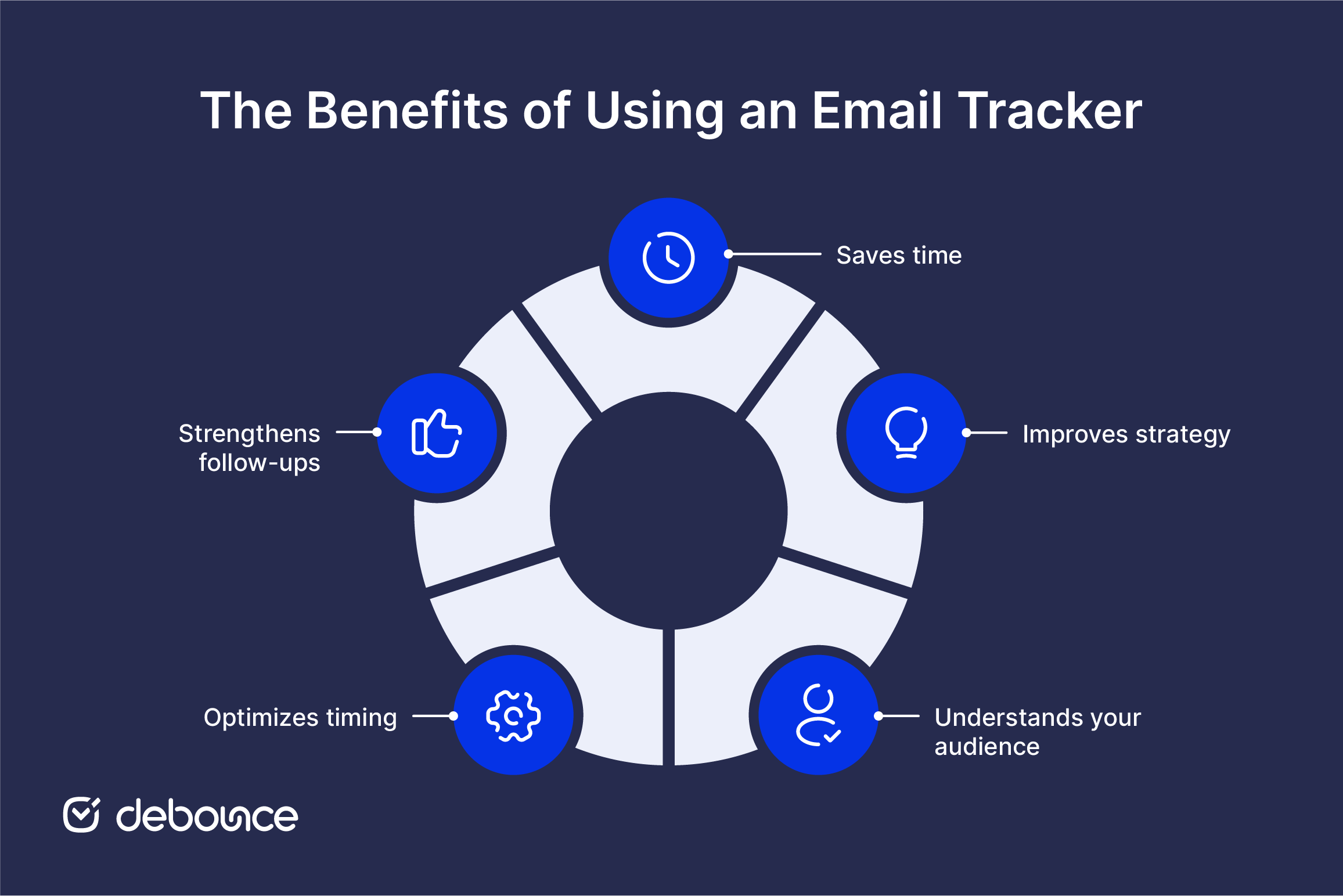
Using an email tracker removes the guesswork. You don’t have to check if you already sent an email to a prospect, and it helps you avoid sending duplicate messages that can lead to unsubscribes.
You can clearly see who received your email and who didn’t. This saves time and helps you understand how your campaign is performing. It also means you’re not spending money on emails that don’t lead to conversions or a good return.
It is not always clear how a campaign will perform before it is sent. Even well-planned strategies can produce unexpected results depending on audience behavior.
With an email tracker in place, you can monitor open rates, click-through rates, bounce rates, and other metrics, so that you can adjust your marketing strategy accordingly. This allows you to prioritize engaged customers while continuing to develop leads that have not converted yet.
There’s arguably nothing that would give you better insights into the behavior of customers who end up bouncing off than an email tracking tool. Apart from giving you enough information on what email gets opened more times and what your customers tend to interact with the most, it lets you in on how quickly your leads are converting and what can be done to catch the attention of those who aren’t as interested in purchasing from you yet.
It also provides you with valuable statistics about the content you’re using in your emails. You might be thinking that the graphs, photos, and videos you’re sending out are performing well, but in reality, they’re the reason why your readership is going down. Even if it seems to be useful to your marketing team, there’s a good chance that your audience will differ. And since you’re catering to your readers, it makes sense to adjust the formatting style and include content that would resonate.
Sending emails at the right time plays a significant role in engagement, but optimal timing varies depending on your audience and industry. Rather than relying on general benchmarks, marketers should test different sending times and compare results.
A/B testing helps identify when your audience is most likely to engage, allowing you to adjust your schedule based on actual behavior rather than assumptions.
There’s no point in following up with someone who isn’t interested in doing business with you. With an email tracking system set up, you won’t need to guess whether it’s appropriate to send a follow-up — the data on your prospect’s behavior will be available.
If an email is opened multiple times, it may indicate interest and justify a follow-up. If a recipient interacts with links or content, the next message can build on that engagement. This allows follow-ups to feel relevant instead of repetitive.
Email tracking metrics only make sense when the data behind them is accurate. If the list itself is unreliable, the numbers you see will not reflect what your audience is actually doing.
When an email list includes invalid, disposable, or inactive addresses, many emails never reach a real person. This can make open rates look lower than they should be, even if your subject line and content are effective. In this case, the issue is not the campaign but the quality of the list.
Bounce rates are often the first sign of this problem. A high number of failed deliveries signals that your list contains outdated or incorrect contacts. Over time, this affects how email providers treat your messages and can reduce how many emails reach the inbox. It also makes other metrics harder to trust, since you are measuring performance on emails that were never properly delivered.
Cleaning your list before sending helps avoid this. When emails go to real, active users, the data you collect becomes more useful. Tools such as DeBounce’s Email List Validation and Monitoring remove risky or invalid addresses, which improves deliverability and gives you a clearer view of how your campaigns are performing.
The abundance of email tracking software on the market can make it overwhelming to find the right one. Some are better suited for smaller companies with modest budgets while others with more premium features help collect even more information on your clientele. There are also a few in between.
This Google Chrome extension is a great budget email tracker that does the job of notifying you about the emails that get opened by your email subscribers. You’ll see the green checkmark next to the ones that were opened and, if it was accessed twice, a second green checkmark will appear right next to the first one.
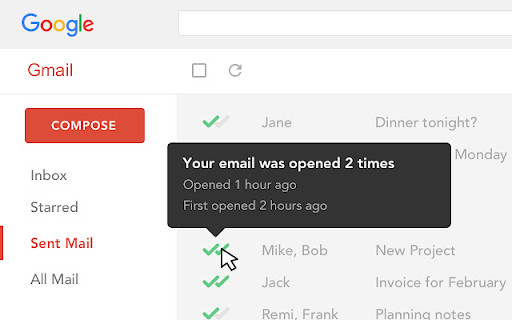
The dashboard is as user-friendly as it gets and the number of emails you can track is infinite. You can also enable desktop notifications for the alerts to reach you quickly and, if feeling like monitoring more metrics, purchase the paid plan.
Yesware is an email tracking and sales engagement tool designed for teams that rely on outreach and follow-ups. It tracks email opens, link clicks, and attachment engagement while integrating directly with inbox platforms such as Gmail and Outlook.
It also provides templates and analytics that help users monitor performance across campaigns. This makes it useful for understanding how recipients interact with emails over time and improving follow-up strategies.
HubSpot includes email tracking as part of its broader CRM platform. It records when emails are opened, when links are clicked, and when attachments are accessed, and stores this information within each contact’s activity timeline.
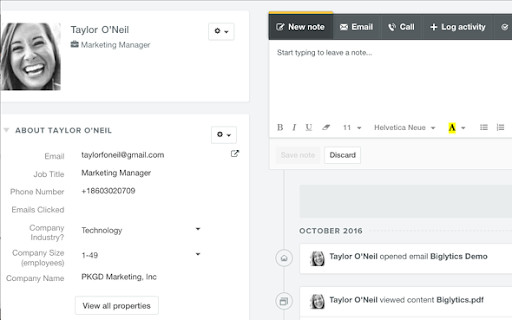
This integration allows marketers to connect email engagement with actions such as website visits or conversions, creating a clearer view of the customer journey.
Streak is a Gmail-based tool that integrates directly into the inbox. It tracks opens and interactions without requiring users to leave their email environment.
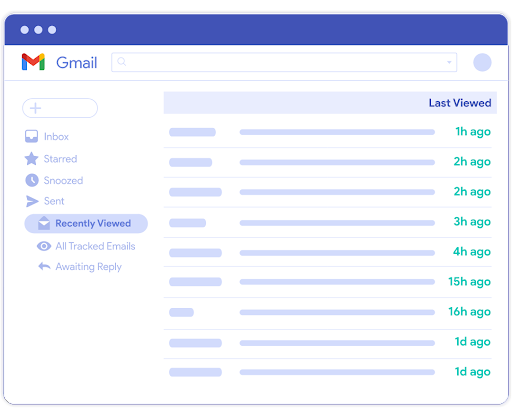
It also allows users to organize contacts and conversations, making it easier to follow up based on engagement data.
Mixmax combines email tracking with scheduling and automation features. It provides insights into opens, clicks, and engagement patterns while allowing users to automate follow-ups based on recipient behavior.
This combination makes it useful for managing ongoing communication with prospects and adjusting outreach strategies.
Snov.io has expanded beyond basic tracking to include email outreach automation, lead generation, and campaign analytics. It tracks opens and clicks while also supporting email sequences, scheduling, and performance reporting.
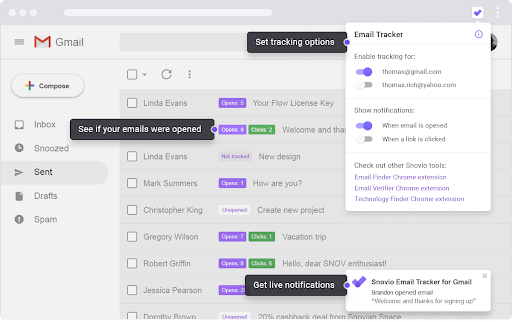
This makes it a more comprehensive tool for managing both tracking and outreach within a single platform.
Now that you have your email tracker installed, you need to start thinking about how you can use it to your advantage. What emails should you send for them to get opened in time? How do you follow up so that the leads convert? Is there a way to ensure that your email marketing campaign has good earning potential?
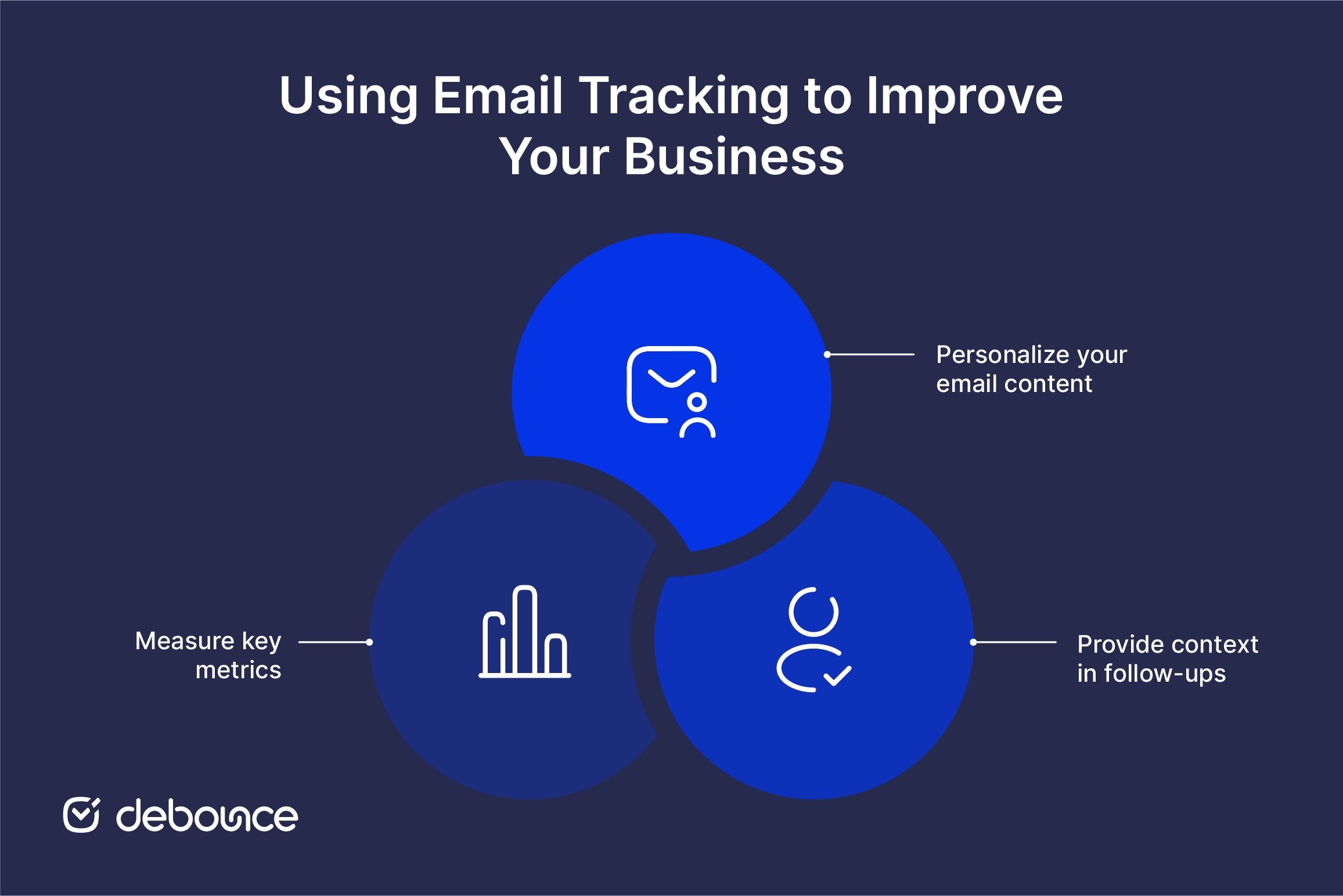
Personalization plays an important role in how your emails are received. Instead of sending the same message to everyone, use the data you have to tailor content to each segment of your audience.
When emails reflect a recipient’s interests or past interactions, they are more likely to be opened and acted on. This also reduces inbox fatigue, since users receive content that feels relevant rather than repetitive.
When using an email tracker, it becomes easier to understand what your audience interacts with and when. This allows you to tailor follow-ups based on specific actions rather than sending generic messages.
If a recipient clicks on a particular link or engages with a specific topic, your next email can expand on that interest. Providing context makes your communication feel relevant and intentional.
This approach reduces friction and increases the likelihood of engagement because the message aligns with what the recipient has already shown interest in.
It might be tempting to just leave your email campaign as it is and hope for the email tracker to work its magic. But this is counterproductive — if you don’t assess the metrics and tweak your marketing strategy to get the most out of your campaign, what’s the point of going to these lengths and setting up an email tracking tool? Calculating your bounce rate, for instance, will tell you a lot about whether the prospects you’re emailing are genuinely interested in your offer.
Email tracking provides valuable insight, but it is only as reliable as the data behind it. Metrics such as open rates, clicks, and conversions depend on emails reaching real, active recipients.
When your list contains invalid or inactive addresses, tracking results become distorted. This makes it difficult to evaluate performance or make informed decisions.
Improving email tracking starts with improving data quality. Validating your email list before each campaign ensures that your metrics reflect actual user behavior rather than technical noise.
Using DeBounce to clean and monitor your email list helps maintain this accuracy, giving you clearer insights and more reliable results in your email tracking efforts.
Email tracking can raise privacy concerns, particularly when recipients are unaware of how their data is collected. Regulations such as GDPR require transparency and consent, meaning users should be informed about tracking practices.
Tracking metrics can be affected by factors such as blocked tracking pixels, preloaded images, invalid email addresses, and low-quality lists. Improving list quality and interpreting metrics alongside these limitations leads to more accurate insights.

Find quick answers to your questions about our pricing and plans.
Most email providers restrict attachments to 10–25MB per message, and exceeding these limits causes immediate bounces. Sharing links to files stored in Google...

Standard Google Sheets formulas only check email syntax; they can't confirm whether a mailbox actually exists, which is the check that matters for...

What is the tool all top businesses use to boost their sales and pave their way to a roaring success? Email Marketing! Yes, and the...

Keep total bounce rates under 2% for a healthy sender reputation; anything above 5% indicates serious list quality issues. B2B and SaaS typically...

True email personalization uses behavioral, demographic, and real-time data to make every message feel relevant. Personalization only works when the underlying data is...

You can create a Gmail filter from the search bar or from Settings, and both let you combine several actions in one rule....
