
Raw XML is intentionally machine-formatted. The fastest path to value is parsing reports into a table of sending sources and outcomes; manually for...

Key Takeaways
You put hours into that campaign. The subject line worked; it got attention. Opens looked decent, maybe even a little encouraging. And then you checked the clicks… and barely anyone actually moved forward.
That gap, between opens and clicks, is where a lot of email programs quietly lose revenue. The average click-through rate across industries sits somewhere around 2.5%. If you’re landing below that on a regular basis, it’s usually not random. Something in your content, your design, or even your list quality is getting in the way.
The upside is that CTR isn’t fixed. It is one of those metrics you can actually move, not overnight, but with the right adjustments, it responds. This guide focuses on what actually moves it, what tends to drag it down, and how to improve it in a way you can repeat.
Email CTR is the percentage of recipients who clicked one or more links in your email out of the total number of emails delivered.
Email CTR formula
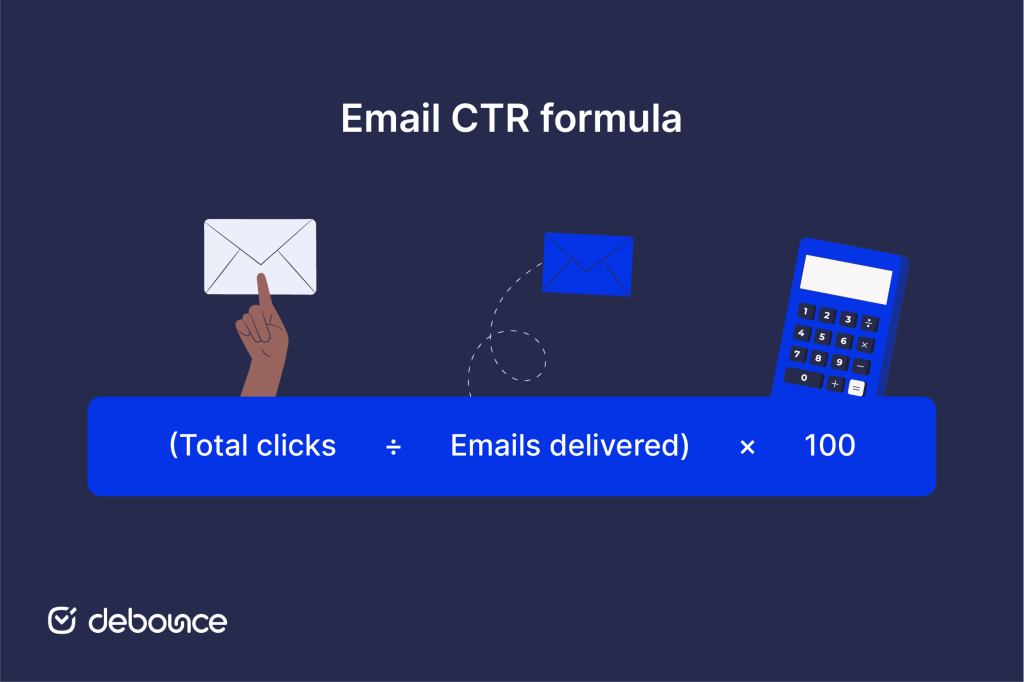
So if you send 10,000 emails and 350 people click a link, your CTR is 3.5%. Simple enough, but the number tells you more than most marketers use it for.
That brings up a common point of confusion: the difference between CTR and open rate. Open rate tells you your subject line worked. CTR tells you your content and CTA worked. They measure different parts of the same experience, and optimizing for opens while ignoring clicks is one of the most common traps in email marketing.
Understanding what CTR measures is one thing, but understanding why it deserves attention is what actually motivates change. Clicks are the bridge between your email and your website. Without them, even a carefully written campaign generates zero leads, purchases, or signups, regardless of how strong your open rate looks.
CTR affects your sender reputation. ESPs track engagement signals, clicks included. Consistently low engagement over time can quietly hurt your inbox placement, which means future campaigns become less likely to reach the inbox at all. It’s a compounding problem that’s much easier to prevent than to reverse.
Your email click-through rate also gives you honest feedback on your content. A sudden drop after a design change or messaging shift tells you something went wrong. Steady improvement tells you what’s resonating. Either way, it’s data you can act on, which is more than most email metrics offer.
CTR improves when several elements align, including the message, the audience, the timing, and a clear reason to click. Getting each of these right is what moves the metric.
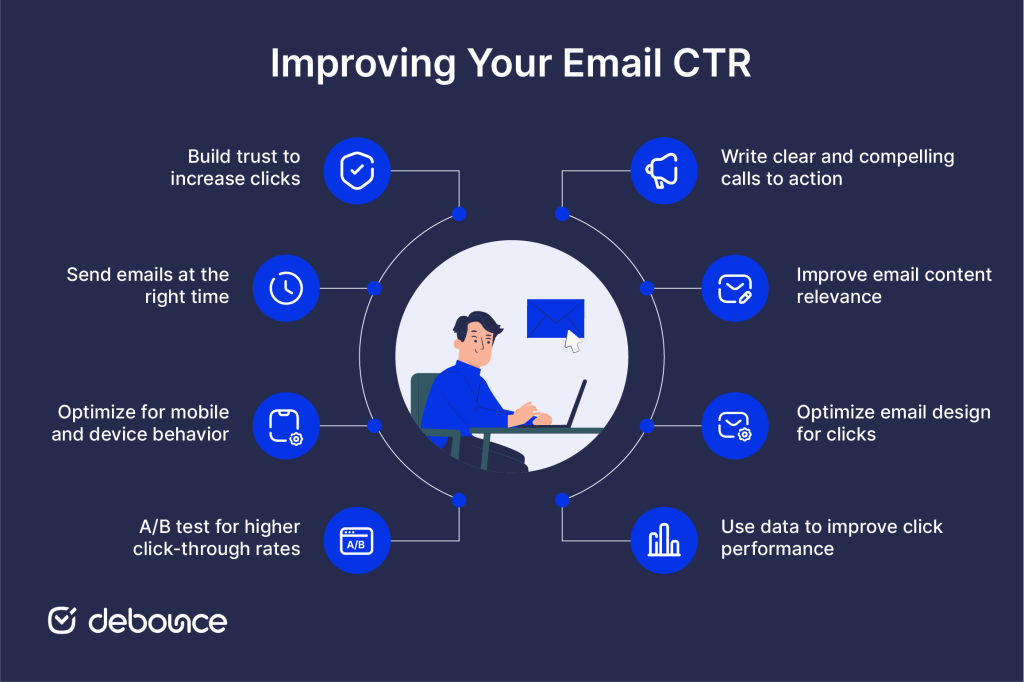
Your CTA is the most direct driver of clicks, and most underperforming emails have a CTA problem (usually too many options, too little clarity, or both).
Focus on one primary action per email. Multiple competing CTAs split attention and typically result in fewer total clicks than a single focused one. Once you’ve settled on the action, use language tied to what the reader actually gets. “Download the guide” outperforms “Click here” because it tells the reader what’s waiting on the other side.
It also helps to consider where your subscriber is in their relationship with your brand. A new contact needs a different next step than someone who has been on your list for six months. Match the CTA to that context, place it above the fold so it is visible without scrolling, then repeat it near the bottom for readers who go all the way through.
Even a perfectly written CTA won’t save an email that doesn’t feel relevant to the person receiving it. If the content doesn’t connect to what a subscriber cares about right now, they won’t click, and that’s a segmentation and personalization problem more than a copy problem.
Start grouping subscribers based on behavior: what they’ve clicked before, what pages they’ve visited, or where they sit in your funnel. From there, personalize beyond the first name, including reference interests, past purchases, or content preferences where your data supports it. Newer subscribers typically need educational content; longer-term subscribers might be ready for a case study or a product demo.
If your list is large enough, dynamic content blocks let you show different content to different segments within the same send, removing the need to build dozens of separate campaigns. Generic, one-size-fits-all messaging is one of the most consistent CTR killers, and one of the easiest to address once you start treating your list as more than one audience.
Even when your content and CTA are strong, a cluttered or confusing layout can work against you. Design determines whether your CTA actually gets noticed, and whether the path to clicking it feels natural.
The most effective email layouts consistently use a clean structure with one clear visual path toward the CTA, maintain a logical hierarchy from headline to supporting copy to button, and limit distractions like sidebars, multiple competing images, or rows of social icons that pull attention in different directions.
Button size matters too, especially on mobile: 44×44 pixels is a widely used minimum for tap targets. Pair that with readable font sizes (14–16px for body text), sufficient color contrast, and alt text on all images, and you’ve covered both usability and accessibility in a single go.
Your past campaigns are one of the most underused tools available to you, and they’re already telling you where to focus.
Click maps show you where subscribers actually click, not just where you expected them to. Link-level tracking goes further, revealing which specific links are consistently getting action and which are being ignored. Over time, patterns emerge: certain templates outperform others, certain placements drive more clicks, and certain content types consistently fall flat.
Watch for a gradual CTR decline. A slow drop across several campaigns often signals list fatigue, content drift, or a deliverability issue building quietly in the background. Such problems are easy to miss when you’re only checking campaign-level numbers.
Data from past campaigns tells you what happened. Testing tells you why and what to do differently. The solution is to isolate one variable at a time so any change in performance can be traced back to a specific cause.
Good candidates for isolated testing include CTA copy, button color and placement, content length, layout structure, and link positioning. Each of these can meaningfully affect CTR on its own, which is exactly why testing them all at once produces results you can’t learn from.
Give each test enough sends to reach statistical significance before drawing conclusions, and document what you learn. A testing log that builds over months becomes one of the most valuable assets your email program has.
As the majority of emails are now opened on mobile, a layout that looks polished on desktop can quietly underperform because it doesn’t translate to a smaller screen.
Responsive templates that adapt to different screen sizes are the baseline. Additionally, keep font sizes readable without pinching, ensure buttons have enough padding to be tapped comfortably, and trim heavy image layouts that slow load times on mobile data connections. Small friction points (like a button that’s hard to tap or text that requires zooming) are enough to lose a click that would otherwise have happened.
Before any major send, test across multiple devices and email clients. What renders cleanly in one environment can break in another, and finding that out after you’ve sent to your full list is far more costly than catching it beforehand.
Email timing affects who’s in a position to engage when your message arrives. Rather than trying to find a universally “best” send time, the goal is to find the right time for your specific audience.
Look at your own data. Check when your subscribers actually open and click your emails. If your audience is in different time zones, split your list so people receive emails at a convenient time where they are.
It’s also worth being deliberate about when you’re sending in the first place. If your entire sector tends to send on Tuesday at 10 am, you’re competing for inbox attention in a narrow, predictable slot. Testing less conventional windows and documenting what you find often turns up consistent gains that are easy to overlook when you’re following conventional wisdom.
All the tactical improvements mentioned above depend on one underlying condition: subscribers need to trust that clicking is worth their time. That trust is built and lost consistently across every campaign you send.
Consistent branding makes your emails immediately recognizable in the inbox. A real sender name, like a person or a familiar brand, not a generic no-reply address, signals that there’s a human behind the message. Clear expectations set at signup, followed through on every time, tell subscribers that you’ll do what you said you would.
Avoiding spam-trigger language also matters, both for deliverability and for how readers perceive your emails when they do arrive. And keeping your list clean through email verification plays a supporting role: when you’re only sending to real, active contacts, your CTR data accurately reflects genuine engagement, and your sender reputation stays stable over time.
Knowing what to do is only part of it. Many CTR problems come from a few common mistakes, and avoiding them can be just as important as trying new tactics.
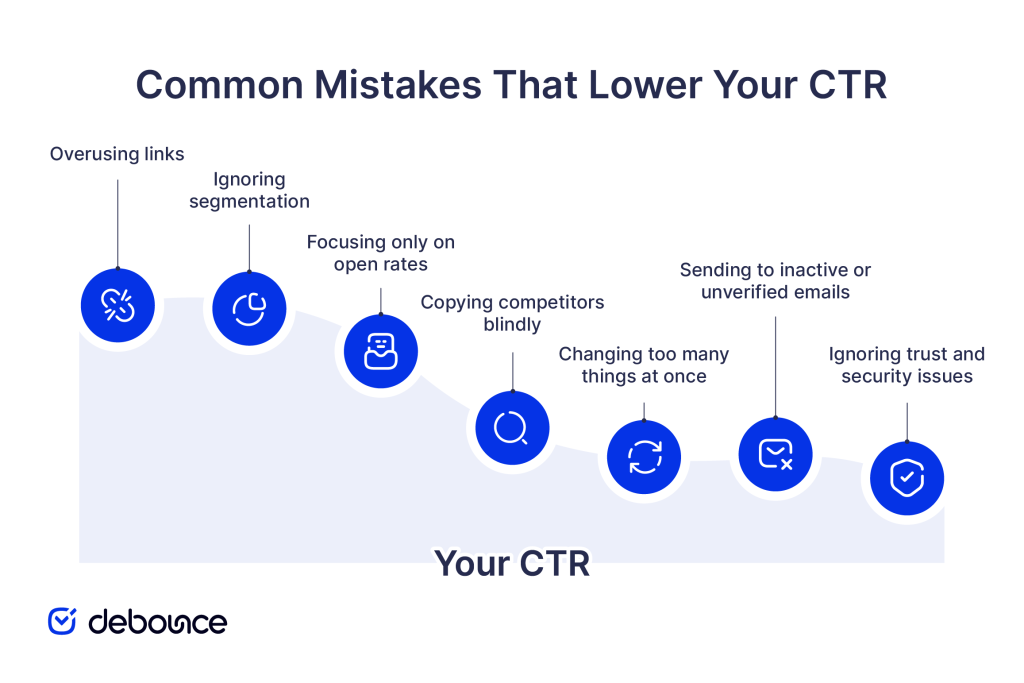
Improving CTR is an ongoing process. You test, measure what works, and make small adjustments over time. Changes to your CTAs, segmentation, design, and list quality may seem minor on their own, but together they lead to better results across every campaign.
Everything starts with a clean and verified email list. When your messages reach real, active subscribers, every other improvement becomes more effective. DeBounce helps with this through bulk verification, real-time signup checks, and continuous list monitoring, so your CTR reflects real engagement.
Run a sample of your list through DeBounce and see exactly how many addresses should be removed before your next send.
Most senders see meaningful changes within 2–4 campaigns after making consistent improvements to segmentation, CTAs, and list quality, though results vary based on list size and the scale of changes made.
Yes. Larger, less-segmented lists often produce lower CTRs because the content is less targeted. A smaller, well-maintained list of engaged subscribers will typically outperform a large, mixed-quality one.
Find quick answers to your questions about our pricing and plans.

Raw XML is intentionally machine-formatted. The fastest path to value is parsing reports into a table of sending sources and outcomes; manually for...

During your email lead generation, you will collect different types of email accounts including role-based email accounts. While it is advisable to send emails to...

Over time, we have seen more people channeling their marketing messages into Gmail’s Primary Tab instead of the newer Promotions Tab. Why this preference? Let’s...

Who doesn’t have an email? Almost everyone has. It’s one of the most popular communication channels across the globe. Not only does it let you...

Your email marketing isn't getting through. What can be done about it? What are the reasons why your email marketing may not be getting through?...
Microsoft 365 DKIM uses two CNAME records (selector1 and selector2) that point to Microsoft-generated keys. This dual-selector setup enables automatic key rotation for...
