
Spear phishing uses researched, target-specific information that makes messages appear trustworthy, bypassing generic spam filters and human instinct. Spear phishing attackers gather information...

Key Takeaways
An email shows up in your finance manager’s inbox: it’s from the CEO, asking for an urgent wire transfer. The sender’s name is correct, and the tone sounds right. The only problem is that the CEO never sent it.
This is email impersonation, one of the most common and costly forms of cybercrime targeting businesses today. Unlike malware or complex hacking attempts, impersonation attacks don’t rely on advanced technical tricks. Often, all it takes is a believable sender name and a busy recipient who doesn’t have time to double-check the details. Email spam statistics show that a significant share of malicious email traffic involves some form of identity deception, which makes this a risk every business needs to understand and actively defend against.
This guide explains how email impersonation attacks work, what they typically look like in real situations, and the practical steps businesses can take to prevent them.
Email impersonation is the practice of sending emails that falsely appear to originate from a trusted sender, like a colleague, executive, vendor, or well-known brand, with the intent to deceive the recipient into taking a harmful action. That action might be transferring money, sharing login credentials, clicking a malicious link, or disclosing sensitive information.
What separates impersonation from ordinary spam is the deliberate targeting. Impersonation attacks are created to exploit an existing relationship or expectation of trust. The attacker isn’t trying to sell something, but they’re trying to become someone.
Crucially, email impersonation doesn’t require the attacker to have access to the real sender’s account. In most cases, they simply fabricate the appearance of legitimacy using technical tricks or social engineering. That’s what makes it so accessible to attackers and so dangerous for organizations of any size.
Attackers use three main methods to make their emails appear to come from someone else.
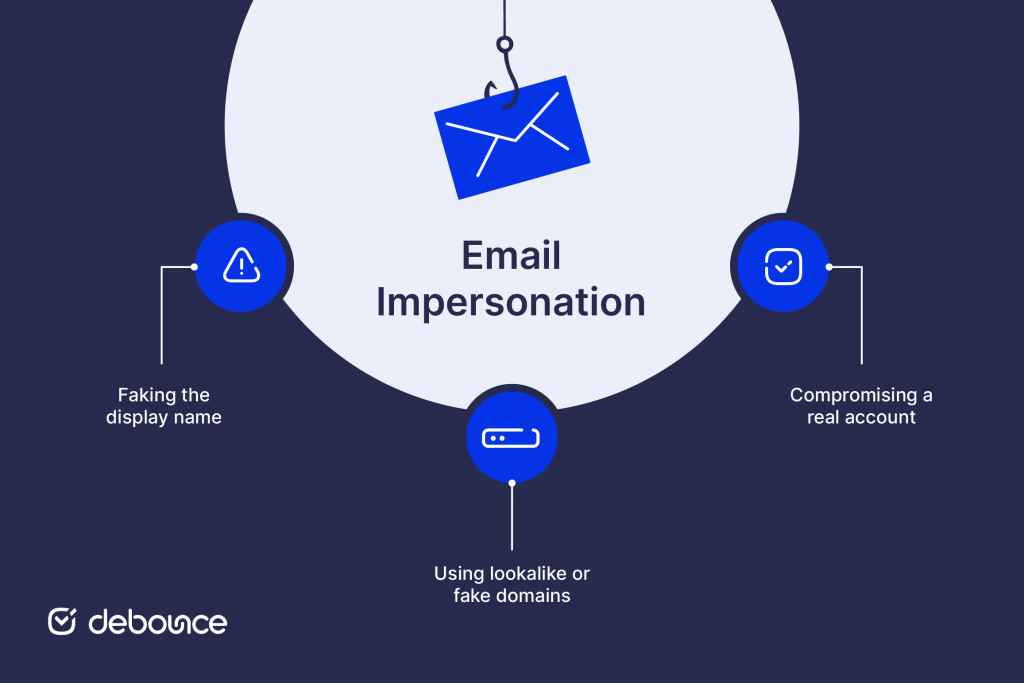
Email clients like Outlook and Gmail show the sender’s display name prominently, while the actual email address is often hidden unless the recipient clicks to expand it. Attackers exploit this by setting their display name to “John Smith, CEO” while sending from a completely unrelated address like [email protected]. Many recipients never check the address behind the name.
A more advanced tactic involves registering a domain that looks almost identical to the real one used by a company. If your organization uses acmecorp.com, an attacker might register something like acme-corp.com, acmecorp.net, or acrnecorp.com, where a single character is subtly changed.
With a quick look, these addresses appear legitimate. Because the domain itself exists and can send email normally, messages from it often pass basic sender checks. This makes the attack harder to spot than simple display name spoofing. The technique is closely related to email spoofing, and the two are often used together.
When an attacker gains access to an actual email account through phishing, credential theft, or a data breach, they can send messages directly from the legitimate address. This is the hardest form of impersonation to detect because the emails genuinely come from where they claim to. Strong authentication controls and monitoring are the primary defenses here.
Impersonation attacks follow predictable patterns. Understanding the most common scenarios helps teams recognize and respond to them faster.
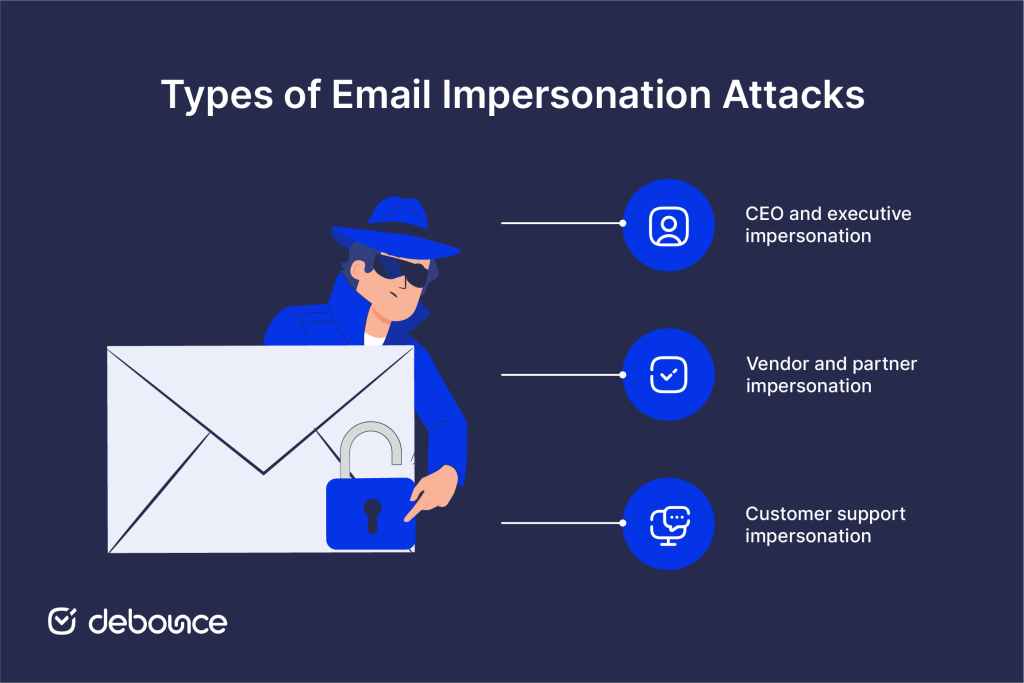
Also known as business email compromise (BEC) or CEO fraud, this attack involves an impersonator posing as a senior leader, typically the CEO, CFO, or another executive, to pressure an employee into taking an unauthorized action.
The targets are usually employees who have authority over financial transactions or access to sensitive data, such as finance teams, HR, payroll administrators, and executive assistants. The requests are designed to feel urgent and confidential: “Don’t loop in anyone else on this, just process it before market close.”
Common objectives include fraudulent wire transfers, gift card purchases, W-2 or payroll data requests, and changes to direct deposit details. The FBI’s Internet Crime Complaint Center (IC3) has consistently identified BEC as one of the highest-loss cybercrime categories globally, with billions lost annually.
In this scenario, attackers impersonate a known supplier, contractor, or business partner. They typically gain enough information about the relationship, often through publicly available sources or a prior breach, to make their emails credible.
A typical attack involves sending a spoofed invoice that looks identical to the vendor’s real invoices, with one change: the bank account number. The recipient processes what looks like a routine payment, and the funds land in the attacker’s account. Recovery is difficult and often impossible (by the time the fraud is detected).
This type of attack is particularly dangerous because it exploits established trust. The recipient isn’t being asked to do anything unusual, just pay a vendor they work with regularly.
Attackers pretend to be customer support staff from a company or service. Instead of trying to trick employees inside the organization, they target regular users or customers of that service. They send emails that appear to come from a well-known company’s support department (a bank, software provider, or e-commerce platform), warning the recipient of an account issue that requires immediate action.
The goal is typically credential theft. The email links to a convincing fake login page where the victim enters their username and password, handing them directly to the attacker. This approach is also connected to pharming techniques, where users are redirected to fake websites designed to look legitimate. Stolen credentials can then be used for account takeover, resold, or used to launch further attacks.
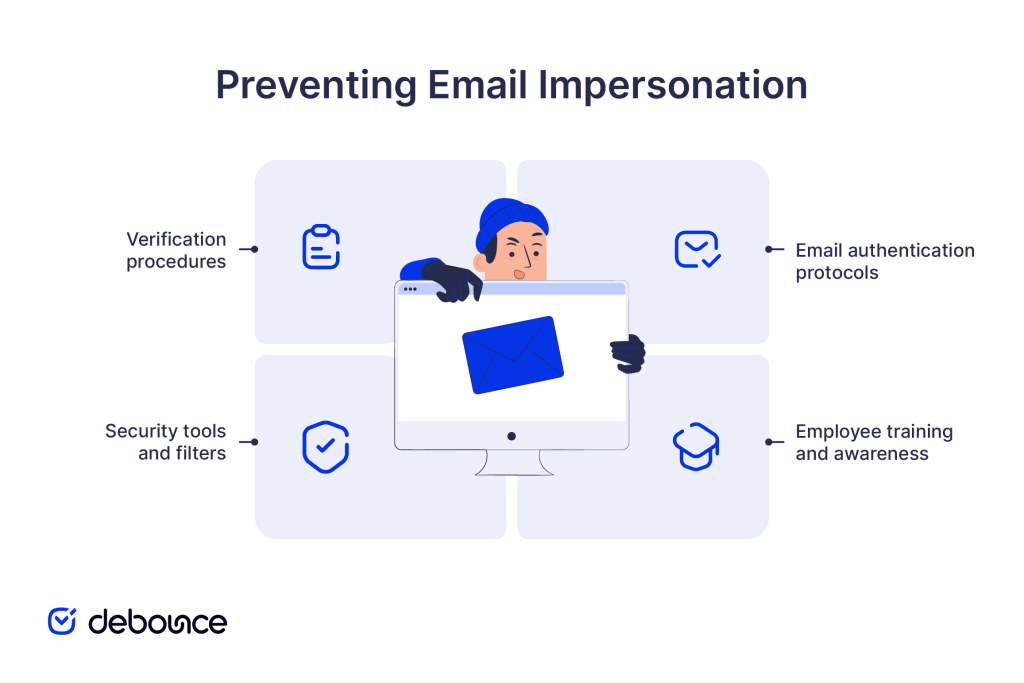
Effective email impersonation protection requires a layered approach. No single control is sufficient: technical safeguards, human awareness, and internal procedures all need to work together.
Three email authentication protocols that work through DNS help prevent domain impersonation. These protocols should be set up for every domain your organization uses to send email, not only the main domain but also any secondary or inactive ones that still belong to your organization.
Setting DMARC to a “reject” policy is the strongest protection, but organizations typically start with “monitor” to understand their legitimate email traffic before enforcing strict rules. Email encryption adds another layer by protecting message content in transit and at rest.
Technical controls block some impersonation attempts, but many attacks are designed to slip past automated filters and land in real inboxes. That is why staff training is essential.
Employees at every level should understand:
Training should be practical and repeated, not a one-time exercise. Simulated phishing campaigns, where IT or security teams send fake impersonation emails to staff, are one of the most effective ways to reinforce awareness and identify who needs additional guidance.
Purpose-built security tools provide detection and blocking capabilities that basic email filtering doesn’t cover.
Working with established email security companies can help you assess which tools are appropriate for your organization’s size, infrastructure, and risk profile.
The final layer of defense is procedural: internal workflows that require out-of-band verification for high-risk requests, regardless of how legitimate the email looks.
Effective verification procedures include:
These procedures cost nothing to implement and are often more effective than technical controls for stopping socially engineered attacks.
If you discover that someone is impersonating your organization or that an employee has fallen victim to an attack, act quickly. The first hours matter.
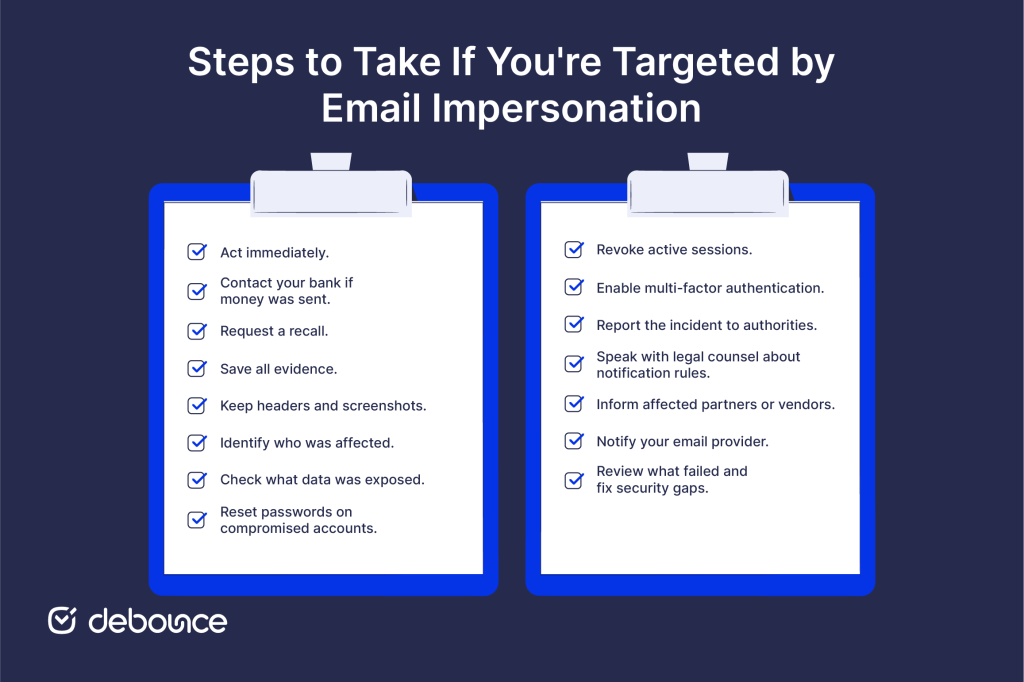
Immediate response steps:
Reporting and notification:
After the immediate response, conduct a post-incident review: how did the attack get through, what controls failed, and what changes are needed to reduce the risk of recurrence. Clean up email infrastructure and security configurations as part of that review.
One often-overlooked aspect of impersonation protection is the quality and security of your own outbound email practices. Organizations with poorly maintained email lists, unverified contact databases, or misconfigured sending infrastructure are more vulnerable, both to having their domain abused and to inadvertently sending mail that inbox providers treat with suspicion.
Email verification is part of a sound email hygiene practice that supports your broader security posture. DeBounce validates email addresses without sending any messages, removing invalid, disposable, and high-risk addresses from your lists so your domain builds a consistent, trustworthy sending reputation. A domain with a strong reputation is harder to impersonate convincingly and easier to defend when you report abuse.
Run your email list through DeBounce to make sure your outbound sending is clean, verified, and working in your favor.
Email impersonation succeeds because it targets trust: the trust employees place in a familiar name, the trust customers place in a known brand, the trust that makes email a functional tool for business. Attackers don’t need to break through firewalls when they can simply pretend to be someone you already trust.
The defenses covered in this guide: SPF, DKIM, and DMARC authentication; staff training; security filtering tools; and internal verification procedures, address both the technical and human dimensions of the problem. None of them is sufficient alone, but together they make impersonation attacks significantly harder to execute and easier to catch.
Start with your authentication records. If your domain isn’t publishing a DMARC policy yet, that’s the single most impactful technical step you can take right now. Pair it with a staff training session and a clear payment verification procedure, and you’ll have closed the gaps that most successful impersonation attacks exploit.
Yes, and it most commonly does. Display name spoofing and lookalike domain attacks don’t require any access to the real account; they simply mimic its appearance using a different sending address.
Email impersonation attacks are very common and remain one of the most frequent forms of cybercrime. Organizations across industries regularly face attempts such as phishing, business email compromise, and domain spoofing because email is widely used and easy for attackers to exploit.
Find quick answers to your questions about our pricing and plans.
Spear phishing uses researched, target-specific information that makes messages appear trustworthy, bypassing generic spam filters and human instinct. Spear phishing attackers gather information...
Domain reputation covers email deliverability, web security, and platform trust, not just sender reputation. Establishing good domain reputation takes months of consistent behavior;...
Have you ever received an email with poor color contrast that made it difficult to see the text? Or was the information unclear even with...

There are two types of emails you can send to your customers: transactional emails and marketing emails. If you want to get the most out...


Email logos appear primarily in signatures (professional emails) and headers (marketing emails), each with different sizes and optimization requirements. Logos should be under...
Basic HTML and JavaScript validation only check email format, not whether the address is real or usable. Disposable and invalid emails can enter...
