Blog

What Is a Bounced Email? Types, Causes, and Solutions

DeBounce
Articles
17 min read

Key Takeaways

  • A bounced email is a message that fails to reach the recipient and is returned with a delivery error.
  • High bounce rates damage sender reputation and reduce overall email deliverability.
  • Hard bounces signal permanent failures, while soft bounces indicate temporary issues.
  • Maintaining a clean, verified email list is one of the most effective ways to reduce bounces.

Did you know that more than 4.26 billion people use email worldwide? For businesses, email remains one of the most direct ways to reach an audience, offering a level of access that few other channels can match. It also delivers strong returns, with an average of $36 generated for every dollar spent.

Even so, not every message makes it to the inbox. A bounced email signals a failed delivery, and when this happens repeatedly, it starts to affect more than a single campaign. High bounce rates can reduce deliverability and weaken your sender reputation, making it harder for future emails to reach recipients.

What is a Bounced Email?

A bounced email is a message that cannot be delivered to the recipient’s inbox and is returned to the sender with a Non-Delivery Report (NDR). These reports explain why the email failed and help identify whether the issue is temporary or permanent.

Email bounces play a role in how Internet Service Providers (ISPs) assess senders. When too many emails fail to deliver, it can indicate poor list hygiene or spam-like behaviour, which lowers sender reputation. Even a relatively small number of failed deliveries can affect performance.

Why Do Emails Bounce?

Email bounces rarely happen without a reason. In most cases, they point to either issues with your contact list, your sending setup, or the recipient’s environment. Understanding these causes makes it easier to prevent repeated failures.
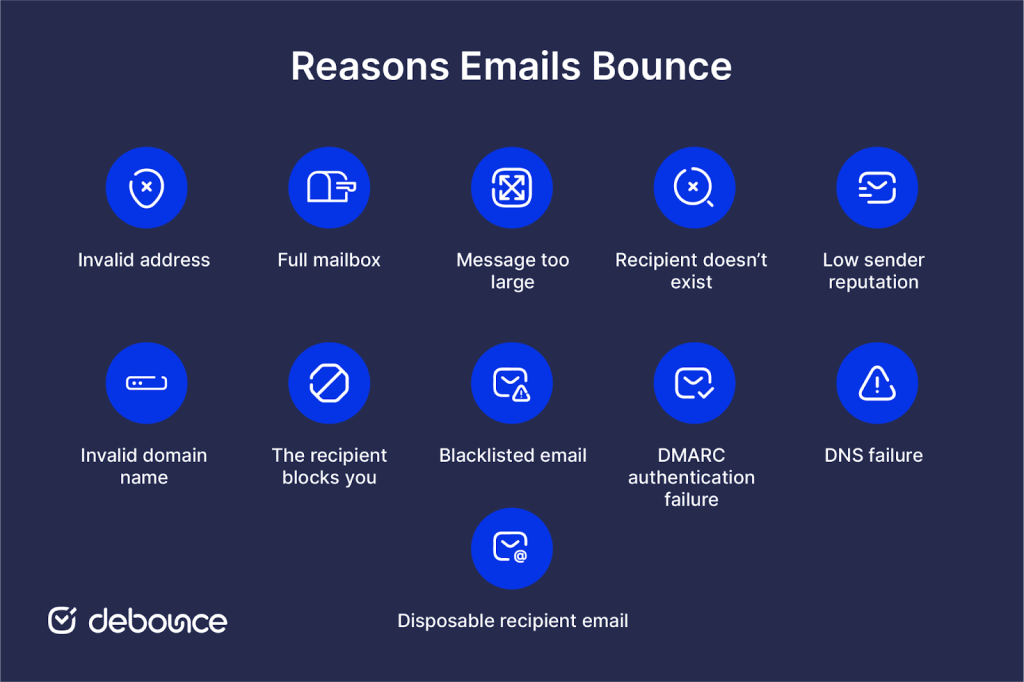
Reasons Emails Bounce
  • Invalid address: When the email address you want to reach is incorrect or misspelled, the email cannot be delivered. This can happen due to typos or incorrect data provided by users.
  • Full mailbox: The recipient’s inbox may have reached its storage limit, preventing new messages from being accepted.
  • Message too large: Emails that include large attachments or exceed size limits may be rejected by the recipient’s server.
  • Recipient doesn’t exist: If the email address is not associated with an active account, the message will fail. Catch-all domains may still accept messages, though delivery is not always guaranteed.
  • Low sender reputation: A poor sender reputation can lead to rejection by receiving servers, even when the email itself is valid.
  • Invalid domain name: If the domain in the email address is incorrect or no longer exists, delivery will fail immediately.
  • The recipient blocks you: When a recipient blocks your address, future messages may be rejected or automatically bounced.
  • Blacklisted email: Sending to spam traps or flagged addresses can result in your domain or IP being blacklisted, causing further delivery failures.
  • DMARC authentication failure: If your domain is not properly authenticated, receiving servers may reject or bounce your emails.
  • DNS failure: Temporary issues with domain name systems can interrupt delivery, even when everything else is configured correctly.
  • Disposable recipient email: Temporary email addresses often expire quickly, which leads to failed delivery when messages are sent later.

Types of Bounced Emails

Not all bounces mean the same thing. Some indicate a permanent failure, while others suggest the issue may resolve on its own. When you understand the type of bounce, you can determine what action to take and whether an address should remain on your list.

Bounce classification is typically based on the response returned by the receiving server, which indicates whether the failure is temporary or permanent.

Hard Bounce

Hard email bounces indicate permanent failure of delivery, meaning that your email hasn’t and will not reach the recipient. This means if you ever experience a hard bounce, you should remove that email address from your list.

Hard bounces can occur for several reasons, including:

  • Invalid or non-existent email address: This happens when the email address provided by the recipient is incorrect, mistyped, or no longer active. It could be due to a typo, a temporary issue with the recipient’s email server, or the recipient having closed or abandoned the email account.
  • Domain name does not exist: If the domain name in the email address doesn’t exist or is misspelled, the email will bounce. It could be due to a typo or an error in entering the domain.
  • Email server issues: The recipient’s email server might be experiencing technical problems or maintenance, preventing the delivery of emails. In such cases, the email will bounce back to the sender.
  • Blocked by recipient’s server: Some email servers employ strict spam filters or security measures that may block incoming emails based on certain criteria. If your email gets flagged as spam or triggers any of these filters, it may result in a hard bounce.
  • ISP restrictions or blacklisting: Internet Service Providers (ISPs) maintain lists of known spammers or problematic senders. If your email or your email service provider’s IP address is on one of these lists, the recipient’s email server may reject the email, causing a hard bounce.

Soft Bounce

Soft bounces indicate a temporary delivery failure. This means your email may have bounced at the moment, but it can reach the intended inbox in the future. Common reasons for soft bounces include:

  • Mailbox is full: If the recipient’s mailbox is approaching its storage limit but hasn’t reached it yet, the email server may temporarily reject incoming emails. This is considered a soft bounce because once the recipient clears some space in their mailbox, future emails can be delivered successfully.
  • Temporary delivery issues: There could be temporary issues with the recipient’s email server or network that prevent the email from being delivered. These issues could include server downtime, network congestion, or maintenance activities. Once the issue is resolved, the email will be delivered successfully.
  • Oversized email: If the size of the email message exceeds the recipient’s email server’s limits, it may result in a soft bounce. The server may reject the email temporarily but allow it to be delivered if the size is reduced or if the server’s limits are increased.
  • Vacation or auto-reply settings: Some email accounts are set up with vacation or auto-reply messages. When an email is sent to such an account, the server may respond with an automatic reply indicating the recipient’s absence. This is considered a soft bounce because the email is not directly delivered to the recipient’s inbox.
  • Greylisting: Greylisting is a technique used by some email servers to combat spam. When an email is received from an unknown sender, the server temporarily rejects it with a request to resend the email later. Legitimate email servers will usually try again, and upon the second attempt, the email will be delivered successfully.
  • Content filtering: Some email servers employ content filtering mechanisms that analyze the content of incoming emails. If the email triggers certain filters or contains suspicious content, the server may temporarily reject it. This can include emails with certain keywords, attachments, or formatting that match the server’s filtering rules.

Email service providers generally try to deliver these emails in the next 72 hours window, after which, the email will not be delivered.

What’s an Acceptable Bounce Rate?

A bounce rate is the percentage of emails that fail to be delivered out of the total sent.

Your bounce rate should be as close to zero as possible. It depends on the size and industry of your company; however, it shouldn’t surpass the 2% mark. This means if your bounce rate is over 2%, you might want to re-evaluate your strategies. In practice, many senders aim to stay below 1%, while anything above 2% is often considered a warning sign by email providers.

How to Prevent Email Bounces

Reducing bounce rates comes down to improving list quality, strengthening your sending setup, and avoiding behaviours that trigger filters. Here’s what you can do to prevent email bounces:
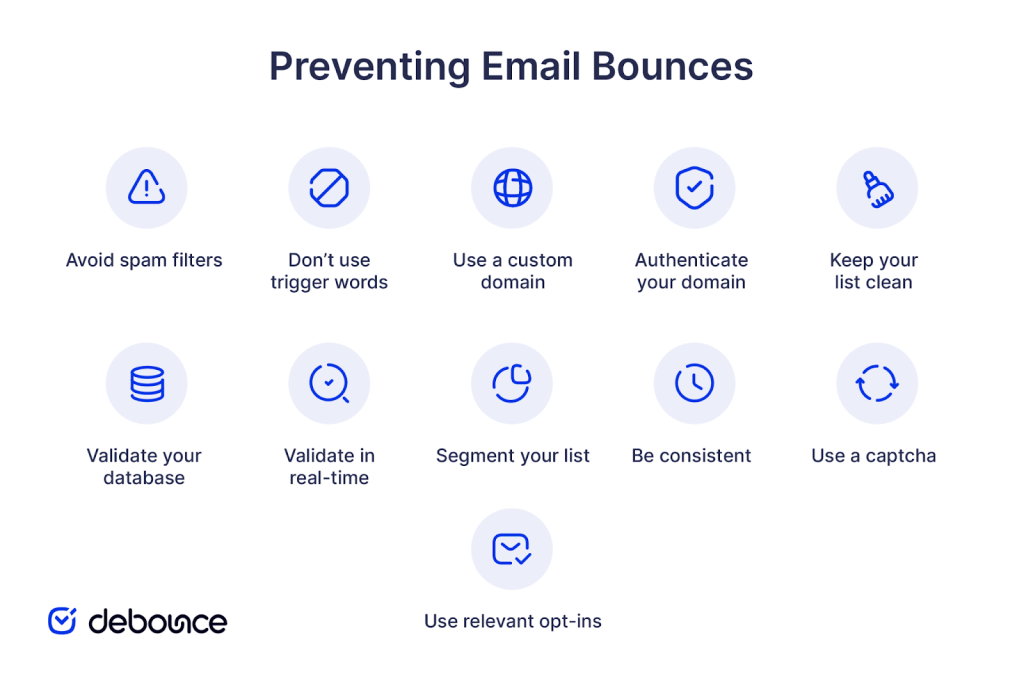
  • Avoid spam filters: Even legitimate emails can be flagged if they resemble spam or receive complaints.
  • Don’t use trigger words: Overly promotional language can activate filtering systems and reduce deliverability.
  • Use a custom domain: Sending from your own domain gives you more control over reputation and authentication.
  • Authenticate your domain: Proper authentication ensures receiving servers trust your emails.
How to prevent email bounces
  • Keep your list clean: Outdated or inactive contacts increase the likelihood of bounces.
  • Validate your database: Email validation removes invalid and risky addresses before sending.
  • Validate in real-time: Verifying addresses at the point of collection prevents bad data from entering your list.
  • Segment your list: Sending relevant content reduces disengagement and spam complaints.
  • Be consistent: Regular communication keeps your list active and reduces inactivity-related issues.
  • Use a captcha: Captcha systems help prevent bots from submitting invalid email addresses.
  • Use relevant opt-ins: Aligning your signup incentives with audience interest improves data quality.

How to Fix Bounced Emails

Once bounces occur, the focus shifts to identifying the cause and preventing repeat issues.

  • Start by reviewing bounce reports to understand why messages failed. These reports provide codes and explanations that distinguish between temporary and permanent issues.
  • Remove invalid or non-existent addresses immediately, as continuing to send to them will harm your sender reputation.
  • Retry soft bounces after a short delay, since temporary issues such as full mailboxes or server downtime may resolve on their own.
  • Check your domain and server setup to ensure authentication, DNS configuration, and sending infrastructure are working correctly.
  • Contact recipients when appropriate, particularly in cases where messages may have been blocked or filtered unintentionally.
  • Monitor performance over time and track improvements as you clean your list and adjust your sending practices.

Raise Your Email Success Rate

Bounced emails reflect the overall health of your email strategy. Keeping them low improves deliverability, protects sender reputation, and ensures your messages reach the right audience. This depends on ongoing list maintenance, where regular validation, continuous monitoring, consistent cleanup, and early identification of risky addresses prevent issues before they affect performance.

Tools like DeBounce’s Email List Monitoring support this process by helping you continuously check your data and maintain a list that supports consistent delivery.

Frequently Asked Questions

Answers to common questions about this topic.
01

How can I read a bounce message?

Bounce messages include a status code and a short explanation provided by the receiving server. These codes indicate whether the failure is temporary or permanent and often point to the exact issue, such as an invalid address or authentication problem.

02

Can bounced emails reach recipients?

If an email bounces, it has not been delivered. In the case of soft bounces, delivery may still occur later if the issue is resolved, but hard bounces indicate permanent failure.

03

What is the difference between bounced and dropped emails?

Bounced emails are rejected by the recipient’s server, while dropped emails are blocked before delivery attempts are completed, often by the sending system due to policy or reputation concerns.