
🤟 Free Email Bounce Rate Calculator Looking to determine the bounce rate of your campaign or newsletter? Give our complimentary email bounce rate calculator a...

Key Takeaways
One of two things happens when a marketing email doesn’t reach a recipient. Either your email ended up in a junk folder, or it failed to reach the subscriber’s inbox in the first place. When an email fails to send, it means it “bounced.” In other words, it bounced back to your server, unable to reach the recipient you intended it for.
In technical terms, an email bounce occurs during the transmission process. After you hit send, your message travels from your sending server to the recipient’s mail server. If the receiving server rejects the message for any reason, it returns a delivery status notification to your server. That return signal is what we call a bounce. It indicates that the message was not successfully accepted into the recipient’s mailbox.
Monitoring bounce rates is essential for maintaining strong inbox placement. Internet service providers interpret repeated delivery failures as a signal of poor list hygiene or risky sending practices. High bounce rates can weaken your sender reputation, reduce deliverability, and increase the likelihood that future campaigns are filtered or blocked. Keeping bounce rates under control protects long-term email performance.
It is also important to understand that not all bounces carry the same weight. Some indicate permanent delivery failures, while others point to temporary issues that may resolve on their own. Understanding hard bounces vs. soft bounces, and the difference between soft and hard bounces, allows you to respond appropriately and protect your sender credibility.
Have you ever sent an email and then, minutes later, received a reply that states your message couldn’t be delivered? That’s an email bounce. It means your email service provider (ESP) couldn’t send the message to the intended recipient.
There are two types of bounce emails: hard bounces and soft bounces.
A hard bounce is a permanent failure to deliver an email. This means your ESP couldn’t deliver your email due to a permanent reason. If you attempted to deliver the email again, it would still fail to go through.
A hard bounce is an email message returned to the sender because the address of the recipient is invalid. A hard bounce may occur due to the absence of the domain name or the unknown recipient.
In other words, you can’t resend the email under any circumstance.
A hard bounce might happen because:
Unlike a hard bounce, a soft bounce is a temporary failure to deliver an email. This means your ESP couldn’t deliver the email at the moment, but it might be successful if you tried again later.
Soft bounces generally indicate a temporary problem of delivery to an email address and are treated differently from hard bounces.
Soft bounces often occur because:
To avoid email bounces, you can create a suppression list. This is a database of email addresses you want to exclude from your campaigns.
These addresses are usually those that have:
By creating a suppression list that keeps you from sending emails to uninterested recipients, you can improve email deliverability and protect your sender’s reputation.
When comparing soft bounce vs. hard bounce, the main difference is whether the delivery problem is temporary or permanent. A soft bounce usually signals a short-term issue. A hard bounce means the email cannot be delivered at all.
Understanding the difference between soft and hard bounces helps you know when to retry sending and when to remove an address from your list.
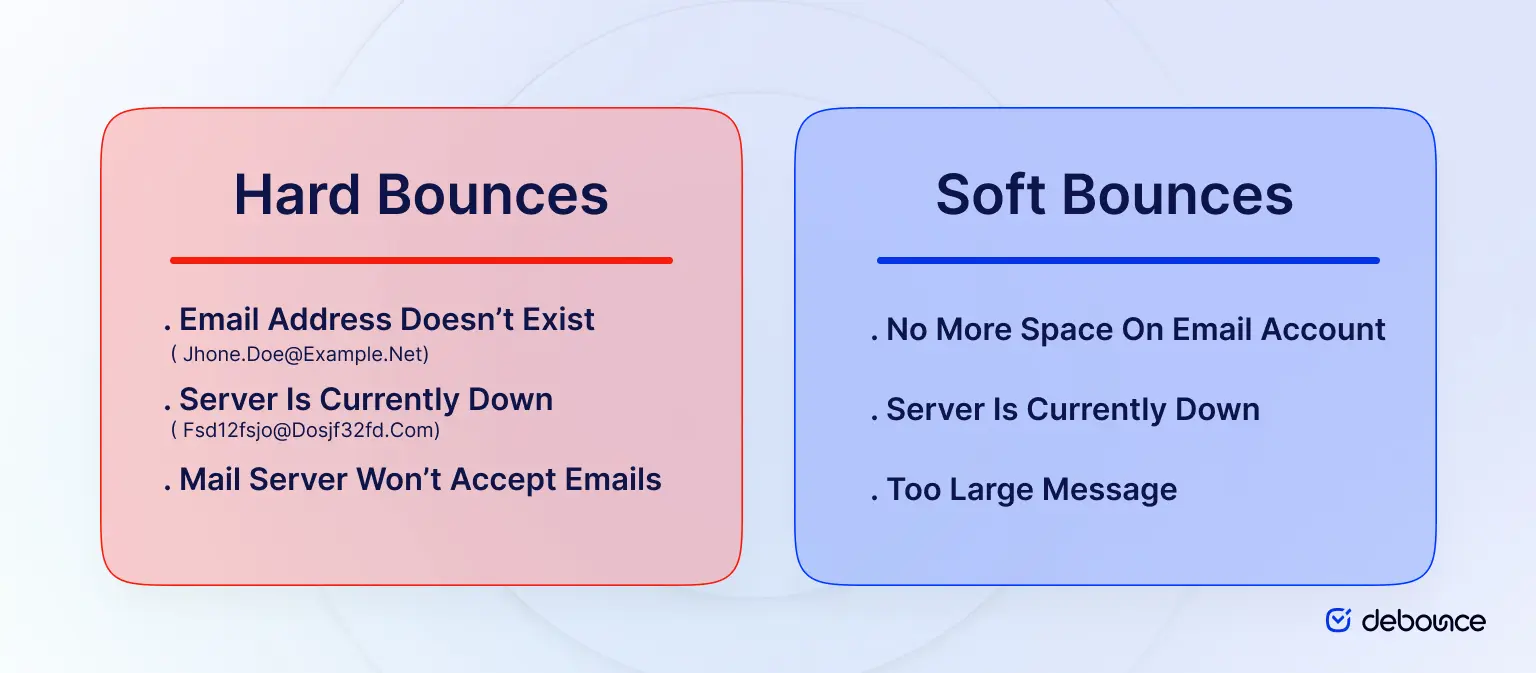
In a soft bounce, the delivery failure is temporary. The receiving server was unable to accept the message at that time, but the address itself is still valid. Delivery may succeed on a later attempt. In a hard bounce, the failure is permanent. The receiving server rejected the message because the address is invalid or does not exist. The email cannot be delivered now or in the future.
The key difference is recoverability. Soft bounces can be resolved. Hard bounces cannot.
Soft bounces usually happen because of temporary delivery issues. The address is valid, but something blocks the message at the time of sending:
DNS or server errors: The receiving domain cannot be found, the server is offline, or it is misconfigured. Even a typo in the domain name can trigger this failure.
Message too large: The email or attachment exceeds the recipient’s size limit. Reducing images, files, or overall message weight often resolves the issue.
Sending limits reached: The receiving server has temporarily limited incoming emails due to volume. Delivery may succeed once limits are reset.
Soft and hard bounces do not carry the same weight, and mailbox providers treat them differently. Soft bounces usually create short-term risk. A small number of temporary failures is expected in normal sending. The issue arises when soft bounces repeat. Ongoing temporary failures suggest outdated data or engagement problems. Over time, this can lower inbox placement and increase filtering.
Hard bounces create immediate and lasting damage. Sending to invalid or non-existent addresses signals poor list management. Mailbox providers interpret this as risky behaviour. As hard bounce rates rise, sender reputation declines, and future campaigns are more likely to land in spam or be blocked.
Ignoring either type increases risk. Unmanaged soft bounces accumulate. Unremoved hard bounces weaken credibility quickly. Consistent monitoring and list cleaning protect sender reputation and maintain stable inbox placement.
When an email fails to deliver, the receiving server returns a response code explaining the reason. These codes help determine whether the failure is temporary or permanent.
Codes that begin with 4xx indicate a temporary issue. The receiving server could not accept the message at that moment, but delivery may succeed later. In most cases, this results in a soft bounce. Codes that begin with 5xx indicate a permanent failure. The receiving server rejected the message entirely. The address is invalid or cannot receive mail. This results in a hard bounce.
From a marketing perspective, the meaning is practical. 4xx codes signal that you should monitor and allow retries, while 5xx codes signal that you should remove the address and protect your sender reputation.
Lowering your bounce rate requires consistent, preventive action. Waiting until failures accumulate puts sender reputation and inbox placement at risk.
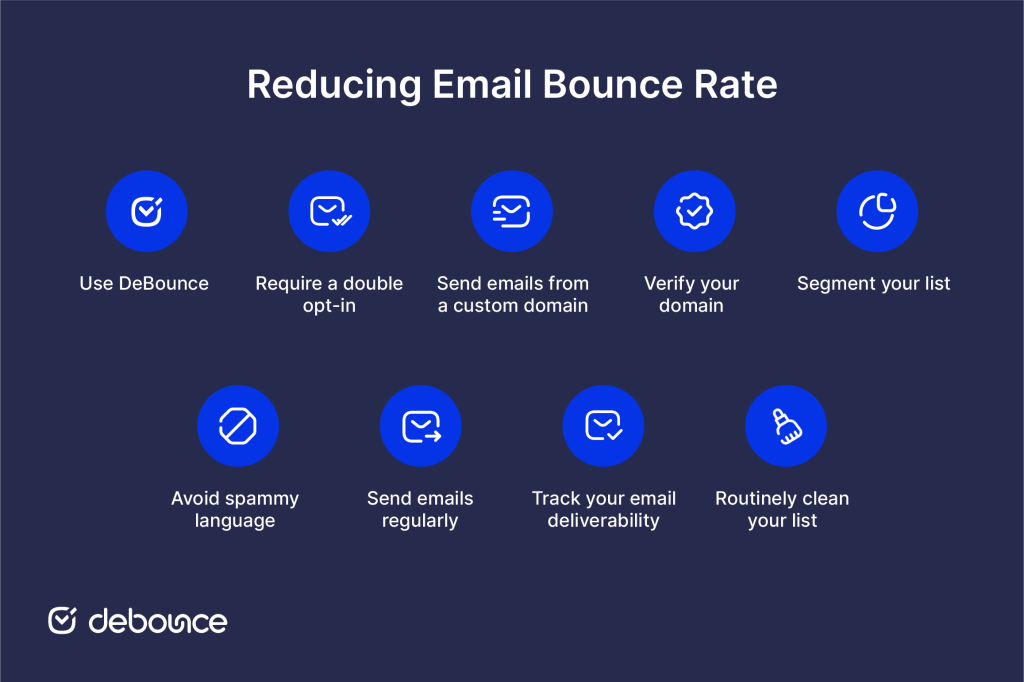
The most effective strategy focuses on controlling list quality, strengthening domain credibility, maintaining steady sending patterns, and monitoring performance over time. The steps below outline practical actions that reduce delivery failures before they impact your campaigns.
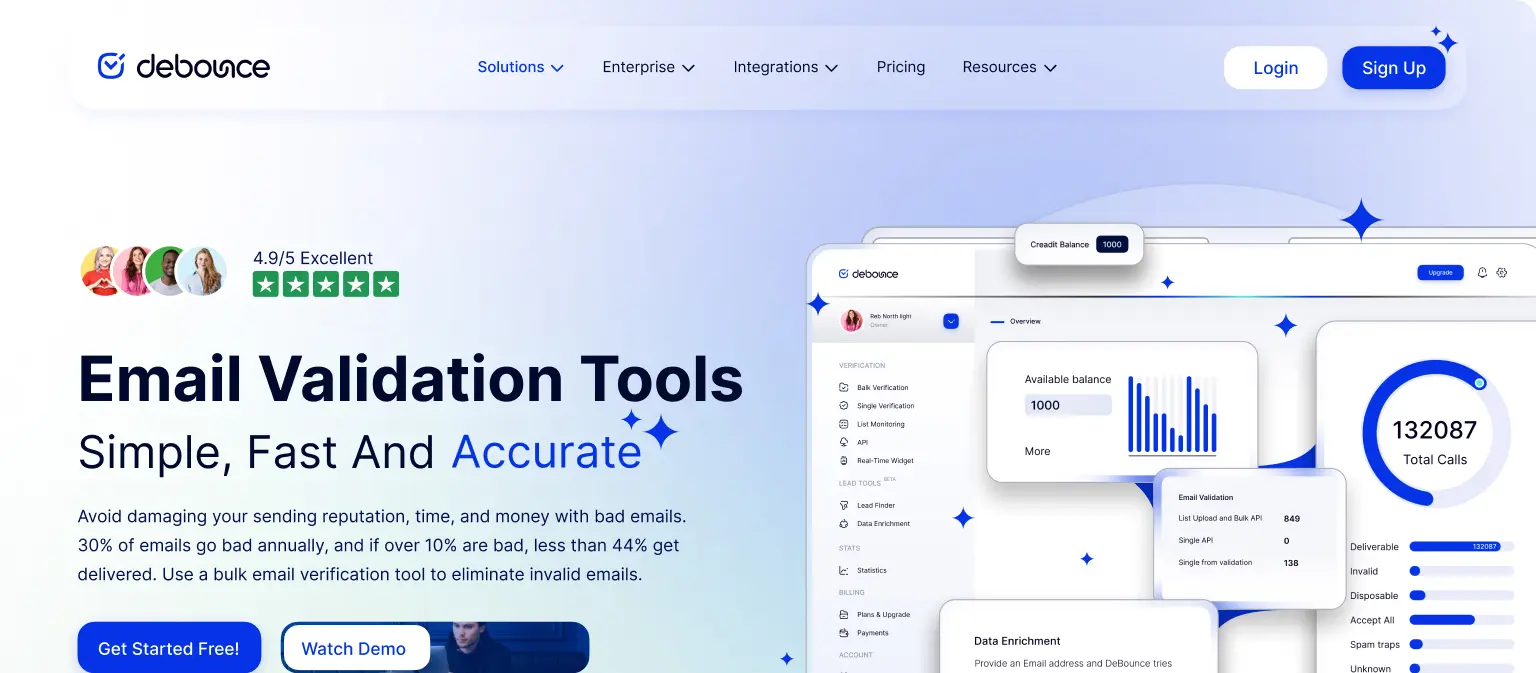
DeBounce is an email validation tool that quickly eliminates bad emails. It offers a bulk upload feature, so you don’t have to manually enter emails.
Once it’s finished analyzing your email list, you’ll be able to sort the valid addresses from the invalid ones to ensure you’re not including inactive or nonexistent addresses in your email campaigns.
Key features:
DeBounce offers a pay-as-you-go pricing feature, which means you only pay for what you use. So, no overages. You buy what you need and don’t have to worry about losing credits.
You can set up a double opt-in system that requires potential subscribers to verify and confirm their email addresses.
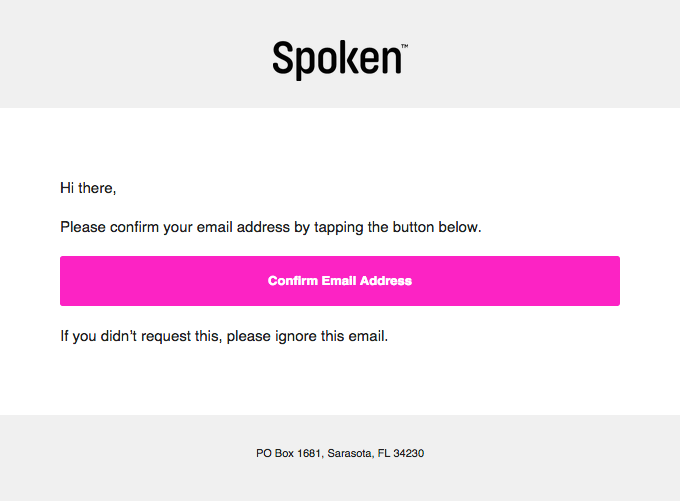
Otherwise, a user would just fill out a subscription form on your website and submit their email address. That email address might not exist. Or, the user could’ve spelled it wrong. Whatever the case, once you start sending emails to that address, they’ll bounce. Double opt-in ensures that an email address works by requiring users to click a verification link or enter a verification code that you send to them. Thus, you’ll only add them to your email list after they click that link or enter the code.
This helps you improve the quality of your email list.
It’s best to send emails from a custom domain. Free email services like Gmail or Outlook often use shared IP addresses, which means other users’ actions could affect your sender’s reputation.
Also, these services have little to no support for email authentication protocols like SPF, DKIM, and DMARC.
Not using a custom domain could also reflect badly on your branding. Think about it. If you’re a clothing brand, how many customers do you think would trust an email coming from the address “[email protected]”?
Probably none.
To build trust, create an email address like “[email protected]” to reflect your brand. Google Workspace or Microsoft 365 are great services to use when setting up a custom email domain.
Sometimes, web host providers also let you create a custom domain when you sign up for their service. For example, Bluehost partners with Google Workspace and integrates the email service into its control panel.
Verify your domain and implement email authentication protocols, such as DMARC, SPF, and DKIM. These protocols help you maintain email deliverability, ensure security, and build trust with your recipients. It also makes sure your emails are legitimate and not spoofing attacks.
Proper domain verification also reduces certain types of soft bounces. When authentication records are missing or misconfigured, receiving servers may temporarily reject messages during validation checks. Correctly configured authentication improves server trust signals, lowers temporary rejections, and supports more stable inbox placement.
Segmented campaigns accelerate email revenue by 260%. One reason for this is that list segmentation reduces spam complaints. When you segment your email list, you can deliver relevant messages to subscribers who are likely to engage with your content. That means they’re less likely to report your emails as spam. This has a positive impact on your sender’s reputation.
Here’s how to segment your email list:
ESPs monitor emails for certain words, images, and phrases to label them as spam. Phrases like “50% OFF”, “Act Now,” and “Free Offer” can cause your emails to end up in spam folders. These phrases tend to be overly promotional and misleading.
Other factors that can cause your emails to trigger spam filters include:
Avoiding spam triggers is just one aspect of maintaining email integrity and deliverability.
Sending consistent emails can help you maintain a low bounce rate and build a relationship with subscribers.
That’s because it keeps your business at the top of your mind and engages potential customers.
Inconsistent email communication can lead subscribers to forget about your brand and mark your emails as spam.
Monitor your email deliverability to make sure your emails are actually reaching people. Email marketing is never a set-it-and-forget-it approach. The same reason you’d want to monitor engagement rates is the same reason you want to track email deliverability. The reason? You can’t improve what you don’t measure.
By not addressing email deliverability issues early on, you risk:
Use A/B testing to see which elements of your emails lead to the best performance. Also, keep track of your bounce rates, open rates, subscriber complaints, and spam reports to protect your sender reputation and make sure emails are going to the right place.
Updating and cleaning your email list ensures you’re not sending emails to invalid or nonexistent addresses.
Use an email validation tool like DeBounce to run a data check to remove incorrect emails. It’s also a good idea to periodically check feedback loops to remove subscribers who send spam complaints. And remove inactive subscribers. Sending emails to these uninterested leads can hurt your engagement rates, which in turn can hurt deliverability.
Finally, integrate a customer data platform (CDP) into your tech stack. Not only does it enhance the effectiveness of your communications, but a CDP helps you seamlessly manage and update customer information, ensuring your email lists are accurate and current.
Understanding the difference between hard and soft bounces is essential for protecting your sender reputation and maintaining consistent inbox placement. Hard bounces signal permanent delivery failures and require immediate removal of invalid addresses. Soft bounces indicate temporary issues that should be monitored and managed before they escalate into long-term deliverability problems.
By actively tracking deliverability, properly authenticating your messages, and keeping your list clean, you can improve the success rate of your campaigns.
Remember, a little bounce in your step is okay, but too many bounces in your email campaign can make your efforts fall flat. Keep your emails on solid ground by addressing both hard and soft bounces as soon as they happen.
If you have unresolved hard bounce logs sitting in your system, take action now. Run them through DeBounce to identify invalid addresses, clean your list, and prevent further damage to your sender reputation.
Not immediately. Monitor soft bounces first. Remove an address only if it continues to soft bounce repeatedly over multiple campaigns.
Most email service providers suppress an address after 3 to 5 consecutive soft bounces. Repeated temporary failures often indicate a deeper issue.
An acceptable hard bounce rate is typically below 2%. Consistently staying under 1% is ideal for protecting sender reputation and inbox placement.

Find quick answers to your questions about our pricing and plans.
🤟 Free Email Bounce Rate Calculator Looking to determine the bounce rate of your campaign or newsletter? Give our complimentary email bounce rate calculator a...

Archiving never deletes a message; it just removes it from the inbox view, so unarchiving is always reversible. Gmail has no separate Archive...


HTML5 is the latest markup language for presenting and structuring content on the internet. HTML stands for Hyper Text Markup Language. It is the standard...


If you’re feeling somewhat uncomfortable when writing follow-up emails, you’re not alone. Many marketers don’t know how to approach follow-up emails for an obvious reason:...


Most companies assign work emails with a consistent naming convention. Generate candidate addresses from first and last names in Excel, then validate which...
Email marketing mistakes can eat a lot of your email marketing budget. Avoiding this deadly email marketing mistakes is important not only for lowering the...
