Clean & Validate Email Lists Online

Clean and validate your email lists online with DeBounce. Our email list cleaning process identifies bounces, duplicates, disposable addresses, spam traps, syntax errors, and risky emails before they affect your campaigns. Upload your list, run validation, and download a cleaner database ready for sending.

No Credit Card is Required. From $0.00045 per Check.

Clean Your Email List in Just 3 Steps

Upload, validate, and download. DeBounce removes duplicates, bounces, and spam traps — fast and hassle-free!

  • step 1

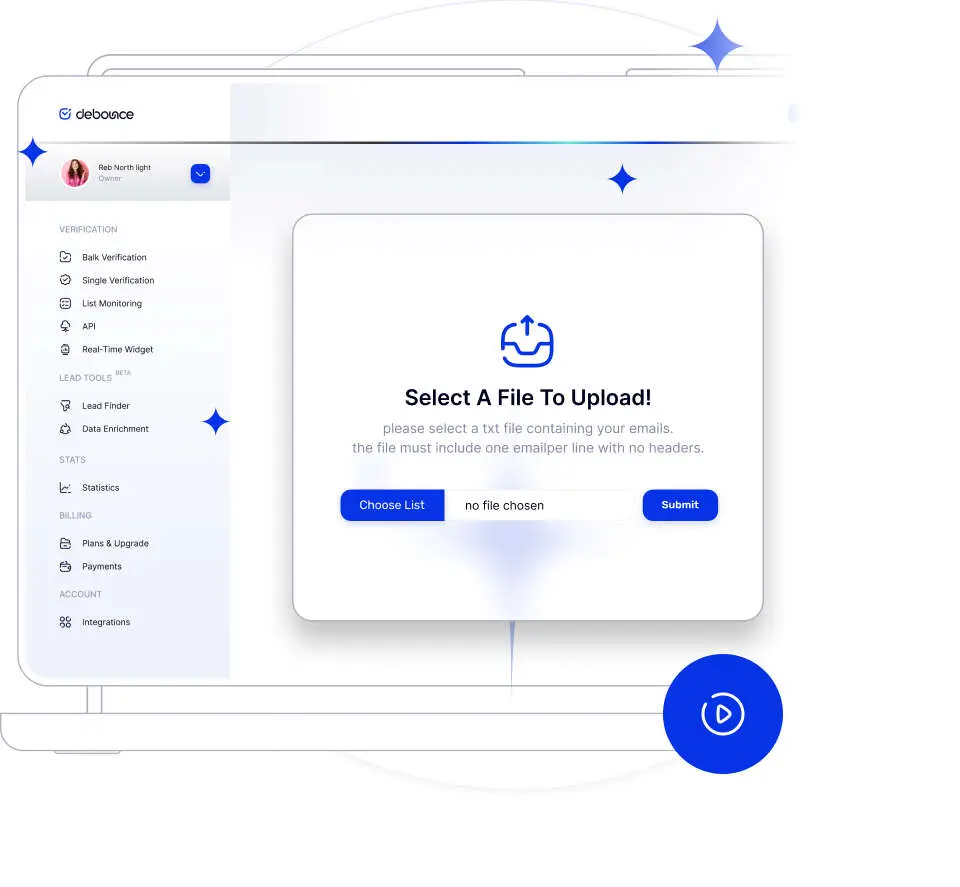
    Upload & Process Emails

    Upload your email list in a TXT or CSV format, then wait for the application to process your list. Duplicated rows will be highlighted - you do not pay for duplicates.

  • step 2

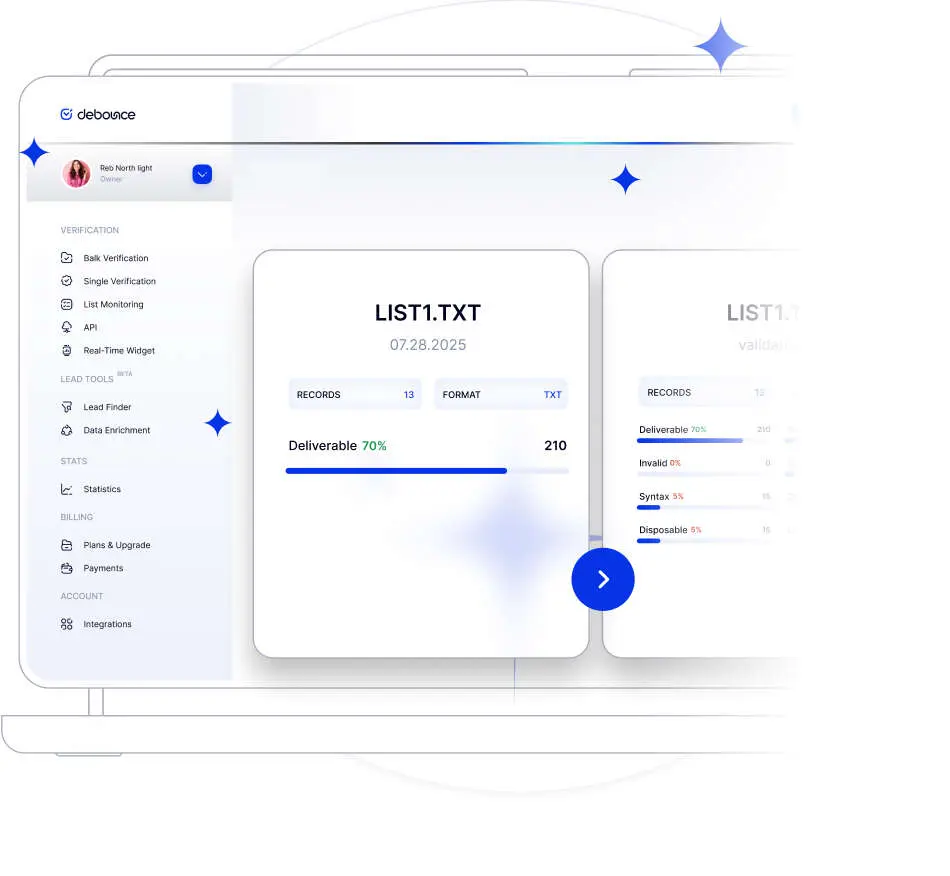
    Validation Process

    We begin processing to ensure your list does not contain any bad emails. All syntax, spam-traps, bounce, catch-all and disposable emails will be identified with DeBounce. You may also choose to enrich your list along with the validation process.

  • step 3

    Clean Data

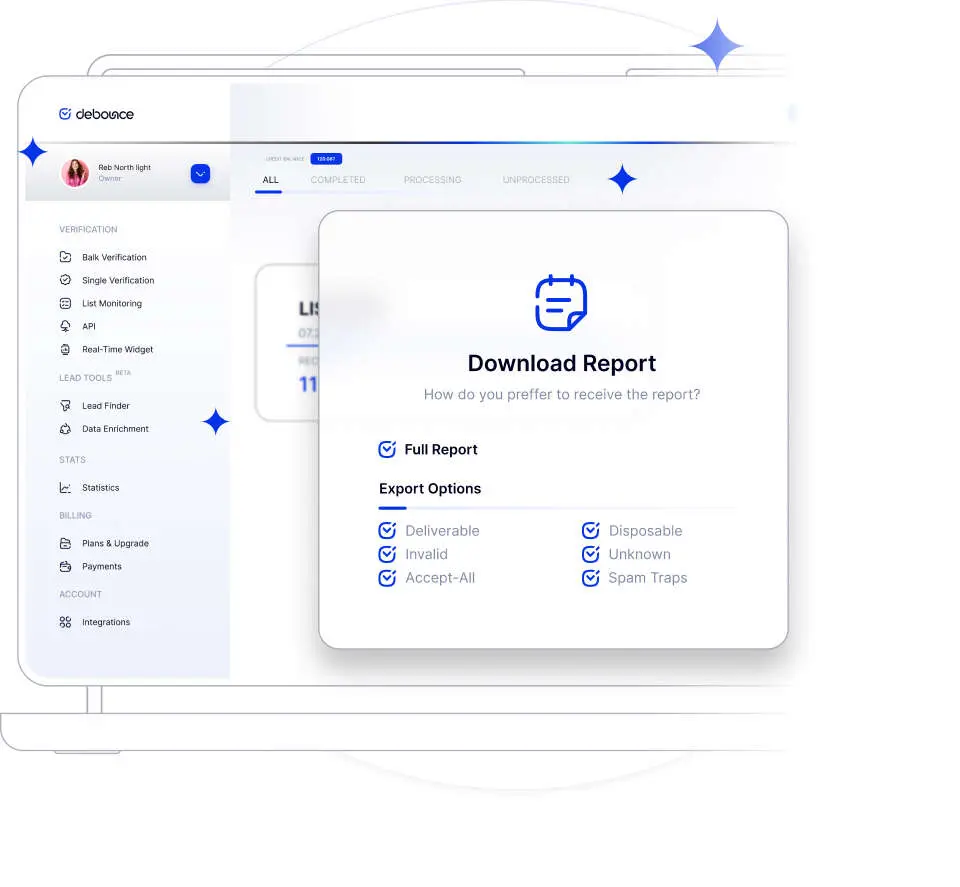
    Once verified, you can download your cleaned list. The download section is flexible and you can customize the export file to suit your preferences. You can easily separate all sections.

Upload & Process Emails
Validation Process
Clean Data

Which checks does the email validator
perform?

DeBounce uses a multi-layer checking process, with every single email going through the following testing and cleaning steps:

DNS validation, including MX record lookup

Disposable email address detection

Misspelled domain detection to prevent Typosquatting

SMTP connection and availability checking

Mailbox existence checking

Syntax verification (IETF/RFC standard conformance)

Temporary unavailability detection

Catch-all testing

Greylisting detection

When Should You Clean Your Email List?

Certain sending events and performance signals indicate it’s time to clean your email list.

  • 01

    Before Launching a Campaign

    Running validation before a large campaign helps reduce bounce rates and improves the likelihood of reaching inboxes instead of spam folders.

  • 02

    After Importing Purchased or Old Lists

    Purchased, scraped, or outdated lists often contain invalid, disposable, or abandoned addresses. Cleaning them before sending reduces deliverability risks.

  • 03

    During Quarterly List Maintenance

    Email databases naturally decay over time. Quarterly email list cleaning helps remove inactive and invalid contacts before they accumulate.

  • 04

    When Bounce Rates Exceed 2%

    A rising bounce rate is often one of the first signs of list quality problems. Cleaning the database quickly helps protect sender reputation and inbox placement.

  • 05

    Before Migrating to a New ESP

    Moving a poor-quality database into a new email service provider can damage reputation from the beginning. Cleaning the list first creates a healthier starting point.

Upload, Validate, and Download Clean Data

Keep your original file structure intact while DeBounce cleans, categorizes, and prepares your list for export.

Upload

Flexible file handling without rebuilding your list

DeBounce supports CSV and TXT uploads from CRMs, ESPs, ecommerce platforms, lead generation tools, and internal databases. Upload your file and start validation without technical setup or manual formatting work.

CSV uploads keep existing columns and data structure attached to each email address, including names, company fields, tags, locations, purchase data, and custom fields.

Large files are processed automatically in the background, and duplicate emails are identified before validation begins so repeated addresses do not consume credits.

  • CSV and TXT uploads
  • Up to 200,000 emails
  • Free duplicate removal
Download

Export the exact validation results your workflow needs

Once validation is complete, you can export results by validation status and risk category, including deliverable, undeliverable, unknown, disposable, duplicate, or catch-all emails.

Every export keeps the original CSV columns and attached data intact, so cleaned contacts can move back into your CRM or email platform without rebuilding segmentation fields.

Separate category exports make suppression management, campaign segmentation, and internal review easier while giving you control over the final download.

  • Status-based exports
  • Original columns preserved
  • Campaign-ready segments

Email List Cleaning Features

You will have access to the full range of features on every plan. All packages are valid until they are fully used. No setup costs and no strings attached.

Verify More, Pay Less

The more emails you verify, the less you pay per email.

Free Deduplication

We remove duplicates at no extra cost - you never pay for duplicates.

No Contracts

Pay for what you use, with no expiry date.

Simple Pricing

Pay as you go - credits never expire.

API Included

No need to buy separate credits to use API.

No Hidden Costs

there are no additional charges. All features are included within your plan.

Data Enrichment

Find the full name associated with an email address and retrieve its avatar.

Disposable Emails

Detect disposable email addresses agains a real-time updated database.

Spam Traps

Updated database filters spam-trap and honeypot emails.

Role Accounts

Role-based email addresses are filtered using a regularly updated database.

Spelling Suggestion

"Do You Mean" email correction based on major provider data.

Block Free Emails

Block free email addresses like Gmail or Yahoo.

Selectable Download Options

DeBounce App allows you to only download the results you want.

Email Deduplication

if enabled, all duplicate email addresses are removed automatically.

Syntax Eliminator

Using a bulk email checker, email addresses with invalid syntax are immediately a bulk email checker, email addresses with invalid syntax are immediately ...

Validate Large Lists Without Waiting

DeBounce has many powerful validation engines and can easily manage thousands of emails per minute. You will receive notification email once your validation is finished and then you can customize the validation output and download the results.

Ready to get started?

Prevent email deliverability issues and wasted resources by using a bulk email verification tool to eliminate invalid addresses.

No Credit Card is Required. From $0.00045 per Check.

Customizable Email Export

Enjoy transparent pricing with no hidden fees — pay only for what you use.

Start your integration

Connect DeBounce to verify emails ultra-instantly — simple and seamless.

Powerful Integrations

Connect your ESP Account:
Powerful integrations help you to automate import and keep your lists continuously clean.

hubspotmailchimpActiveCampaignMailjetMauticMailerLiteKlaviyoGistMailgunSendGridApolloSparkPostSendinBluedripConvertKitMoosendlemlistWordPressWooCommerceDrupal

Included with all DeBounce Accounts

Every DeBounce account includes essential validation capabilities, transparent pricing, and reliable support to help you maintain clean, high-performing email data.

Credits never expire

Unknown results are free

Detailed Status Codes

Real-Time Validation Widget

Volume pricing

No hidden costs

Catch-all Validator

Data Enrichment

24/7 customer support

Email List Monitoring

Multiple API Keys

Lead Finder

Hear It From Our Customers

Explore real-life success stories from businesses that rely on our industry-leading
email validation services.

hy

hy

MY

easy to execute

easy to execute

P

Price

US

very good and i have used it couple of…

very good and i have used it couple of times

S

Sam Du Prez

BE

great

great! would recommend

Marcus Cupillari

Marcus Cupillari

AU

Through Email Verification platform

Through Email Verification platform In depth analysis of emails and ensures ...

Makron Groupe

Makron Groupe

GR

Great value, easy integrations, and a very practical verification workflow

I’ve had a very positive experience with DeBounce so far. What I liked most...

D

Dazzling Giftz

SG

Dazzling Giftz

User interface easy and friendly. Affordable plan for new start up businesses.

K

Kate

CA

It's really and helpful one.

It's really and helpful one.

The Locker Room Jock

The Locker Room Jock

US

Amazing service

Amazing service, helped me get rid of so many spam emails and at the end of t...

S

Sensei

US

Seamless and reliable by far

Seamless and reliable by far, more than any other platform out there.

H

HASAN BROWN

US

Debounce.io enrichment integration

Debounce.io enrichment integration. I added debounce to my medical clinic scr...

M

Muhammad Umar Farooq

PK

Reliable and easy-to-use

Reliable and easy-to-use email verification tool. Fast processing and accurat...

A

Abdul Rasheed

AE

Seamless Experience

Email validation process was easy and quick. Seamless experience. Pricing is ...

T

Tamas

HU

Integration was easy, service works well.

Integration was easy, bounces seem to be kept very low so far.

R

Robert R

LV

Everything just works

Everything just works, best quality and prices =)

M

Mai

ES

Good experience

It is a really easy-to-use tool with great customer support.

Trustpilot
4.9/5 Excellent | 1,386 reviews

Frequently Asked Questions

Find quick answers to your questions about our pricing and plans.

01

Do I need to install any software to use DeBounce?

No, you don’t. From the moment you upload your email lists, DeBounce will take care of the entire process. Once you’ve set up an account with us, you can upload your lists directly from your browser.

02

Does DeBounce send out any email messages while validating?

No, it doesn’t. DeBounce employs DNS and SMTP protocol functionalities to perform email address validations, and always avoids sending any email messages to external mail exchangers for delivery.

03

What is the maximum upload file size or maximum allowed number of emails per list?

The maximum number of emails per list is 200,000. If your list is larger, please reduce its size.

04

Which package should I purchase?

It depends on the frequency of which you need to maintain email lists. Pay as You Go packages are the best fit for different needs based on list size. Please note that DeBounce credits never expire.

05

How fast will you process my lists?

This is dependent on factors such as list size and quality. We use the best tools and practices in the industry to guarantee quick list processing.

06

Do email credits for "Pay as You Go" packages expire?

No, they do not. Your “Pay as You Go” email credits will continue to work, as long as you haven’t reached the limit.

07

Does DeBounce keep other columns than email if I upload a CSV file?

Yes. You can have as many as columns you want. We will add extra validation columns to your original file.

08

Will you store my lists forever?

No.
You can remove your email lists any time you want. Moreover, DeBounce automatically removes the lists 10 days after upload or validation, whichever is the later. Please ensure you download your validation results once validation is finished.

09

Can I use the API to perform a bulk validation job?

Yes. You can use the bulk email validation API to upload a file for validation and download the results.

10

How often should I clean my email list?

Email lists should be cleaned regularly because contact data changes constantly. For active senders, quarterly cleaning is a common maintenance schedule. Lists collected through lead generation campaigns, ecommerce forms, or older databases often require more frequent validation. Running email list cleaning before major campaigns also helps reduce bounce rates and protect sender reputation.

11

What bounce rate is acceptable for email marketing?

Most mailbox providers expect bounce rates to remain below 2%. Higher bounce rates can negatively affect sender reputation and inbox placement. Consistently high hard bounce rates may also increase the risk of spam filtering or temporary blocking by ISPs.

12

Can I clean Gmail and Yahoo email lists specifically?

Yes. DeBounce validates email addresses across major mailbox providers, including Gmail, Yahoo, Outlook, AOL, and custom business domains. The system checks syntax, MX records, mailbox availability, disposable status, catch-all configuration, and other deliverability indicators regardless of the provider.

13

How long does validation take for 100,000 emails?

Processing time depends on server response speeds, domain behavior, and the overall quality of the uploaded list. In most cases, DeBounce processes large email lists quickly and sends a notification once validation is complete. Large lists are handled automatically in the background, allowing you to continue working while processing runs.

14

What’s the difference between email verification and email validation?

Email verification usually refers to checking whether an address exists and can receive messages. Email validation is broader and may include syntax checks, spam trap detection, disposable email detection, catch-all testing, duplicate removal, and additional deliverability analysis. DeBounce combines both processes within a single platform.