
A suppression list is a “do not send” database that prevents emails from being delivered to specific addresses. A suppression list plays a...

Key Takeaways
Email bounce rate is one of the first deliverability metrics worth watching. A bounce means the message did not reach the mailbox — but not all bounces are the same. Some failures are temporary (full inbox, greylisting, short outages). Others are permanent (invalid address, dead domain). Confusing those two numbers leads teams to either panic too early or wait too long.
This guide covers what an ideal bounce rate looks like, how benchmarks change by list type, why campaigns bounce, hard vs soft failures, how to diagnose a sudden spike, and how to bring rates back under control.
Practical target for healthy, permission-based marketing mail: keep hard bounces under ~0.5% per send. Many programs treat sustained rates above ~2% as a critical hygiene problem. Soft bounces should stay modest and not repeat on the same addresses. ESP policy limits vary by provider.
There is no single universal number every ESP publishes the same way, but modern deliverability practice converges on tighter hard-bounce targets than older “under 5% is fine” advice. Think of bounce rate as a list-health signal: mailbox providers and ESPs use it to decide whether your next campaigns deserve inbox trust.
Use this working framework for permission-based promotional mail:
| Hard bounce rate | What it usually means |
|---|---|
| Under ~0.5% | Healthy for well-managed opt-in lists. Keep regular validation and suppression habits. |
| ~0.5%–2% | Caution. Inspect recent imports, signup quality, and aging segments. Clean before the next big send. |
| Above ~2% sustained | Urgent. Pause risky segments, run full list hygiene, and review authentication and acquisition sources. |
Soft bounces are different. Occasional temporary failures happen to everyone. Investigate when the same addresses soft-bounce repeatedly or when soft bounces spike after a content, size, or reputation change. Many teams treat soft bounces that repeat across 3–5 sends as effectively permanent and suppress them.
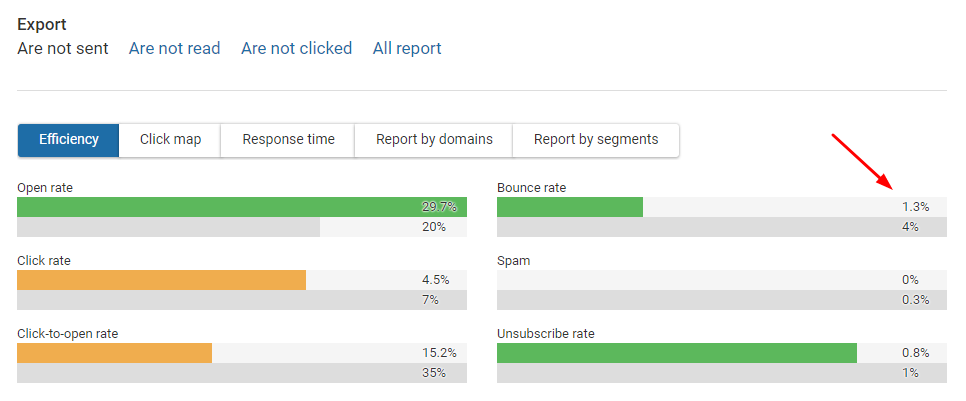
Do not manage only the blended metric. A “1.5% total bounce” campaign can still be dangerous if most of that is hard bounce. Split the report — hard vs soft — every time you review results. Also separate bounce rate from spam complaint rate: a campaign can look fine on opens while quietly damaging sender trust through bounces and complaints together.
An ideal bounce rate is not identical for every send. The same brand can run a near-perfect transactional stream and a riskier reactivation campaign in the same week. Use separate expectations per list type:
| List / mail type | Healthy hard bounce | Notes |
|---|---|---|
| Confirmed opt-in promotional | Under ~0.5% | Steady-state benchmark for permission-based newsletters and campaigns. |
| Transactional (receipts, resets) | Near zero / under ~0.1% | Users just acted. Typos at capture are the main hard-bounce source. |
| Double opt-in newsletter | Often under ~0.3% | Confirmation proves the mailbox is monitored before the first marketing send. |
| Reactivation / win-back | Higher on first pass; improve fast | Dormant addresses decay. Validate and suppress before blasting the full cold file. |
| Acquired / partner / event lists | Expect elevated first-send risk | Validate before merge. Do not judge your core brand list by one dirty import. |
If you mix list types in one campaign, the blended bounce rate hides the real problem. Segment reports by acquisition source whenever a spike appears. Do not promote a partner or event list into your main sending stream until it clears validation and a small test send — first-send risk belongs in a quarantine lane, not in your best-engaged newsletter audience.
CSV imports with broken formatting, truncated local-parts, or spreadsheet autocorrect create invalid addresses before the first send. A single bad export from a CRM or event tool can push a healthy program into the caution zone overnight.
Forms without real-time checks accept typos, disposable domains, and fake signups — all of which become hard bounces later. Catching bad addresses at signup is cheaper than cleaning them after a campaign fails.
People change jobs, abandon inboxes, and providers recycle inactive accounts. Old “set and forget” lists accumulate permanent failures and recycled spam-trap risk. List decay is quiet until a big send exposes it.
Unsolicited data is both a compliance problem and a bounce/complaint machine. Validation can remove invalids; it cannot make a bought list permissioned. If bounce and complaint rates rise together after an import, treat the source as toxic.
Misaligned SPF/DKIM/DMARC, sudden volume spikes, or poor IP warm-up can increase deferrals and failures. Not every bounce is a “bad email” — some are infrastructure signals. See how to warm up a dedicated email IP.
Some soft failures come from message size, filtering, or recipient-side blocks rather than a dead mailbox. Read the bounce code before deleting contacts wholesale. A “mailbox full” soft bounce needs a different response than “user unknown.”
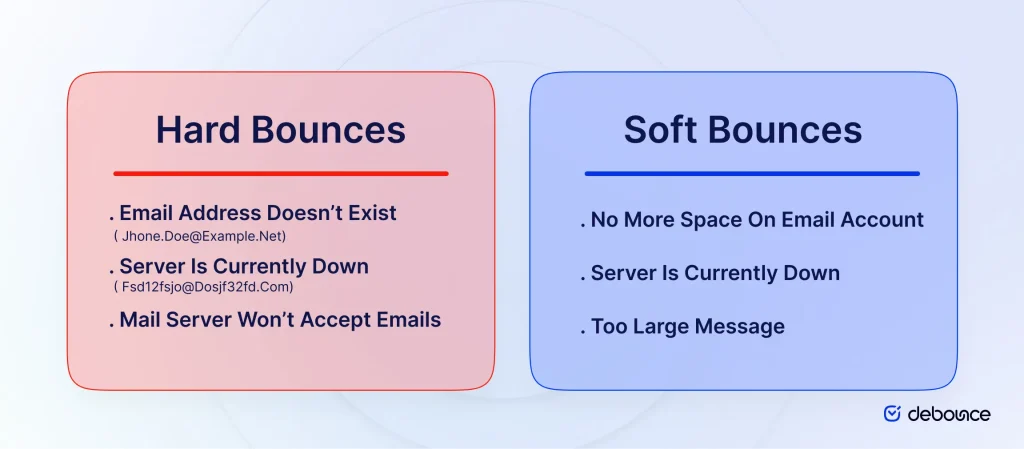
| Type | Hard bounce | Soft bounce |
|---|---|---|
| Meaning | Permanent delivery failure | Temporary delivery failure |
| Common causes | Invalid mailbox, non-existent domain, typo domains, rejected address | Full mailbox, greylisting, temporary outage, message too large, short block |
| What to do | Suppress immediately; do not keep retrying | Retry with limits; suppress if failures repeat (~3–5 times) |
| Reputation impact | High when repeated at scale | Lower per event, but chronic soft bounces still need diagnosis |
Hard bounces are the metric to protect first. Soft bounces need diagnosis, not automatic panic deletes on the first temporary code. Common permanent codes include user-unknown responses like 550 5.1.1; temporary issues typically show as 4xx deferrals. Your ESP’s bounce report is the source of truth for classification. For deeper reading, see hard vs soft bounces.
When bounce rate jumps, do not start by rewriting subject lines. Start by isolating what changed.
A short pause to clean is usually cheaper than pushing volume through a dirty spike and earning an ESP hold.
Answer those five questions before changing creative. Most bounce emergencies are data or infrastructure problems, not subject-line problems.
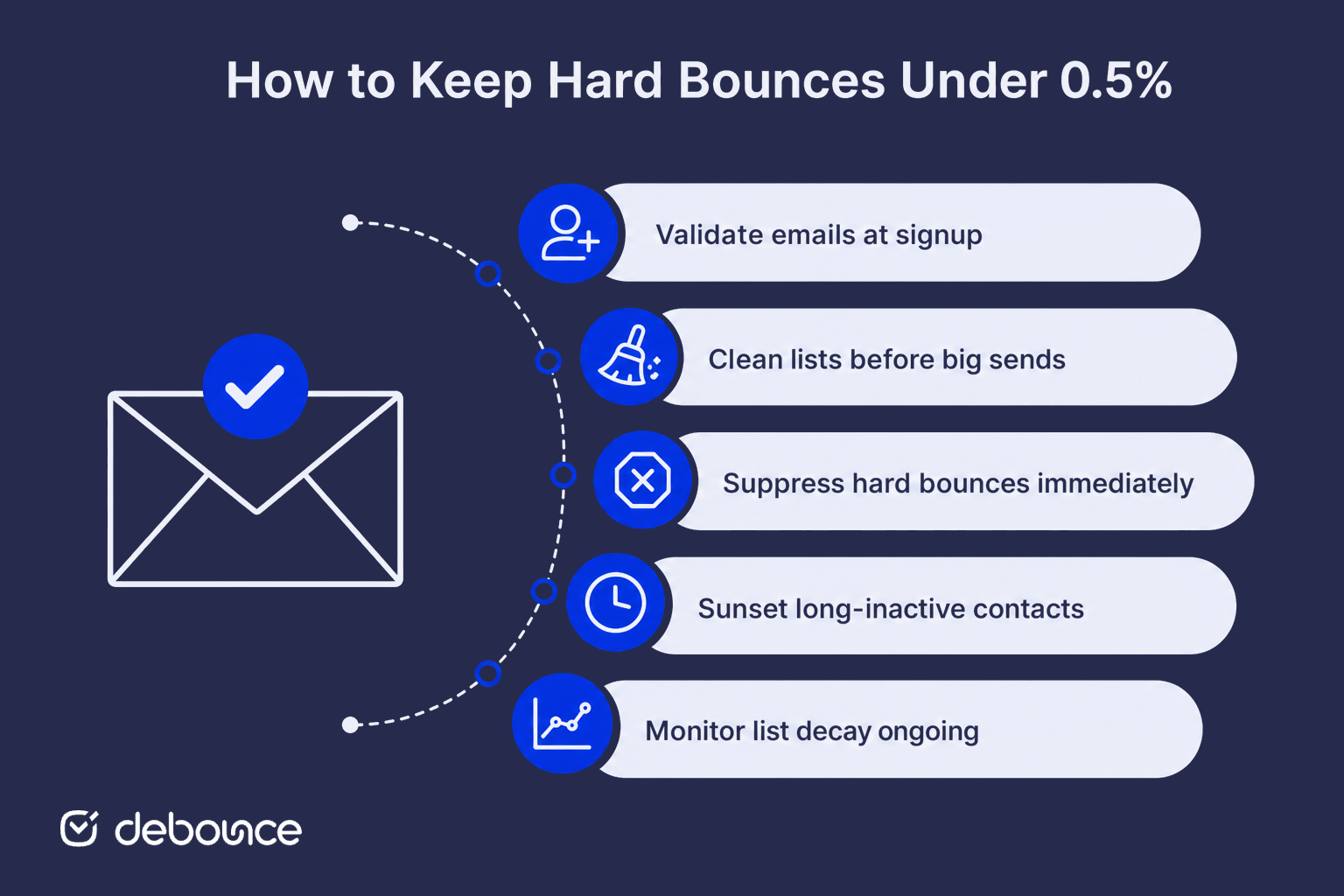
That cadence keeps teams under ~0.5% hard bounce without turning list hygiene into a once-a-year fire drill.
Bounce rate is necessary but not the whole deliverability picture. A list can bounce little and still underperform if engagement is weak, complaints are rising, or catch-all uncertainty is high. Likewise, a temporary soft-bounce spike after a provider outage does not mean your acquisition sources suddenly failed.
Use bounce rate together with:
That broader view prevents overreacting to one soft-bounce day — and underreacting to a quiet hard-bounce climb that is already damaging sender reputation.
Good bounce rate management is mostly list quality plus fast suppression. Protect hard bounces first — aim for under ~0.5% on healthy opt-in mail, investigate the caution zone quickly, and treat sustained rates above ~2% as a list and acquisition emergency. Soft bounces deserve bounce-code analysis before action; hard bounces deserve immediate removal.
Bounce rate is not a vanity KPI. It is early warning for list decay, risky acquisition, and sender-reputation damage. Judge each list type on its own benchmark, diagnose spikes by source before the next blast, and keep validation in the workflow at every stage. If your last campaign report looks noisy, validate the list with DeBounce — bulk cleaning, real-time checks at capture, and ongoing monitoring to catch decay before it becomes a deliverability problem.
Common questions about ideal email bounce rates and how to keep them low.
For permission-based marketing campaigns, a practical hard-bounce target is under about 0.5% per send. Soft bounces should stay modest and not repeat on the same addresses. Always also follow your ESP’s published bounce and abuse policies.
Not as a hard-bounce target for modern inbox-provider expectations. Older “3%–5% is fine” guidance is too loose for permanent failures. A 5% hard bounce rate is a serious list-quality problem and can trigger ESP restrictions.
Hard bounces are permanent delivery failures (invalid mailbox, dead domain). Soft bounces are temporary (full inbox, greylisting, short outages). Suppress hard bounces immediately; diagnose and retry soft bounces with limits.
Common causes include a bad CSV import, an aged segment, purchased/partner data, typo-heavy signup forms, or sending to long-inactive contacts. Check what changed in the audience right before the spike.
Export the risky segment, validate it, suppress invalid and high-risk addresses, stop mailing hard bounces, and add real-time validation on forms so new bad addresses stop entering the list.
No. Validation greatly reduces invalid and risky addresses, but mailboxes can still be closed after verification, and temporary soft failures can still occur. Regular monitoring and fast suppression keep rates healthy over time.
Find quick answers to your questions about our pricing and plans.
A suppression list is a “do not send” database that prevents emails from being delivered to specific addresses. A suppression list plays a...

Greylisting temporarily rejects mail from unrecognized sender–recipient–IP combinations with a 4xx “try again later” response. Legitimate servers retry; many crude spam tools do...

Email logos appear primarily in signatures (professional emails) and headers (marketing emails), each with different sizes and optimization requirements. Logos should be under...

As an entrepreneur, one of the many first things that come to mind is how to manage your company’s email. After all, email is an...


Basic demographic information was once the key to driving demand generation. But now that this data is widely accessible, it is no longer sufficient to...


An email autoresponder sends pre-written emails automatically based on a trigger, condition, and timing rule. Welcome series consistently deliver the highest open and...
