
Modern spam filters score emails across four signal categories: sender reputation, authentication results, content and design, and recipient engagement. Weak signals in multiple...

Key Takeaways
Return path email is one of the most important yet often overlooked parts of email deliverability. Every time an email bounces, the return path determines where that notification is sent, so the sender can identify delivery issues and take corrective action.
With recent B2B studies showing email lists decaying by 3.6% in a single month as addresses go bad or mailboxes go inactive, a well-configured return path gives you visibility into delivery failures and the information needed to protect sender reputation and maintain deliverability.
A return path email is a designated email address that communicates with SMTP servers, indicating where they should send bounced emails. Also called bounce address, reverse path, 5321-DE, or envelope from, the return path notifies senders about the delivery failure and the reason behind it.
While the return path is specified in the email header, it remains hidden from other parties. So, your subscribers won’t be able to see the return-path-header unless they choose to display the original email header. Keep in mind that an email can have only one return path.
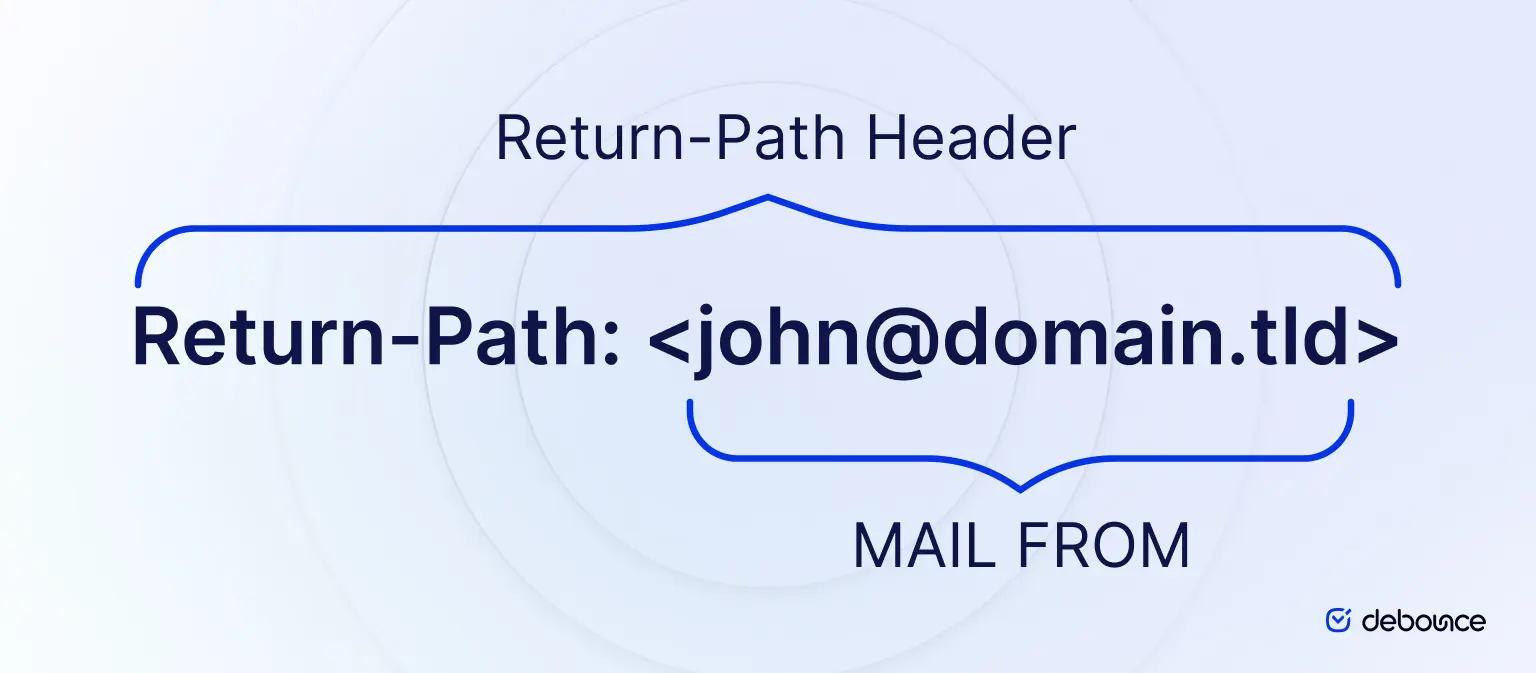
Unlike the visible From address and sender name that recipients see in their inbox, the return path works behind the scenes during email delivery. Most recipients will never see it unless they view the full email headers, but mailbox providers and SMTP servers rely on it to process bounce notifications and verify sending legitimacy.
Email senders use return path email to monitor and analyze non-delivery receipts. By doing so, they can take corrective measures to strengthen their sender reputation and increase email deliverability rates. Here’s how having a proper return-path-header helps you enhance your email campaigns:
Let’s say you want to send an email campaign announcing a seasonal sale to your entire email list—and that list includes thousands of recipients. While you don’t want any emails to bounce, unfortunately, some of them will.
When email clients receive your emails, they try to verify your identity as a sender and ensure that no spam messages reach users’ inboxes. If, for some reason, your email goes into spam, the provider will send a bounce message to the return path address.
Basically, a failed delivery could occur due to a soft or hard bounce.
So, let’s say some email campaigns didn’t make it to the subscribers’ inboxes. What’s next? You’ll need to find out why it happens. Once you determine the “why,” answering the “how to fix it” will be straightforward.
For example, if there’s a soft bounce because of a file, you should consider resizing it or checking what’s wrong. After addressing the issue, try to resend the campaign. Then, monitor the email address to see what happens. If it keeps bouncing, the wise thing to do is treat it like a hard bounce and remove the address from your list.
In the case of a hard bounce, you may have typed the address incorrectly. If you fill it in once more and it doesn’t work, it’s time to remove the corresponding contact from your database.
The return path is assigned during the SMTP transmission process through the envelope sender, sometimes referred to as the MAIL FROM address. This address exists separately from the visible email content and headers recipients normally see. If a mailbox provider cannot deliver the message, the resulting bounce notification is sent to the return path specified during SMTP delivery rather than to the visible From address.
Keep in mind there’s always a return path for every email you send, even if you do so through a free email address like a Gmail account. In that case, the bounce address will probably be the same as the sender address. Which brings us to a common question: is the return path header the same as the sender address?
So, it’s common for email services not to give you the option to have the same domain name as the bounce address and the sender. Even so, it’s wise to create a custom return path email. The reason for setting a customized return path has to do with email authentication systems.
For instance, one of the things that DMARC checks is whether your sender name and return path name are aligned. If they match, your emails will probably pass the SPF alignment set by DMARC.
This may be just an aspect of how authentication protocols check your sender reputation. But the more consistent your messages, the greater the chances of your emails getting through the filters each email client uses and making it to inboxes. Having a clear return-path-header will not only protect your subscribers but also increase your deliverability.
Some email marketing services let you set up a custom domain name. Besides creating a customized return path domain, it includes verifying it through the DNS record. However, each email tool has its own settings, and you’ll have to go through its help center to find the setup instructions. Alternatively, you can contact the customer service team to ask if they provide such a setting, and they should walk you through the configuration process.
Some email service providers automatically align the return path with the sending domain or a dedicated subdomain controlled by the sender. This approach gives businesses immediate visibility into non-delivery notifications while maintaining stronger alignment between sending infrastructure and authentication records. When bounce data is easier to access and monitor, senders can identify delivery problems faster and take corrective action before those issues affect overall deliverability.
The return path is normally hidden from recipients, but there are times when you may want to view it, such as troubleshooting delivery issues or checking where bounce notifications are being sent. The steps below show how to find the return path address in different email clients.
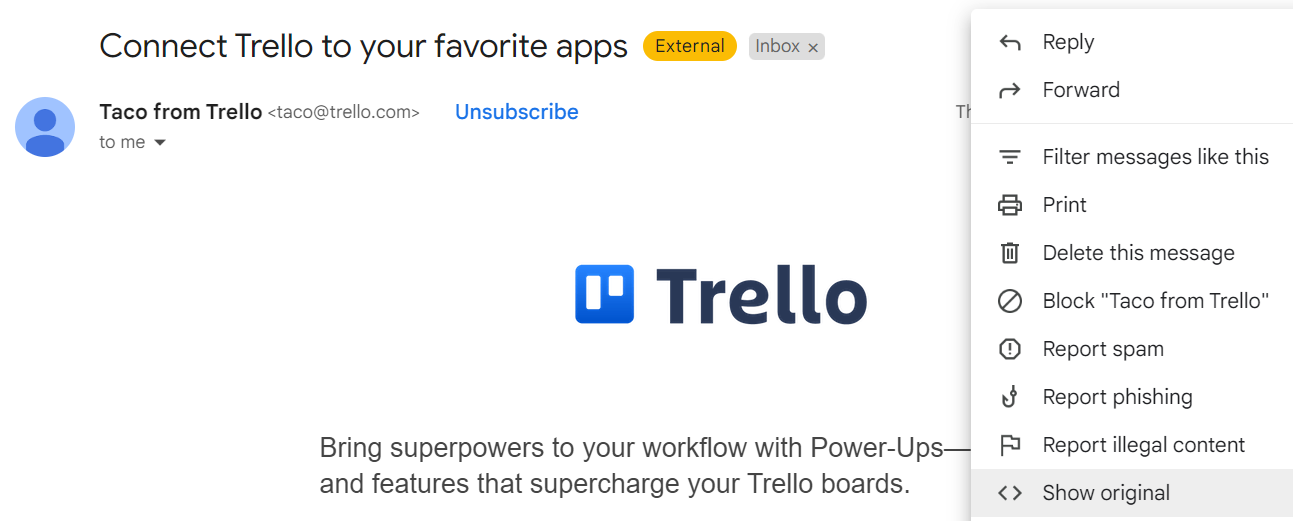
Gmail allows you to view the full email headers, including the return path address.
Outlook provides access to the full message source, including return path information.
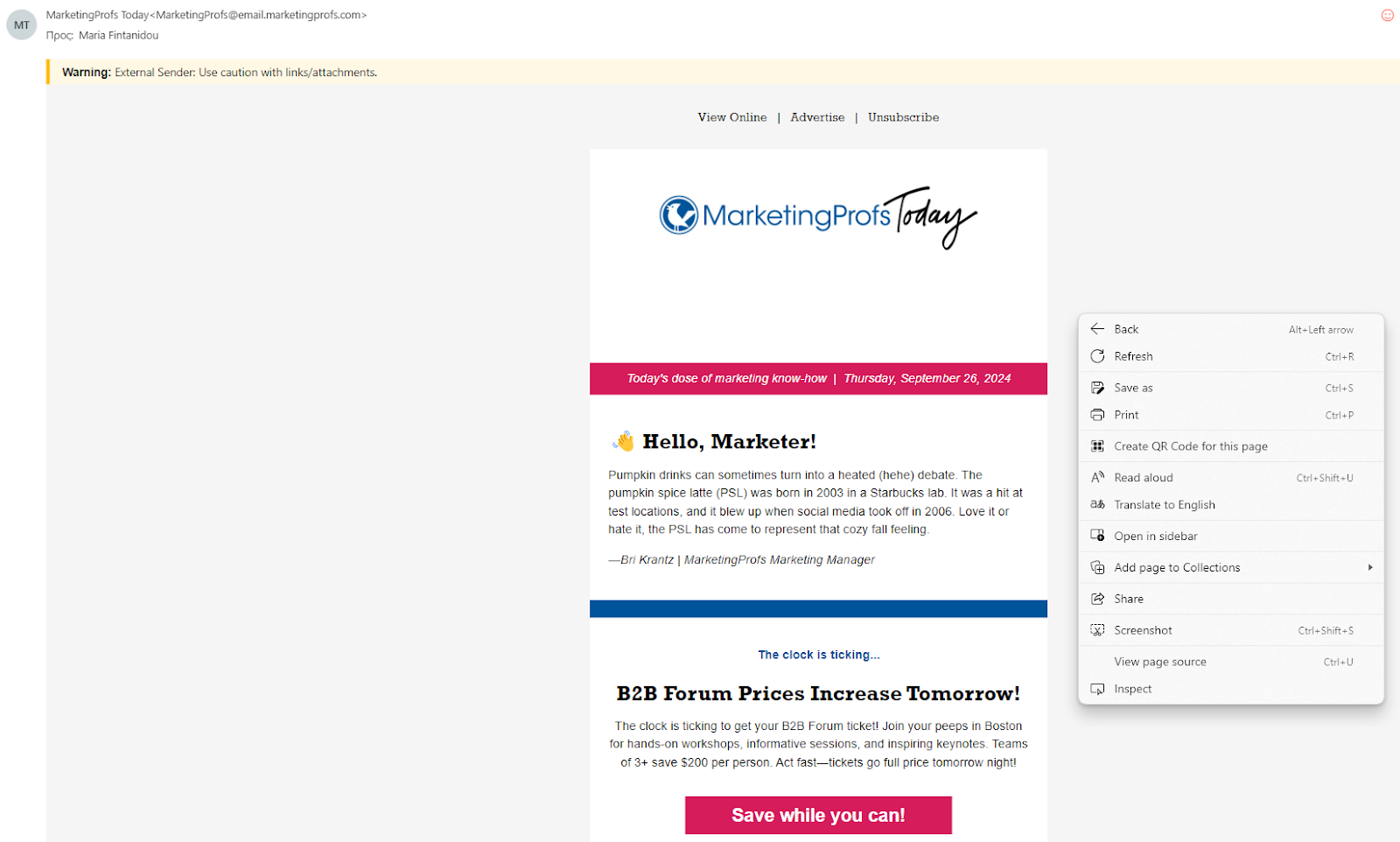
Yahoo Mail includes a raw message view that displays all email headers.

Apple Mail allows users to display complete email header information.
With a strong return path, you can safeguard your sender reputation and contact the majority of your subscribers effectively. The following practices will help you support your bounce address and further improve your email deliverability.
A properly configured return path helps you track bounces, support SPF and DMARC alignment, and spot delivery problems sooner. But it can’t fix a poor-quality email list. If your list contains invalid, outdated, or risky addresses, deliverability will still suffer. Validating your email list with DeBounce before each campaign helps catch those issues early.
Not necessarily. The sender address is the email address recipients see in their inbox, while the return path is the address used to receive bounce notifications. In some setups, they may match, but many email service providers use a separate return path address for bounce processing.
A misconfigured return path can contribute to deliverability problems because it may affect SPF alignment and email authentication checks. While it is rarely the sole reason an email lands in spam, it can negatively affect sender reputation and increase filtering risks.
No. Each email message can have only one return path address. This address is defined during the SMTP delivery process and serves as the destination for bounce notifications associated with that specific email.

Find quick answers to your questions about our pricing and plans.

Modern spam filters score emails across four signal categories: sender reputation, authentication results, content and design, and recipient engagement. Weak signals in multiple...

20–25% is a solid open rate for most marketing emails; above 40% is excellent, while below 15% can indicate potential issues. Open rates...
Automated email marketing is incredibly convenient and powerful. Like anything, it takes some work to get right and maintain momentum. Unfortunately, email lists can become...

Fake emails rely on urgency, impersonation, and visual tricks. Learning the signs lets you slow down and evaluate before acting. Sender domain mismatches,...
Sometimes, even a small thing, like a dash in your email, can make a huge difference. If you’re looking for answers regarding using a minus,...
Google Postmaster Tools V2 replaces reputation scores with compliance-based evaluation, making authentication and policy alignment the core requirement for inbox placement. The new...
