
Unlike phishing, pharming works by corrupting DNS systems or device hosts files so that typing a correct address automatically routes users to fraudulent...

Key Takeaways
Roughly 45% of all email sent globally is spam, and inbox providers have built increasingly sophisticated systems to filter it out. The side effect is that legitimate marketing emails get caught in those filters too, sometimes for reasons that are completely fixable.
Knowing how to avoid spam filters is about understanding what mailbox providers are actually looking at, then making sure your sending practices, list quality, and email content hold up against those standards. Inbox placement is a measurable outcome, and it usually depends on a small number of fundamentals, most of which are within your direct control.
A spam filter is a system that evaluates incoming emails and decides whether to deliver them to the inbox, route them to the spam folder, or block them entirely. Every major mailbox provider (Gmail, Outlook, Yahoo) runs its own filtering system, and many email service providers (ESPs) add another layer on top.
Modern spam filters work like scoring systems, not simple keyword checkers. In the past, changing a word like “free” to “fr33” might have helped emails avoid filters, but that no longer works. Today’s spam filters look at hundreds of different signals at the same time and give each email an overall score that determines placement.
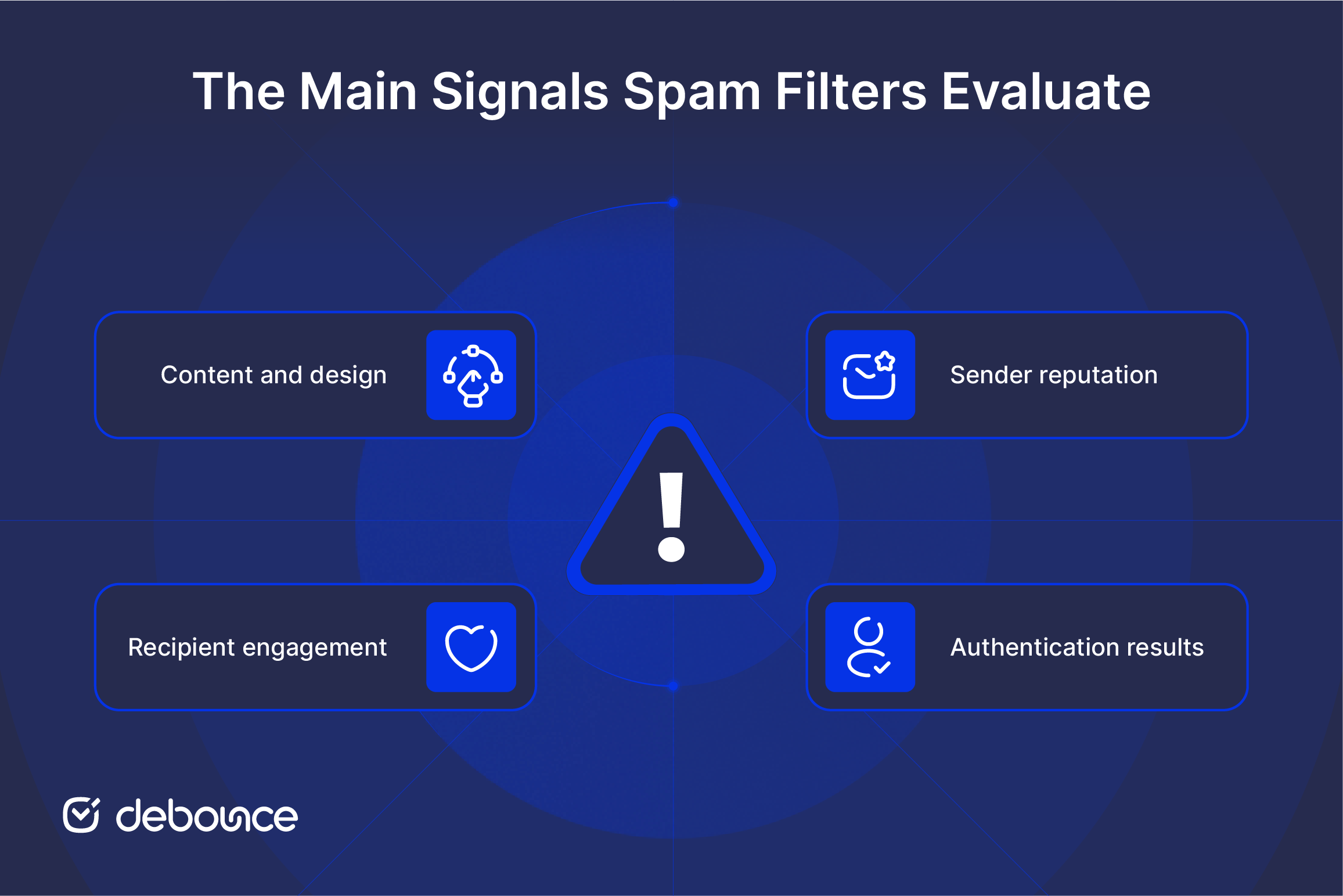
Those signals fall into four main categories:
No single mistake guarantees the spam folder. But several smaller problems together can quickly damage deliverability. A slightly spammy subject line is recoverable. A spammy subject line, combined with poor authentication, a high bounce rate, and low engagement, is not.
Before you can fix a deliverability problem, you need to identify what’s actually triggering it. The most common root causes are:
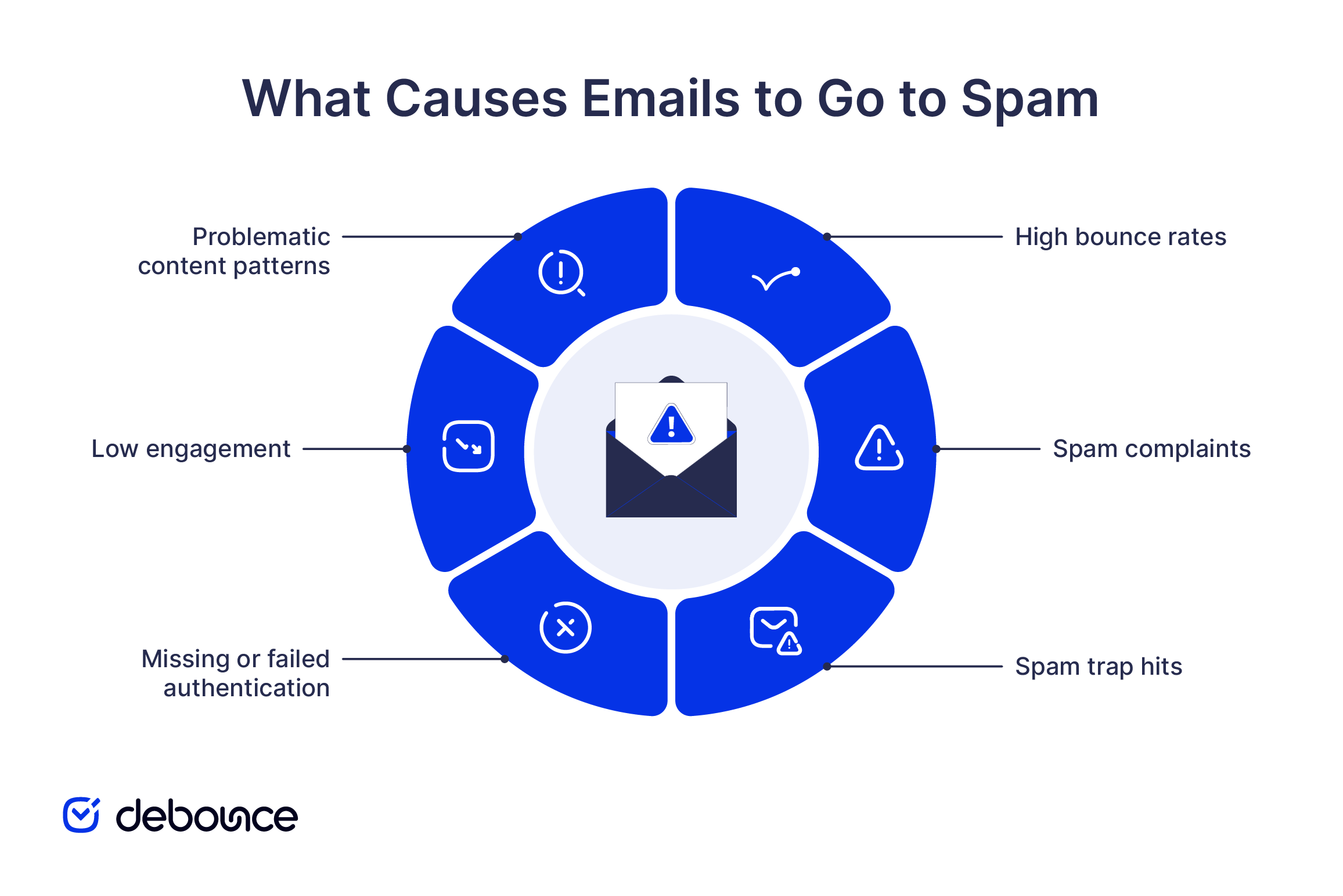
The steps below address each root cause directly. Start with authentication and list quality first, since they form the foundation of good deliverability. Once those are in place, you can focus on improving email content, sending frequency, and subscriber engagement.
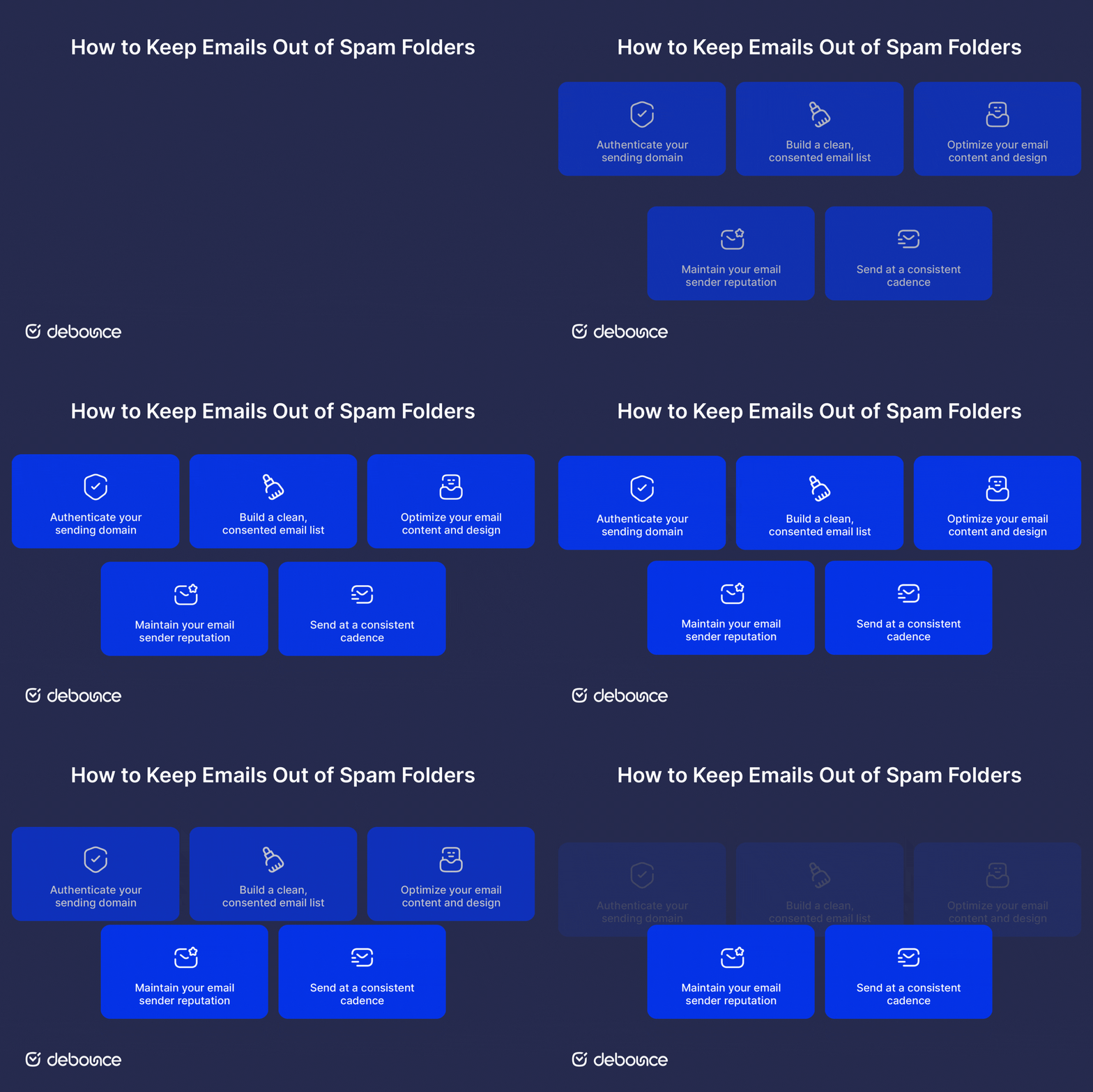
Authentication is the baseline. Without it, inbox providers have no way to confirm that your emails are actually from you, and filters treat unverified senders with far more suspicion.
The three protocols you need are:
Most senders set DMARC to p=none initially, which monitors but doesn’t act. Once your SPF and DKIM records are stable and your reports show clean authentication, move to p=quarantine or p=reject. A permanent p=none policy offers no real protection and signals to providers that you haven’t finished your setup.
Authentication proves that your email is genuinely coming from your domain and not from someone pretending to be you. However, authentication alone does not guarantee inbox placement. You need both proper authentication and healthy email practices to maintain good deliverability.
List quality is one of the biggest factors affecting email deliverability, and it’s also one of the easiest things to control. Even if your domain is properly authenticated, sending emails to an outdated or low-quality list can still push your messages into the spam folder. There’s no authentication record that offsets a 10% bounce rate.
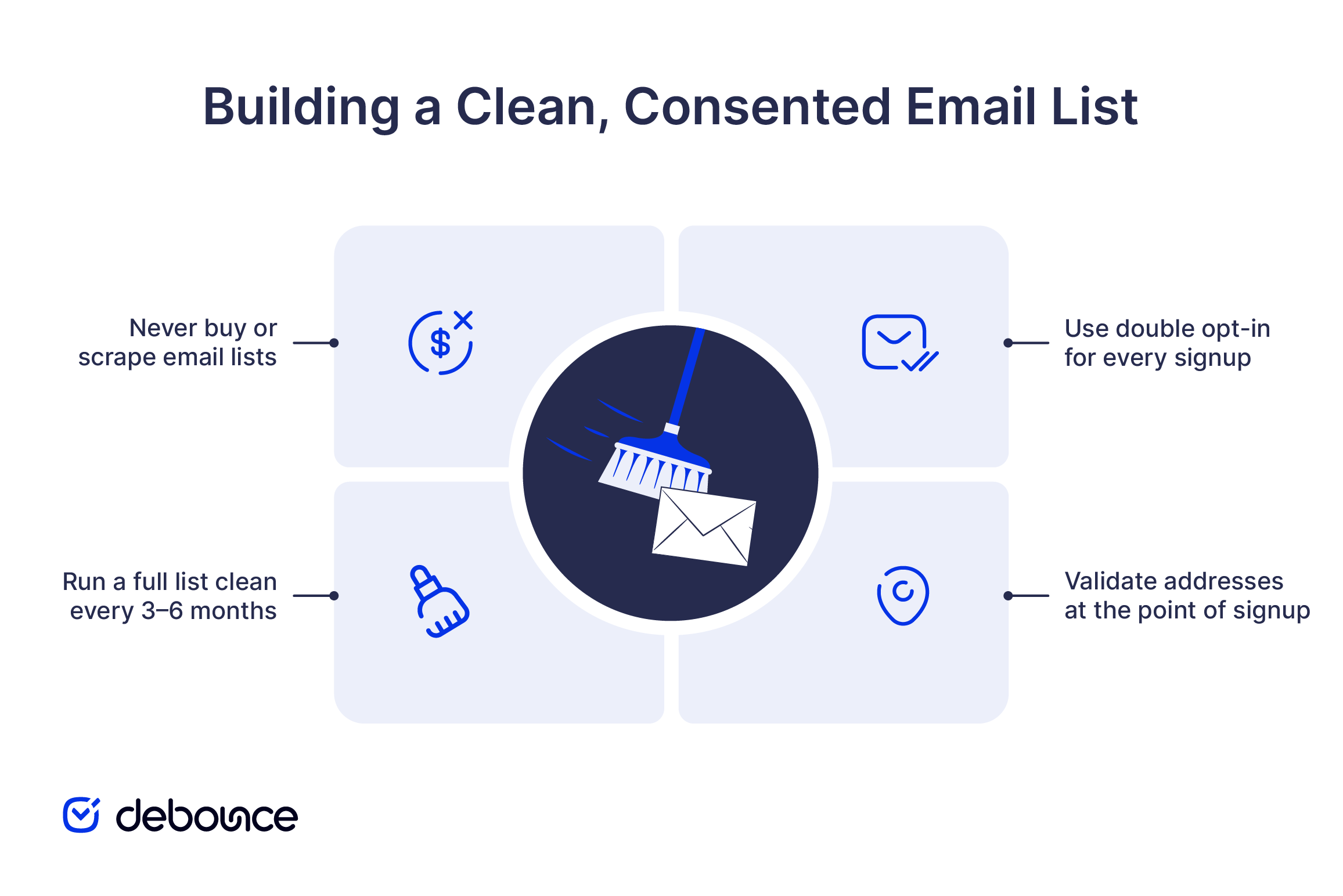 Practical steps to keep your email list clean:
Spam filters read your emails. Here are some of the main things they look for, along with ways to keep your emails from triggering unnecessary spam warnings.
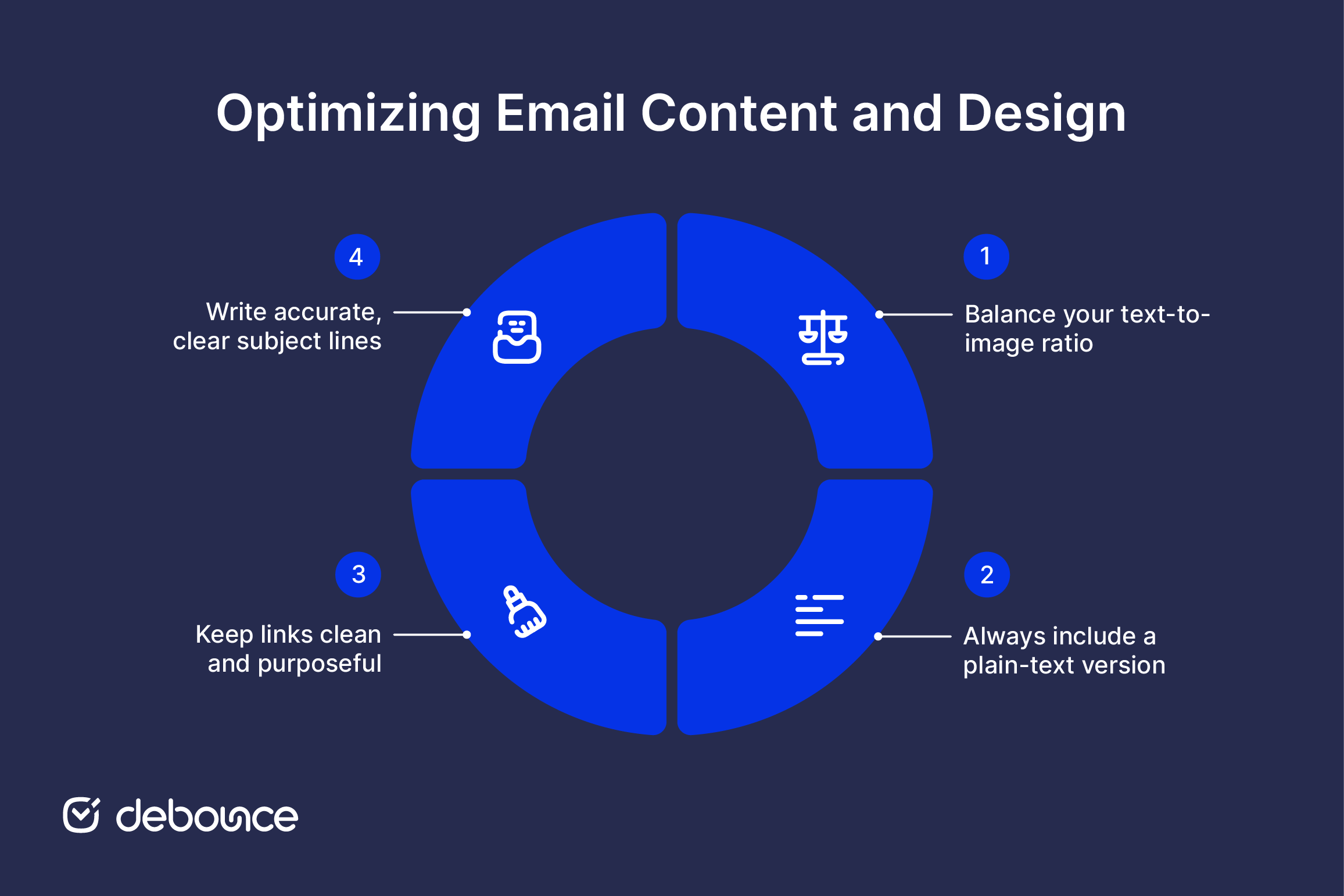
Your email sender reputation is the cumulative score that inbox providers assign to your sending IP and domain based on your historical behavior. It’s not a single metric, but a composite built from complaint rates, bounce rates, engagement rates, and authentication consistency over time.
Monitor it actively rather than waiting for deliverability problems to surface:
Subscriber engagement helps build your sender reputation. Positive actions like opens, clicks, replies, and moving emails out of the spam folder signal to inbox providers that people want your emails. Negative actions, such as spam complaints and spam reports, have the opposite effect and can damage deliverability very quickly.
Even small complaint rates can have a noticeable impact. For example, a 0.2% complaint rate on a list of 100,000 subscribers means 200 people marked your email as spam. That is enough for inbox providers to lower trust in your emails and reduce inbox placement.
Sudden volume spikes are one of the clearest behavioral patterns that spam filters look for. Sending 50,000 emails on a Tuesday after three weeks of silence looks exactly like what it is to a filter: an irregular sender with an unmanaged list. To avoid this:
Spam filters don’t maintain simple blocklists of forbidden words, but certain phrases do contribute to a higher filter score, especially when stacked together, written in all caps, or placed in subject lines that don’t match the email content. The effect is pattern-based, not word-by-word.
Financial pressure phrases:
Urgency triggers:
Exaggerated promises:
The fix isn’t to avoid these topics entirely, but to write about them directly and accurately, without the inflated phrasing. “Save 20% before Friday” is clearer and less filter-triggering than “LAST CHANCE! Amazing Deal Expires TONIGHT!”
Testing removes the guesswork from email deliverability. Before sending any major campaign, run your email through a spam testing tool to check how inbox providers and spam filters are likely to evaluate it.
Tools commonly used for this include Mail-Tester, GlockApps, and MailReach. A typical spam test checks:
Beyond automated testing, send manually to seed inboxes across Gmail, Outlook, and Yahoo before activating a campaign. These are the three inbox providers that cover the largest share of your recipients, and placement can differ between them. If an email lands in spam on one provider and not others, you’ll know exactly where to investigate.
Inbox placement is the result of four things working together: authentication, list quality, content, and consistent sending behavior. Spam filters reward senders who get all four right over time (not just before a single campaign, but as an ongoing practice).
A clean list makes authentication more effective. Consistent sending builds the reputation that content quality helps maintain. Remove any one of those pillars, and the others start to compensate for the gap, until they can’t.
Before sending your next campaign, upload your email list to DeBounce and run a full validation check. Remove any addresses marked as invalid, disposable, fake, or high-risk before you send. This leaves you with a cleaner list made up of real, deliverable email addresses, which can significantly improve inbox placement, reduce bounce rates, and protect your sender reputation.
The most common causes are missing or misconfigured authentication records, a bounce rate or complaint rate above acceptable thresholds, or low engagement signaling to inbox providers that recipients don’t want your emails. Check your Google Postmaster Tools data first; it will show you exactly which signals are causing problems.
Every 3–6 months for active lists, and before any campaign sent to a list that’s been idle for 90 or more days. Email addresses decay at roughly 22–30% per year, so a list that was clean six months ago will have measurable decay by now.
Yes, particularly if it generates complaint rates above 0.3% or hits spam traps at scale. A single campaign that significantly damages your domain reputation can affect deliverability across subsequent sends for weeks. Validating your list and monitoring complaint rates before and after each campaign is the most reliable way to catch problems before they compound.
Find quick answers to your questions about our pricing and plans.
Unlike phishing, pharming works by corrupting DNS systems or device hosts files so that typing a correct address automatically routes users to fraudulent...
An email syntax error prevents an email from being sent or accepted because the address or message format doesn't follow the required rules....

Both SPF and DKIM must be configured and aligned with your sending domain before DMARC works correctly. Publishing DMARC over broken authentication causes...

Enterprise platforms protect against advanced persistent threats and BEC, privacy providers focus on encryption, and hygiene services prevent delivery failures and list contamination....
True email personalization uses behavioral, demographic, and real-time data to make every message feel relevant. Personalization only works when the underlying data is...

Catch-all (accept-all) domains accept mail for any local part at the SMTP level, so a standard check often cannot prove a mailbox is...
