
Standard Google Sheets formulas only check email syntax; they can't confirm whether a mailbox actually exists, which is the check that matters for...

Key Takeaways
Your platform shows “Sent,” but the message never reached the recipient. It came back as an undeliverable email, with an error message that’s often more confusing than helpful.
This blog focuses on email delivery failures specifically: what they mean, how to read the error codes, what causes them, and how to stop them from compounding into a reputation problem. Industry benchmarks generally treat a 2% bounce rate as the point where inbox providers begin paying closer attention to your sending domain.
An undeliverable email is a message that a receiving mail server rejected and returned to the sender, typically accompanied by a Non-Delivery Report (NDR) that includes an error code explaining why the delivery failed.
The NDR arrives in the sender’s inbox and contains three main components: an error header with the status code, metadata about the original message, and an SMTP transcript of the server exchange.
Undeliverable emails fall into two categories with different implications:
| Hard Bounce | Soft Bounce | |
| Meaning | Permanent delivery failure | Temporary delivery failure |
| Causes | Invalid address, dead domain, closed mailbox | Full mailbox, server temporarily down, oversized message |
| Sender action | Suppress immediately, do not retry | Allow automatic retry; suppress after 3–5 consecutive failures |
| Reputation impact | High; signals poor list hygiene to inbox providers | Low; normal sending infrastructure handles these automatically |
Hard bounces are the more damaging of the two. If you keep sending to addresses that permanently reject your emails, inbox providers may treat your list as poorly maintained, which can weaken your sender reputation.
Bounce causes fall into three groups based on where the failure originates. Recipient-side issues are usually the easiest to resolve, while content, authentication, and reputation blocks require sender-side configuration work.
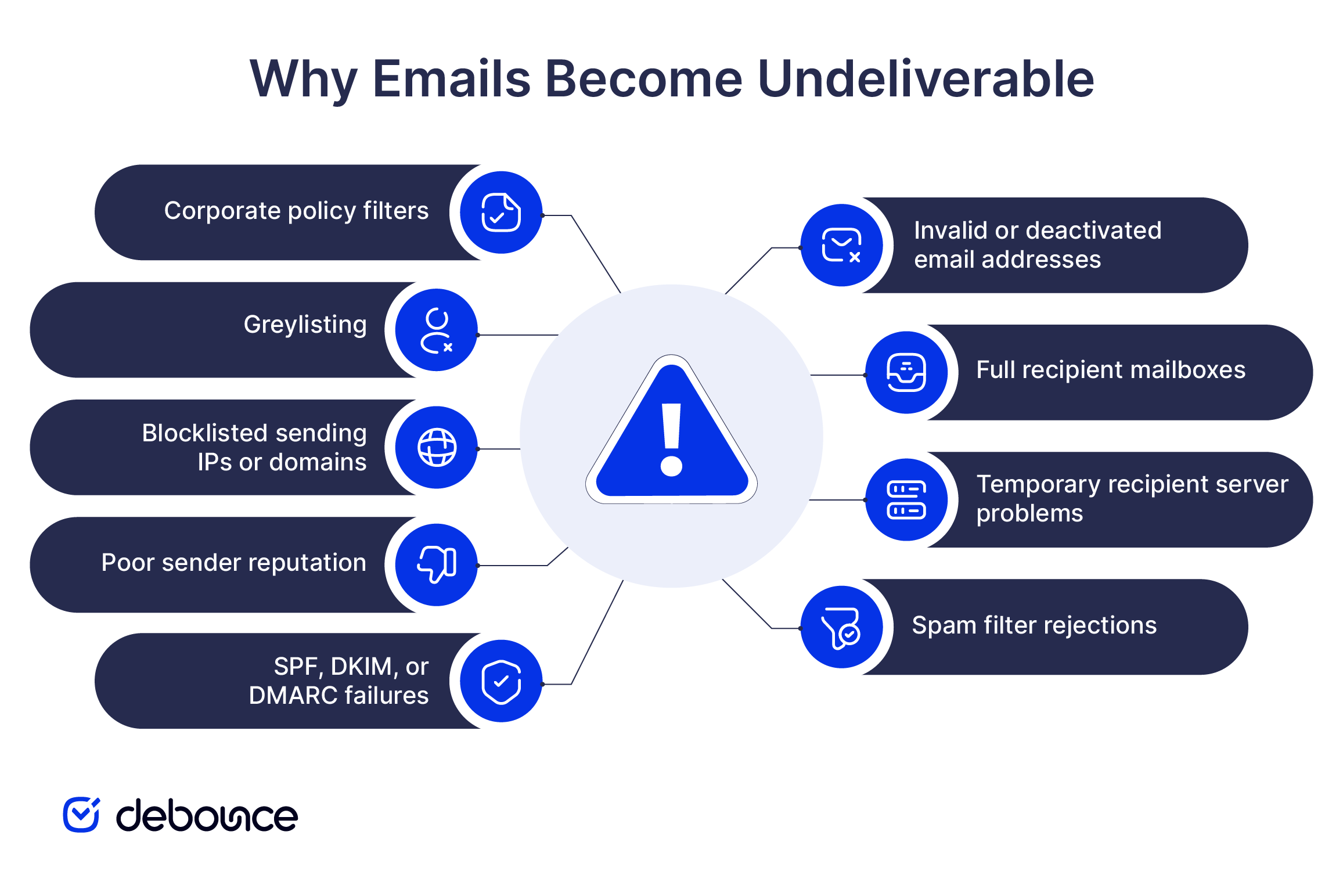
Invalid or mistyped addresses are one of the most common causes of undeliverable email. If a recipient enters the wrong address on a form or if the address has been deactivated, the receiving server returns a permanent rejection. Common codes include 550 5.1.1 (user unknown) and 550 5.1.2 (domain not found). The sender receives the bounce regardless of who made the mistake.
Full mailboxes generate soft bounces, not hard bounces. The address exists, and the server is functioning, but the inbox has reached its storage limit. Common codes include 552 5.2.2 and 452 4.2.2. Your sending server will retry automatically over 24 to 72 hours. If the mailbox continues to bounce across multiple attempts, suppress the address because persistent mailbox-full responses often indicate an abandoned inbox.
Recipient server problems, such as maintenance windows, temporary outages, or capacity limits, also generate soft bounces. A common code is 421 4.7.0. These failures usually resolve through standard retry logic, so no action is needed unless they continue beyond 72 hours.
Content-based blocks occur when a receiving server’s spam filter flags the message itself. Trigger patterns include suspicious keywords, excessive links, misleading subject lines, or HTML formatting that matches known spam templates. Common codes: 554 5.7.1 and 550 5.7.0. These return as hard bounces even though the recipient address may be perfectly valid.
Authentication failures are the most common cause of bounces when the address is correct, but the email still won’t deliver. If your SPF, DKIM, or DMARC records are misconfigured or missing, receiving servers may reject the message outright. Common codes: 550 5.7.1 (SPF failed) and 550 5.7.26 (DMARC failed).
Blocklisted IPs or domains can cause receiving servers to reject or defer email, depending on their filtering policies. Widely used blocklists include Spamhaus, Barracuda, and SpamCop. If you suspect a blocklisting issue, use MXToolbox to check whether your sending IP or domain appears on any active lists.
Greylisting is a temporary anti-spam measure that intentionally defers a message the first time it arrives. A receiving server commonly returns a 451 4.7.1 response and expects a legitimate sending server to retry automatically. Most greylisting resolves on the first retry and doesn’t require manual intervention.
Policy blocks come from corporate mail filters with rules around attachment types, file sizes, or approved sender lists. These often return as hard bounces even though the underlying infrastructure is fine. The fix is usually contact-level: the recipient needs to whitelist your domain through their IT team.
SMTP error codes follow a consistent structure. The first digit indicates the category:
The table below covers the codes you’ll encounter most often:
| Code | Type | Meaning | Sender Action |
| 421 | 4xx – Temporary | Server temporarily unavailable | Let server retry |
| 450 | 4xx – Temporary | Mailbox unavailable (try again later) | Let server retry |
| 451 4.7.1 | 4xx – Temporary | Greylisting or policy deferral | Retry resolves it |
| 452 4.2.2 | 4xx – Temporary | Mailbox full | Retry; suppress if persistent |
| 550 5.1.1 | 5xx – Permanent | User unknown | Suppress immediately |
| 550 5.1.2 | 5xx – Permanent | Domain not found | Suppress immediately |
| 550 5.7.1 | 5xx – Permanent | Policy rejection or SPF failure | Check auth records |
| 550 5.7.26 | 5xx – Permanent | DMARC failure | Fix DMARC alignment |
| 552 5.2.2 | 5xx – Permanent | Mailbox full (over quota) | Suppress if recurring |
| 554 5.7.1 | 5xx – Permanent | Content rejected as spam | Review message content |
Enhanced status codes (the x.x.x portion after the base code) add specificity. For example, 5.1.1 means user unknown, 5.1.2 means domain not found, 5.7.1 means policy refusal, and 5.7.26 means DMARC alignment failure. When a bounce notification includes both codes, read them together to identify the cause more accurately.
Quick action can limit the effect on your sender reputation. The right response depends on whether you’re handling individual bounces or a sudden increase across a larger campaign.
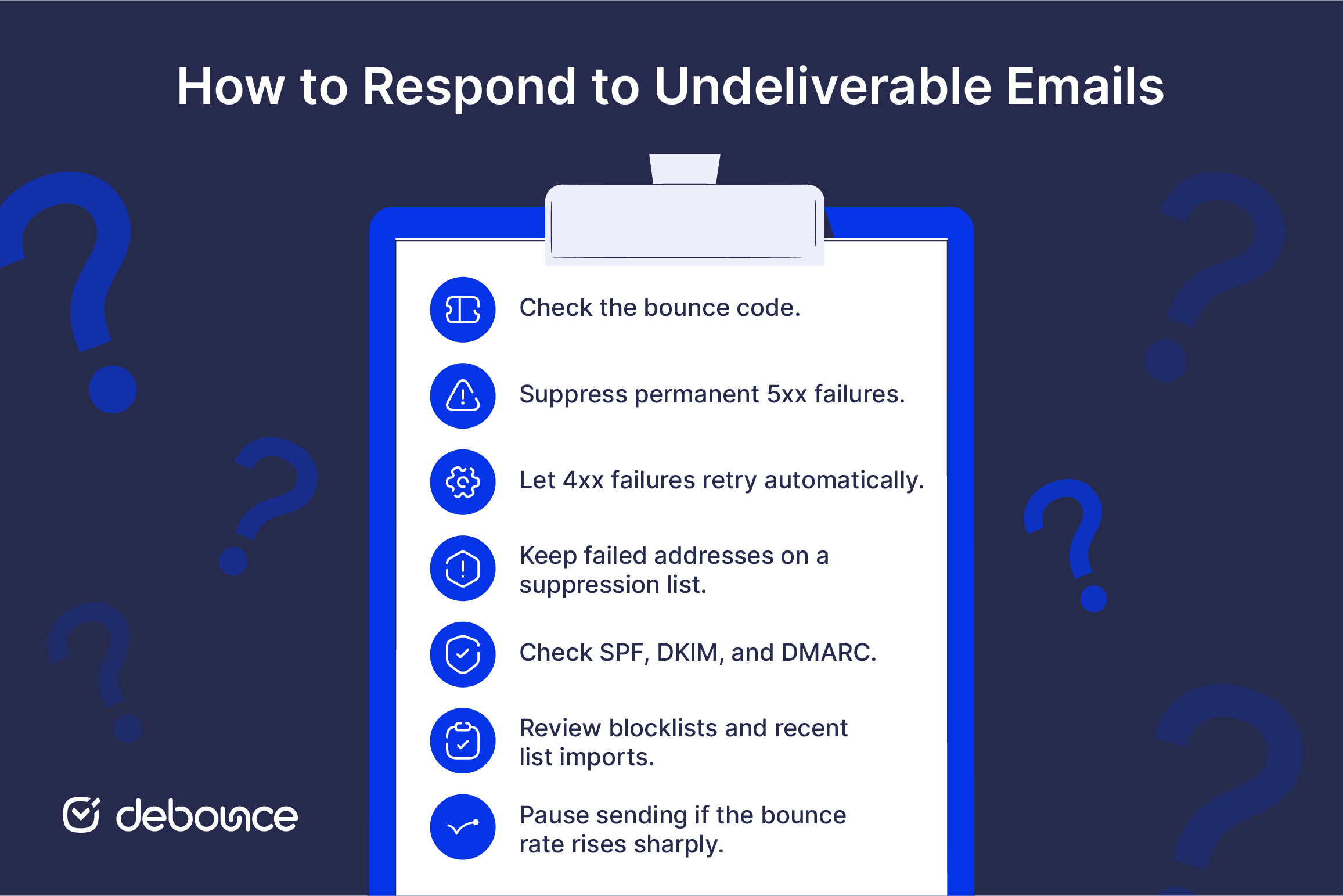
Start with the code. If it’s a 5xx, suppress the address immediately. If it’s a 4xx, let your sending server handle the automatic retry. Most major ESPs (Mailchimp, SendGrid, HubSpot, ActiveCampaign) automate suppression for hard bounces and pause retries when soft bounce thresholds are reached.
For soft bounces, allow the standard 24 to 72-hour retry window. Suppress the address after three to five consecutive failures across that window, since at that point, the mailbox is unlikely to recover on its own.
Suppression is not the same as deletion. A suppression list prevents a bad address from being accidentally re-imported in a future list upload. Deleting the contact removes that protection. Keep suppressed addresses in your email platform and make sure the suppression rules apply to all future uploads and campaigns.
Repeated hard bounces from newly collected addresses often point to a problem at the point of capture. The form may be accepting mistyped, invalid, or disposable addresses without checking them before they enter the list.
A spike in bounces usually has one of four causes: a new or recently changed sending IP, a broken or recently modified authentication record, an uncleaned list import, or a blocklist event.
Run this diagnostic sequence in order:
Keep bounce rate benchmarks in mind as you work through the fix: below 2% is acceptable, above 2% typically triggers throttling from inbox providers, and above 5% requires you to pause sending until the issue is resolved.
Prevention is easier than reputation repair. A damaged email deliverability record takes weeks to rebuild; the actions that prevent it in the first place take hours to set up.
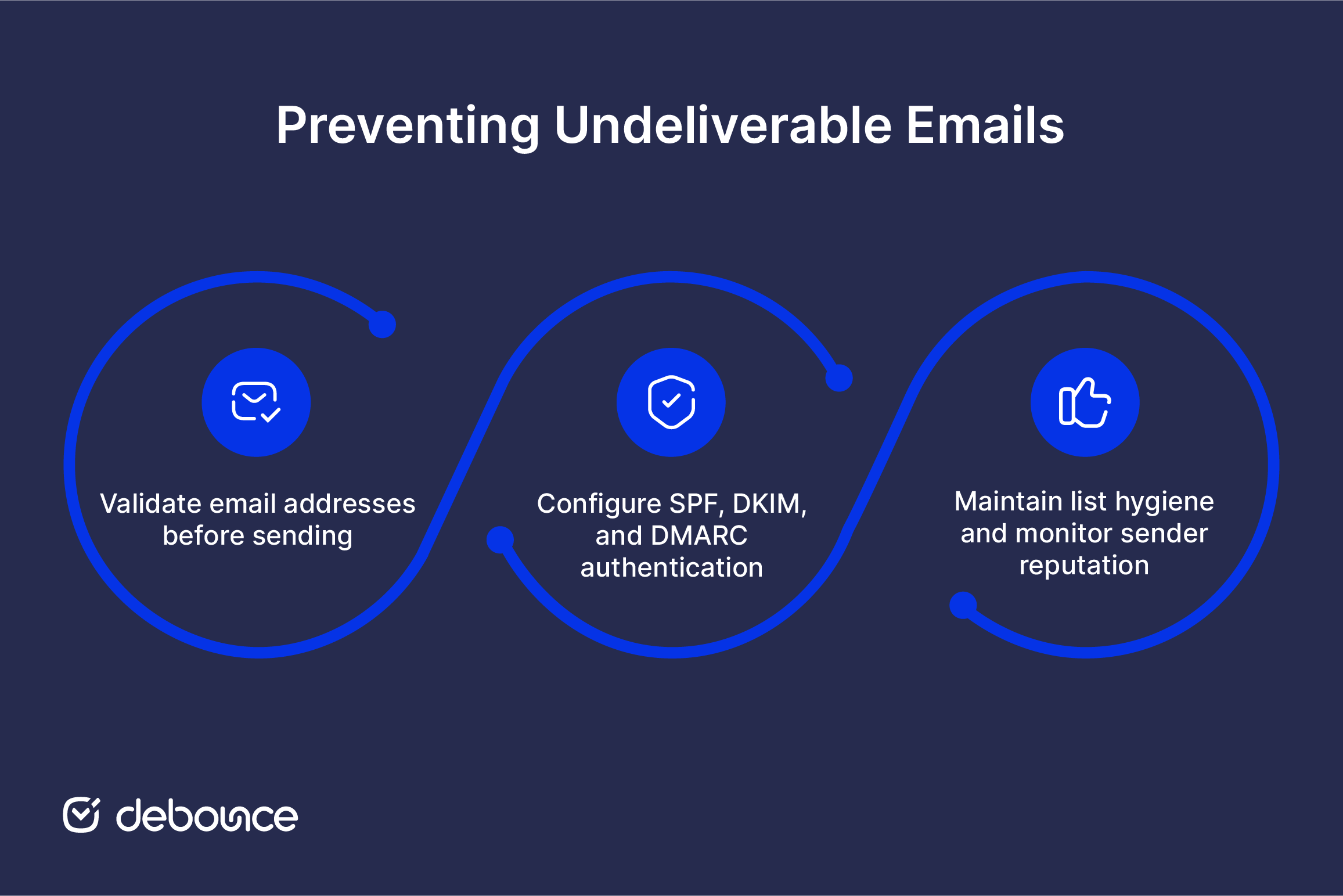
Email validation is most effective when used both at signup and on existing lists.
All three authentication standards need to be in place on your sending domain. Set them up in this order: SPF first (authorizes your sending IPs), DKIM next (signs outgoing messages), and DMARC last (tells receiving servers what to do when the first two fail).
A message passes DMARC when at least one authentication method passes and aligns. SPF and DKIM do not both have to align under the DMARC standard, although some inbox providers require bulk senders to configure both.
All three records live in DNS. They don’t require ongoing maintenance once set up correctly, but they do need to be updated when you change sending infrastructure. Adding a new ESP or IP, for example, requires an SPF record update.
Ongoing hygiene prevents accumulated damage:
Monitor your sending reputation weekly through Google Postmaster Tools (for Gmail) and Microsoft SNDS (for Outlook and Hotmail). Both are free and show complaint rates, spam classifications, and IP reputation data. Low engagement (contacts who receive your email but never open or click) damages sender reputation over time, even without generating bounces.
If you’re on a new sending IP or domain, warm up the domain before sending at full volume. Starting with a small, highly engaged segment and increasing volume gradually gives inbox providers time to build a positive reputation signal before they see your full list.
Some undeliverable emails are unavoidable, but they should not be allowed to build into a larger deliverability problem. Validating addresses before they enter your list, keeping authentication records accurate, and removing invalid or inactive contacts regularly will prevent many of the most common bounce causes.
The highest-leverage move you can make today is list validation. Clean and verify your email list with DeBounce to remove the addresses that are guaranteed to bounce before your next send. Start with 100 free verifications; no commitment required.
This usually means your domain or email address is being used in a spoofing or phishing campaign: someone else is forging your address in the From field of spam emails, and the NDRs from failed deliveries are landing in your inbox. Setting up DMARC on your domain helps receiving servers reject those spoofed messages at the source.
Fake NDRs (sometimes used in phishing attempts) typically lack the SMTP transcript included in genuine bounce notifications, and the error details are vague or missing. A real NDR always includes the original message metadata and a specific error code. If the bounce notification asks you to click a link or open an attachment, treat it as suspicious.
A correct address is necessary but not sufficient for delivery. The most common causes of bounces on valid addresses are authentication failures (SPF, DKIM, or DMARC not passing), a blocklisted sending IP, or a content-based spam filter block. Check your authentication records and sending IP reputation first before assuming the address is the problem.
Standard retry logic covers 24 to 72 hours, with multiple attempts across that window. If the address continues to generate soft bounces after three to five consecutive attempts over that period, suppress it. Persistent soft bounces, particularly for full mailbox codes, often indicate an abandoned inbox that won’t recover.
Find quick answers to your questions about our pricing and plans.

Standard Google Sheets formulas only check email syntax; they can't confirm whether a mailbox actually exists, which is the check that matters for...

Email size limits apply to the complete message, including body text, inline images, and all attachments combined. Email encoding (Base64) increases file sizes...

Both SPF and DKIM must be configured and aligned with your sending domain before DMARC works correctly. Publishing DMARC over broken authentication causes...

SMTP ports control how emails are sent from clients and applications to mail servers, making them essential for establishing secure and reliable email...

Links in the email are like fire. What do I mean? They are beneficial if used correctly. Yet, they can cause severe damage if you...


ESPs reject new accounts to protect shared sending reputation — not to punish legitimate marketers. Decline emails stay vague on purpose. Compliance teams...
